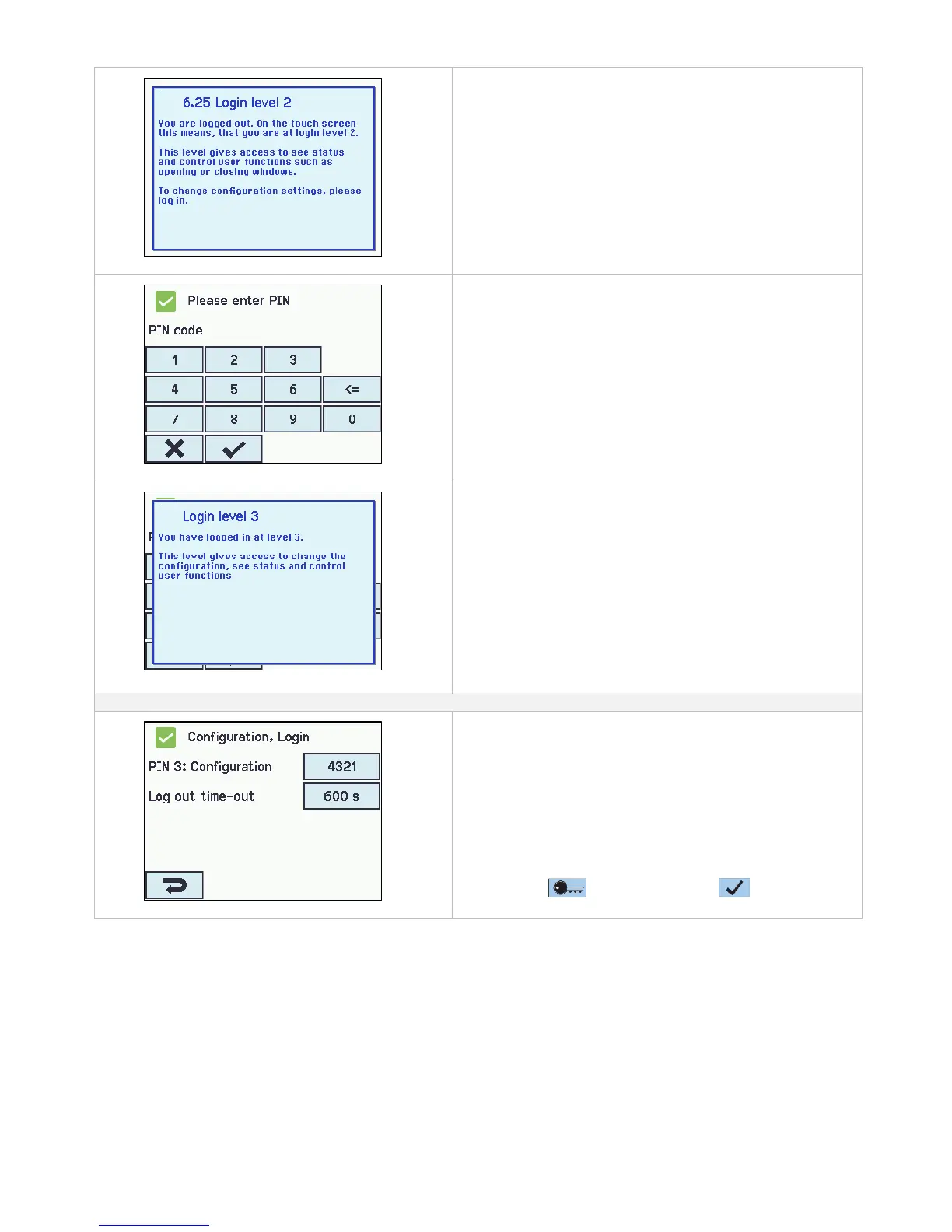
The user is on access level 2
The user is at access level 2.
To open for access level 3, enter the PIN for access level 3.
Access approved to login level 3
The user is at access level 3.
Login shall be configured in:
The access levels can be locked and access to the level is only
possible with a PIN code.
Each level has a unique PIN code.
1. PIN 3: Configuration
2. Log out time-out (the period of access to the level before the
system automatically lock the level)
The appendix contains all the items that can be configured -
see appendix for detailed explanation.
It is possible to lock the touch screen before the time has
expired: press followed by pressing
14.17 Configuration files on SD
The panel has a plug in for micro SD card.
The card is used for log file and back up of the configuration of the panel. The card should NOT be removed.
It is possible to save all the configurations of the panel and this way save the card as documentation.
It is also possible to reinstall from the SD card or to copy to an USB stick.
Copying to/from the SD card is to be done section by section – meaning that there are to be made 3 savings for a WSC 560.
The SD card’s file names are numbered from 1 to 24.
Files on the card can be transferred to a spread sheet (Excel).



 To Next Page