57
20 View all details – main menu
To make the configuration of the smoke ventilation panel as simple as possible during configuration (see chapter 13), it is only
possible to configure the most used functions.
Under 'View all details' is displayed all of the above functions together with detailed functions that are not used as often, but are
possible to configure.
If you are logged into access level 3 it is also possible to configure from this menu.
It is possible to view all details for:
Motor line
Motor group
Break glass unit
Smoke zone
Local input
Local output
Weather station type
Power supply
CAN
Network
KNX bus
BACnet
Log in
Configuration files, SD
Configuration files, USB
System
21 Remote control of FlexiSmoke™
It is possible to remote control a FlexiSmoke™ from a PC.
When the FlexiSmoke™ is on a standard computer network (Ethernet) you can from any PC with the “WMaFlexiSmokeRemote”
program control the FlexiSmoke™ just like if you were standing in front of the panel.
The program ”WMaFlexiSmokeRemote” program can be downloaded from our webpages (www.windowmaster.com) under
FlexiSmoke™.
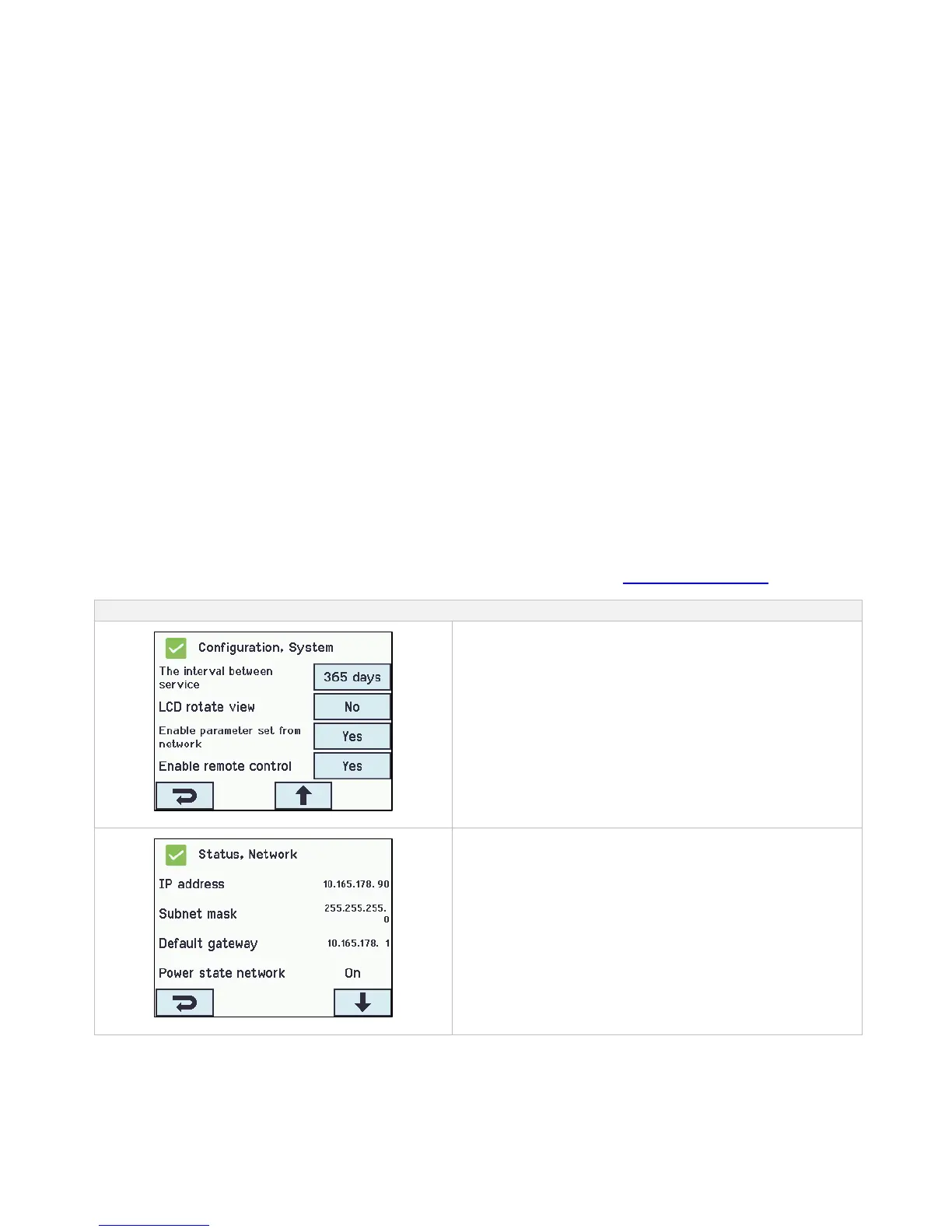
To enable remote control of the panel it is necessary to allow
remote control. This is done in the configuration of the system.



 To Next Page