35
For ±24V motors the full chain length is defined as a runtime of 60 seconds. To ensure the windows are 100% open or closed, the
chain length is run twice (120sec). This can have an influence when configuring the a sequence control.
Motor lines configuration
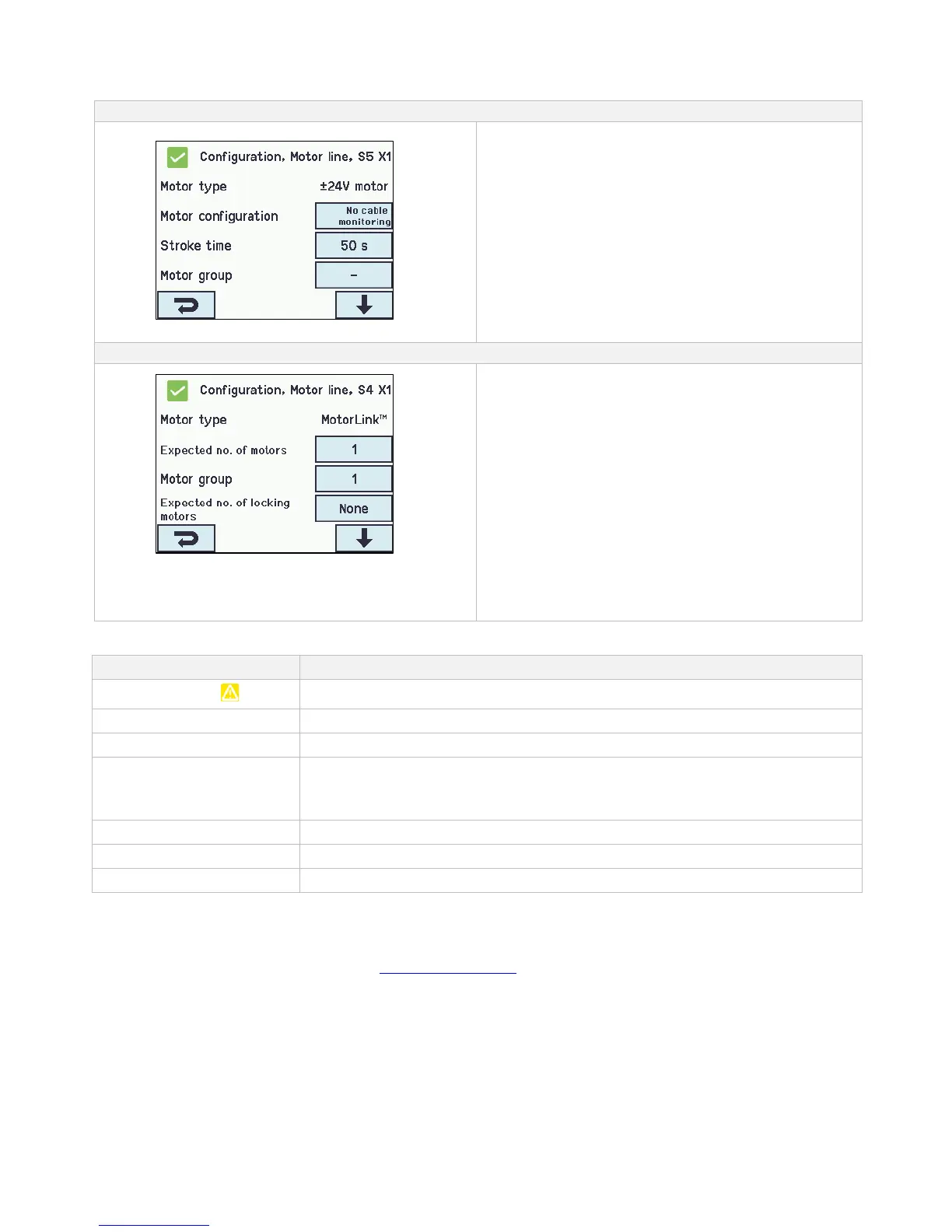
The ±24V motors are to be configured in:
1. Motor type: informs the type of the motor ±24V motor
(not to be configured)
2. Motor configuration
3. Stroke time
4. Motor group
5. Manual command - auto off-period
6. Retry during alarm
7. Sequential control type
The appendix contains all the menus that can be configured
- see appendix for detailed explanation.
The MotorLink
®
motors are to be configured in:
MotorLink
®
motor configuration
1. Motor type: informs the type of the motor MotorLink
®
(not to be configured)
2. Expected no. of motors
3. Motor group
4. Expected no. of locking motors
4.1 No. of found locking motors (see appendix)
5. Manual speed
6. Auto. speed
7. Manual command – auto off period
8. Retry during alarm
9. Max unexpected overcurrent
10. Max unexpected overcurrent (motor)
11. Sequential type
The appendix contains all the menus that can be configured
- see appendix for detailed explanation.
14.2.3 Colour code - motor line
The overview fields on the touchscreen have color codes for the motor lines:
The motor line are to be configured or there is a fault in the motor
No configuration of the motor line / the motor line doesn’t exists
The motor line are configured, the motor has not been closed 100%
The motor line has been configured; the motor has been closed 100%.
Motor lines on the MotorLink
®
module will be marked in green, if the motor/motors on the
motor line has been closed 100% and the point zero of the motor has been determined.
The motor line are configured with ‘No motors are connected’
Configuration is missing or there is a mistake in the configuration
The motor line has been given alarm signal
14.3 Motor group
All motor groups can be assigned to a smoke zone and multiple motor groups can be assigned to the same smoke zone.
See the example "Example of motor lines / motor groups / smoke zones" in the beginning of this chapter for further details or the utilization
examples, which can be found on the home pages (www.windowmaster.com).
When configuration specify the number of the smoke zone that are to control the motor group.



 To Next Page