2-29RAM Dump
16-1408348
Also required is a CompactFlash Card with the DUMPCHIPS program (NDMP-000-xxxx).
1 Determine the following:
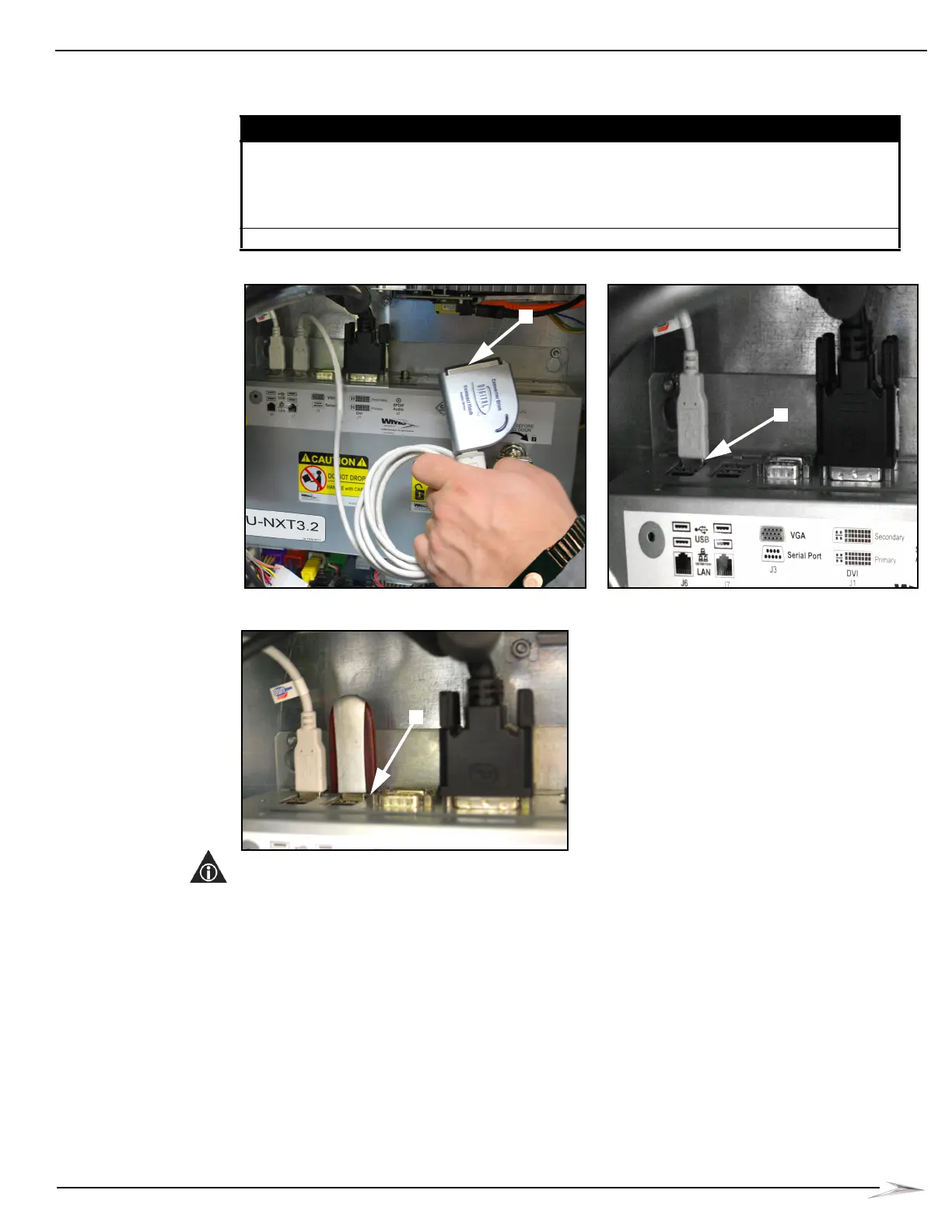
Figure 2-65 Setting up CompactFlash Card Reader (your equipment may look different).
Figure 2-66 Plugging USB drive into USB port on CPU (your equipment may look different).
NOTE: Ensure the Card Reader or USB device is securely connected. If the device is not
connected, data displays to the screen instead of being downloaded to the device and the following
message displays: “Unable to mount device {device name} for writing. All information will be
dumped to screen.”
If... then...
a CompactFlash Card Reader is being used perform the following steps:
1 Insert the blank CompactFlash Card into the Card Reader,
Figure 2-65 (A).
2 Plug the USB connector end of the Card Reader into an open
USB port on the CPU, Figure 2-65 (B).
a USB drive is being used Insert the USB drive into any USB port on the CPU, Figure 2-66 (C).



 To Next Page