2-30
Chapter 2: Installation and Setup
Aug 2012
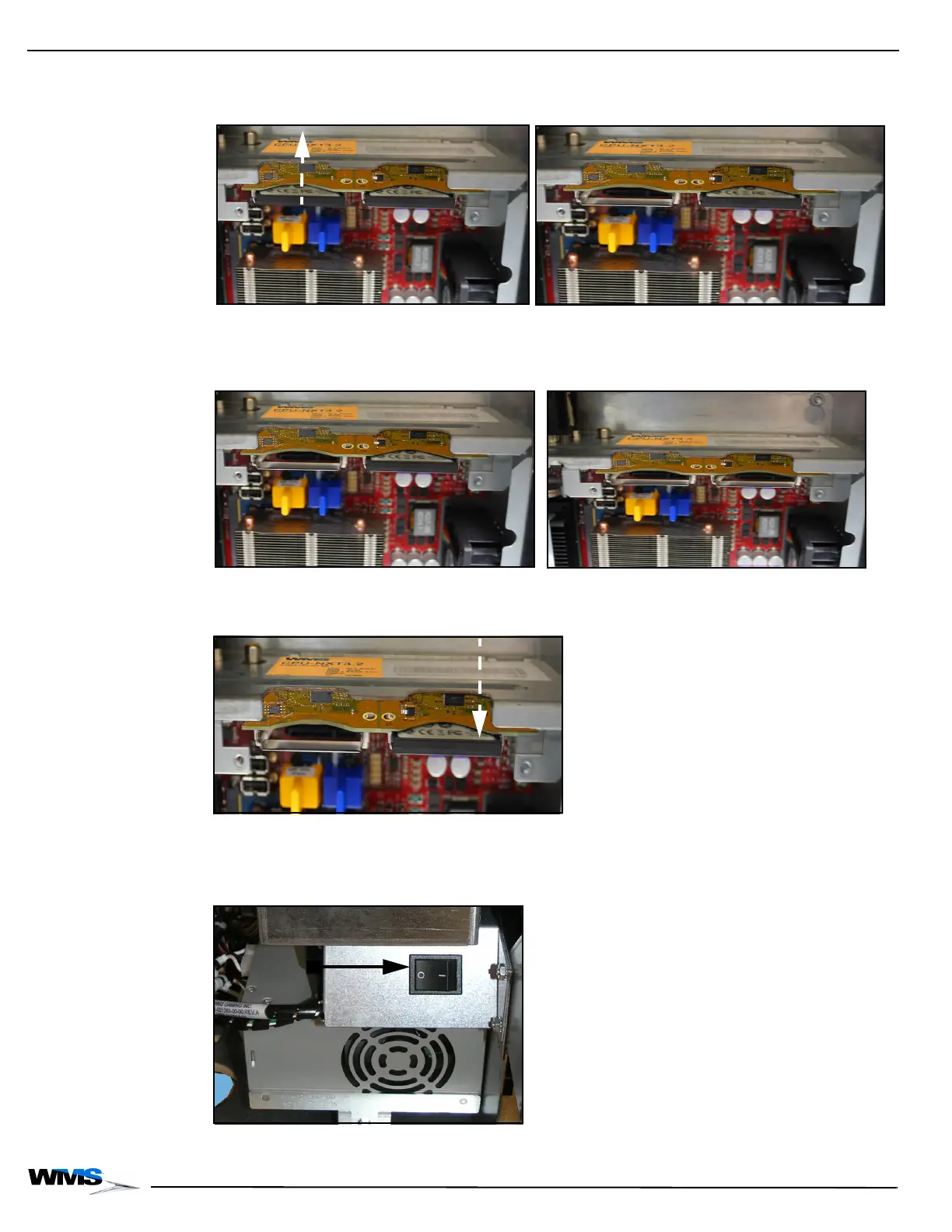
2 Remove the game CompactFlash Card, Figure 2-67.
Figure 2-67 Removing game CompactFlash Card (your equipment may look different) (left) and with game
CompactFlash Card removed (right).
3 Remove the OS CompactFlash Card, Figure 2-68.
Figure 2-68 Removing OS CompactFlash Card (your equipment may look different) (left) and with both cards
removed (right).
4 Insert the DUMPCHIPS CompactFlash Card into the OS drive on the CPU, Figure 2-69.
Figure 2-69 Inserting DUMPCHIPS CompactFlash Card into OS drive (your equipment may look different).
5 Reconnect the game Power Supply Cord to the Power Entry Assembly.
6 Power the game ON at the power switch, Figure 2-70 (A).
Figure 2-70 Power game ON at Power Switch (your equipment may look different).



 To Next Page