2-31RAM Dump
16-1408348
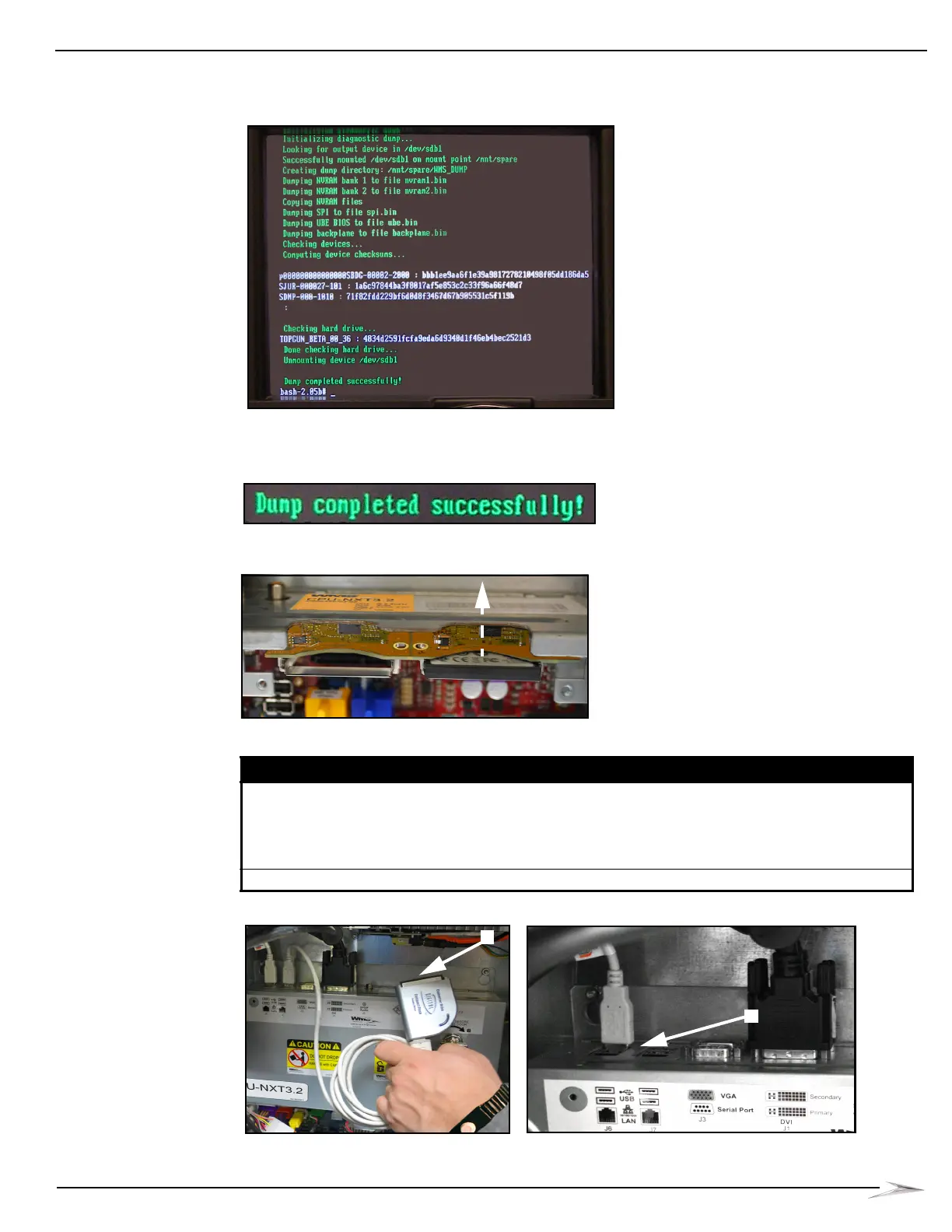
As the game boots up and reads the DUMPCHIPS card, messages display on the LCD,
Figure 2-71.
Figure 2-71 Progress messages on LCD (message on your LCD may look different).
7 After the “Dump completed successfully!” message in Figure 2-72 displays, power the game
OFF at the power switch, Figure 2-70 (A).
Figure 2-72 Dump complete message (message on your LCD may look different).
8 Remove the DUMPCHIPS CompactFlash Card from the OS slot, Figure 2-73.
Figure 2-73 Removing DUMPCHIPS CompactFlash Card (your equipment may look different).
9 Determine the following:
Figure 2-74 Removing CompactFlash Card Reader (your equipment may look different).
If... then...
a CompactFlash Card Reader is being used perform the following steps:
1 Remove the CompactFlash Card from the Card Reader,
Figure 2-74 (A).
2 Unplug the USB connector end of the Card Reader from the CPU,
Figure 2-74 (B).
a USB drive is being used unplug the USB drive from the CPU, Figure 2-75 (C).



 To Next Page