Manual 26166V1 MicroNet Simplex & MicroNet Plus
Woodward 59
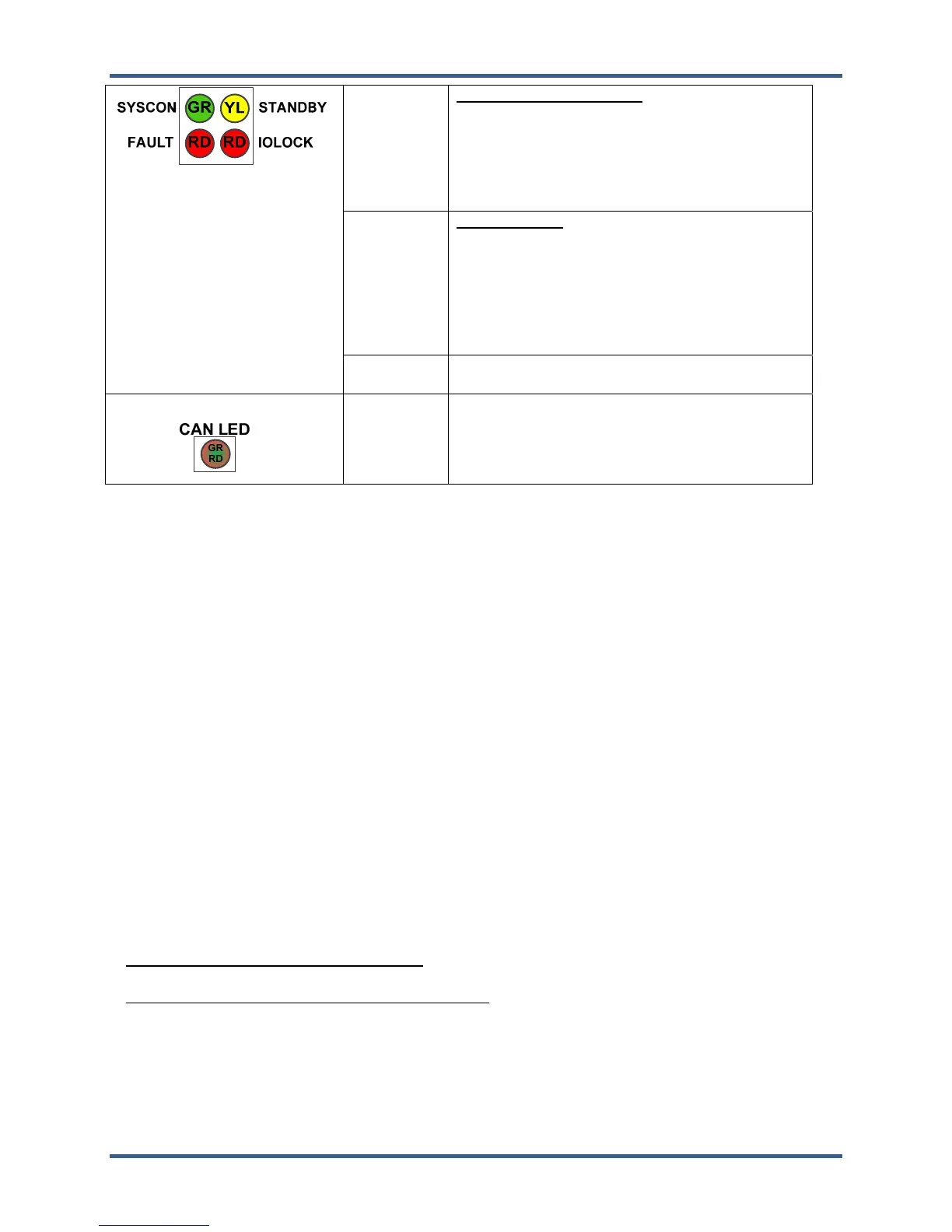
STANDBY
Standby Ready (YELLOW)— Active in a
redundant system. Indicates that the backup CPU
module is in standby mode ready to take over
System Controller functions in a failover event. In
a redundant system, the "SYSCON" CPU module
has both SYSCON and STANDBY indicators
active.
IOLOCK
IOLOCK (RED)—This LED indicates that an I/O
LOCK condition exists either locally on the CPU its
VMEbus.
Note: IOLOCK is a condition driven by the
SYSCON where all I/O modules are placed into a
failsafe condition and outputs are driven to a
known state.
FAULT
CPU FAULT (RED)—Actively flashes CPU fault
codes as necessary.
CAN #1, #2,
#3, #4, #5
Active GREEN when data is transmitted or
received through CAN ports.
RED indicates a fault
6.2.4. Power Up LED Sequence
IOLOCK on
SYSCON on for 4 seconds, off for 2 seconds
STBY on for 4 seconds, off for 2 seconds
SYSCON on the CPU which is SYSCON (left CPU by default if it exists)
STATUS yellow when operating system is booted up and ready to start an applicatoin(~90 seconds after
powerup)
SYSCON light will switch back and forth between redundant CPUs 6 times to determine which CPU will
be Syscon when application is commanded to start
STATUS green when application is running
IOLOCK off when application is running without errors
STBY yellow when application is running on redundant CPUs
6.2.5. Module Reset
Front Panel Reset Switch. The CPU module has a pushbutton reset switch on the front panel to reset the
module. If a GAP application was successfully running at the time of reset, the same application will be auto-
started and re-initialized.
CPU1 and CPU2 Remote Reset. Each CPU module will respond to a +24 V remote reset signal. The
chassis provides a terminal-block with inputs RST1+, RST1–, RST2+, and RST2– for wiring the remote
reset signals to each CPU. Each reset signal is routed to an opto-isolated input on the appropriate CPU
that requires a +24 V signal to cause a reset.
Reset Notes:
Any System running with one healthy CPU. Reset detection will also drive IOLOCK and IORESET to
place the Control System, its expansion racks, and all output signals into a known failsafe condition.
Redundant Systems running with two healthy CPU's. Reset detection on the SYSCON (System
Controller) causes an immediate "Failover" to the other STANDBY CPU who then becomes the new
System Controller. Reset detection on the STANDBY unit causes a HealthFault that removes it from
STANDBY mode.














 To Next Page