Troubleshooting
WorkCentre 7425/7428/7435
User Guide
200
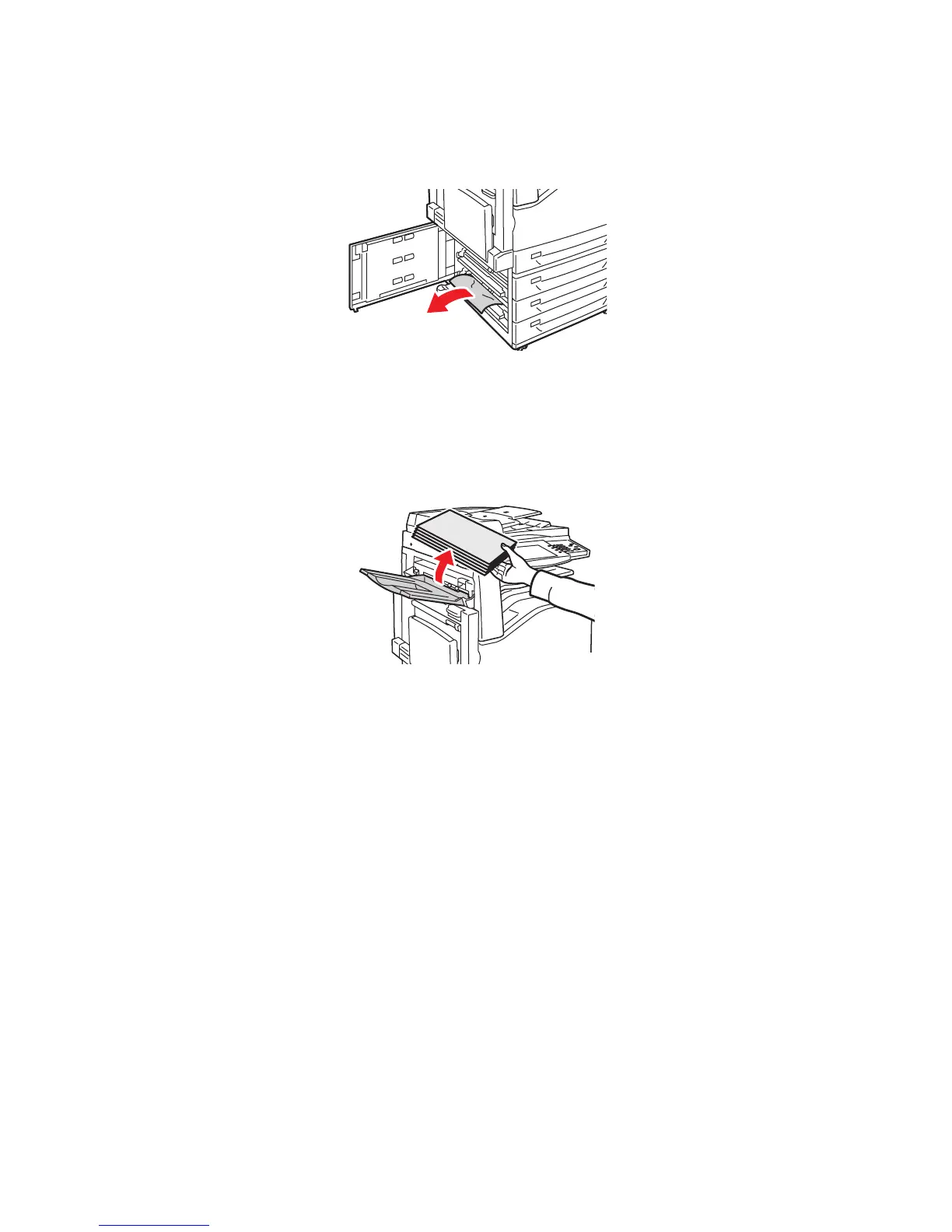
2. Remove the jammed paper. If the paper is torn, be sure to remove all torn pieces.
Note: If paper is jammed in the upper position, you may need to look inside the printer to see it.
3. Close the left bottom cover.
Clearing Paper Jams in Bottom Left Cover D
1. Remove paper from the Top Left Tray, then fold the tray up.
wc74xx-038


 To Next Page
 Loading...