38 www.xilinx.com Spartan-3E Starter Kit Board User Guide
UG230 (v1.0) March 9, 2006
Chapter 4:
FPGA Configuration Options
R
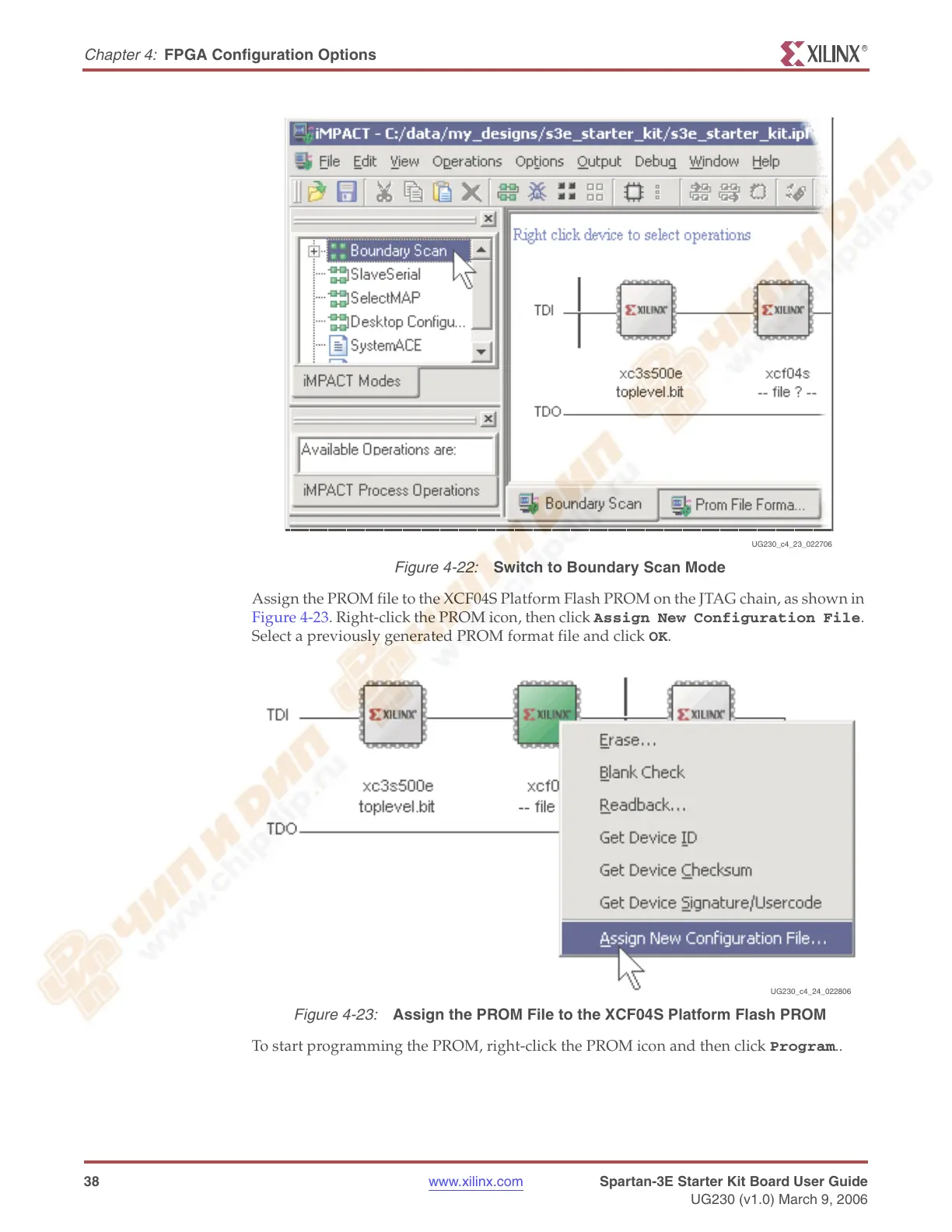
Assign the PROM file to the XCF04S Platform Flash PROM on the JTAG chain, as shown in
Figure 4-23. Right-click the PROM icon, then click Assign New Configuration File.
Select a previously generated PROM format file and click OK.
To start programming the PROM, right-click the PROM icon and then click Program..
Figure 4-22:
Switch to Boundary Scan Mode
Figure 4-23:
Assign the PROM File to the XCF04S Platform Flash PROM
UG230_c4_23_022706
UG230_c4_24_022806








 To Next Page