18
Port
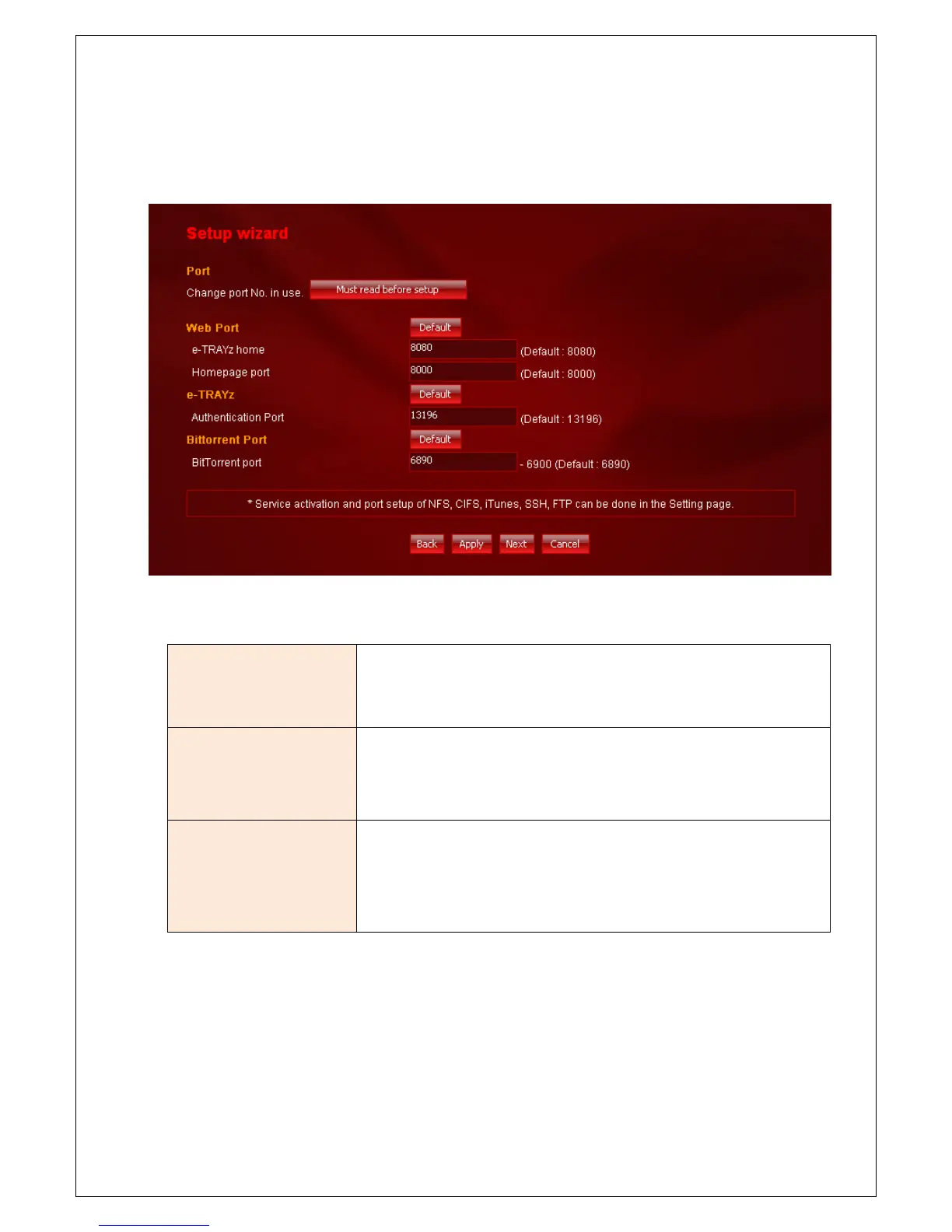
1. Set service port. You can set Web port, e-TRAYz authentication port and e-torrent port.
2. When you use router, each service port of router must be opened to access e-TRAYz through the internet.
Web port
Setup e-TRAYz Home port and e-TRAYz homepage port. Default port of e-
TRAYz Home port is 8080, and of homepage is 8000.
e-TRAYz port
Setup authentication port of e-TRAYz. You must enter authentication port
at connector. Default port is 13196.
e-Torrent port
Setup e-Torrent port range. It can be set from 1024 to 65535 manually. The
last port value is automatically set with (starting port + 10). Default starting
port is 6890 and the last is 6900.



 To Next Page