47
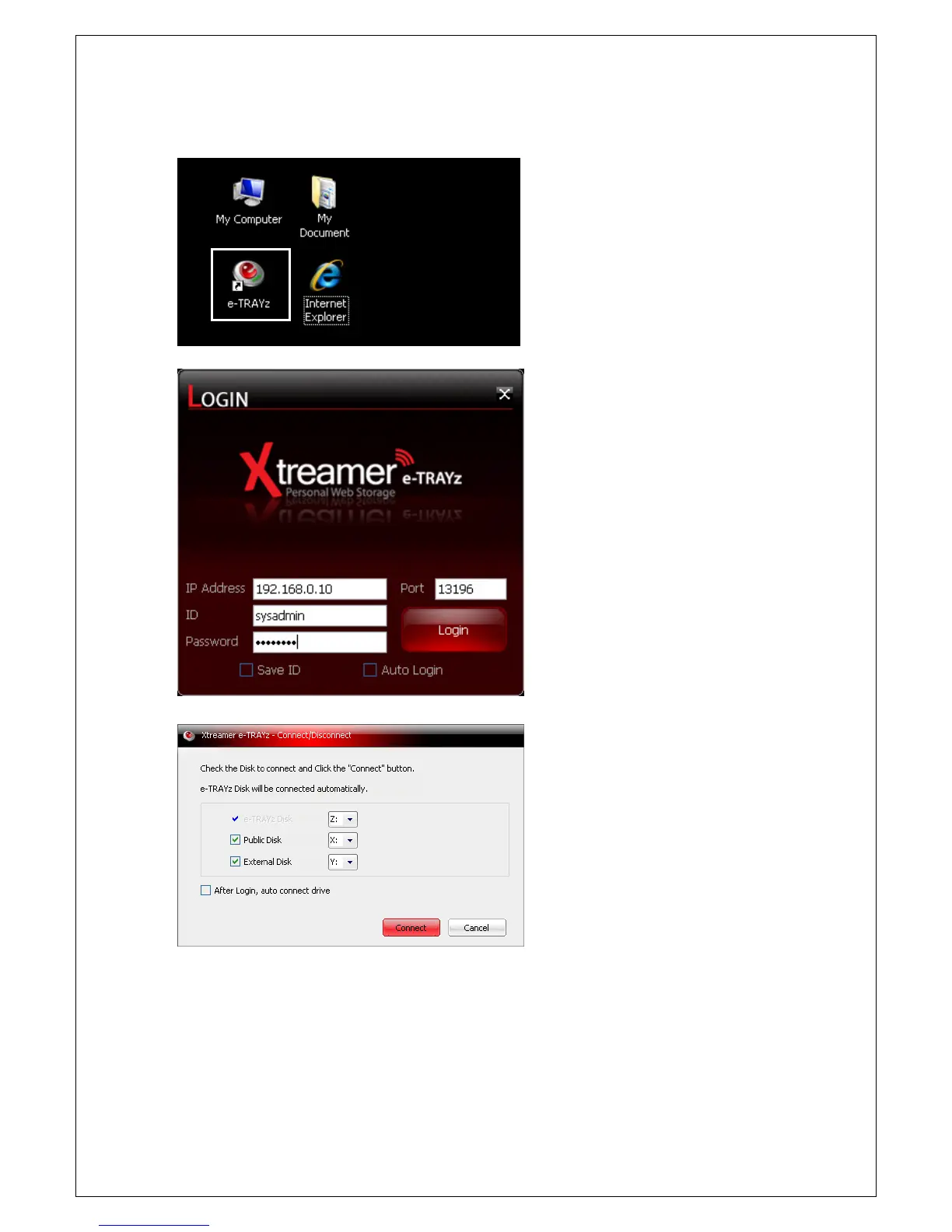
Run e-TRAYz
1. Double click the e-TRAYz icon created on
desktop after installation of e-TRAYz
connector.
2. Input IP address of e-
connect and password created after install,
and then click login button. (If you click
'save ID' and 'Auto Login', y
conveniently login next time.)
[When administrator account access]
3. e-
TRAYz Connect/Disconnect window is
activated. In this window, e-TRAYz Disk,
and Public Disk are basically connected.
In this case, you can select drive name.
4. If there is no USB external disk, External
Disk is not connected.
5. If you click
'After Login, auto connect
drive', it is automatically logged in next
time without disk selection phase.



 To Next Page