96
Using iTunes
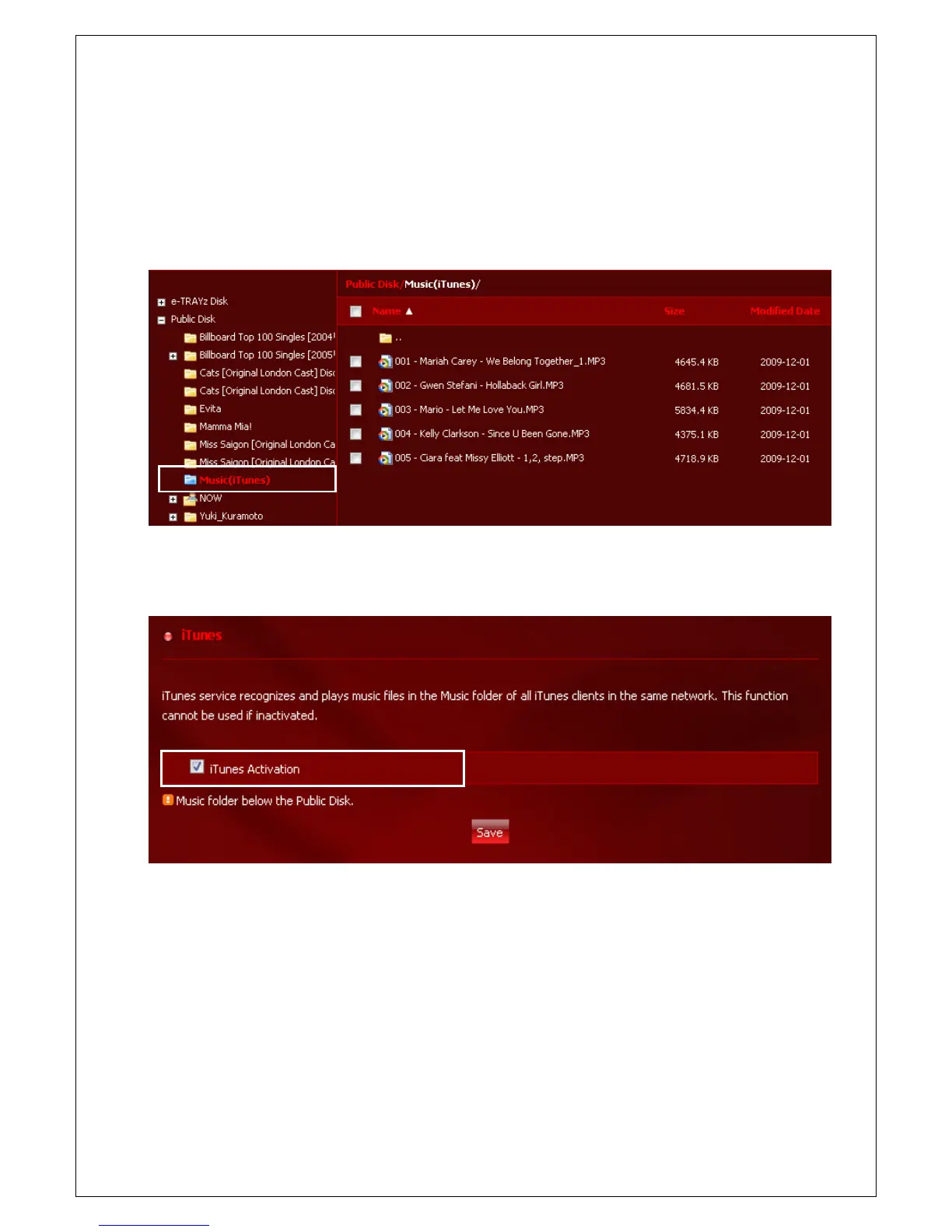
You can listen to the music saved in Music(iTunes) folder of Xtreamer e-TRAYz by using iTunes client.
To use this function, you need to activate iTunes service first. And audio files must be saved at Music(iTunes)
folder of Public Disk.
1. Activate iTunes service in [Settings] – [Service] – [iTunes] menu.
2. When executing iTunes, e-TRAYz_music is displayed in share item on the left menu. This display all audio
files located in Music folder of e-TRAYz. If there is a lower folder, all files in the folder are displayed as well.
3. In case Korean or other letters break, this is a problem related to id3tag. Modification in UTF-8 type is
required by using id3tag editor. (Ex. you may download and use a Mp3tag freeware)
4. Music(iTunes) folder is updated periodically by using Update Interval that you set up in [Settings]-[Service]-
[iTunes] menu. The file list may be renewed if you click the ‘List update’ button at the bottom of the page.



 To Next Page