55
Sharing options
You can directly alter sharing information, such as access privileges and user setup, on Windows.
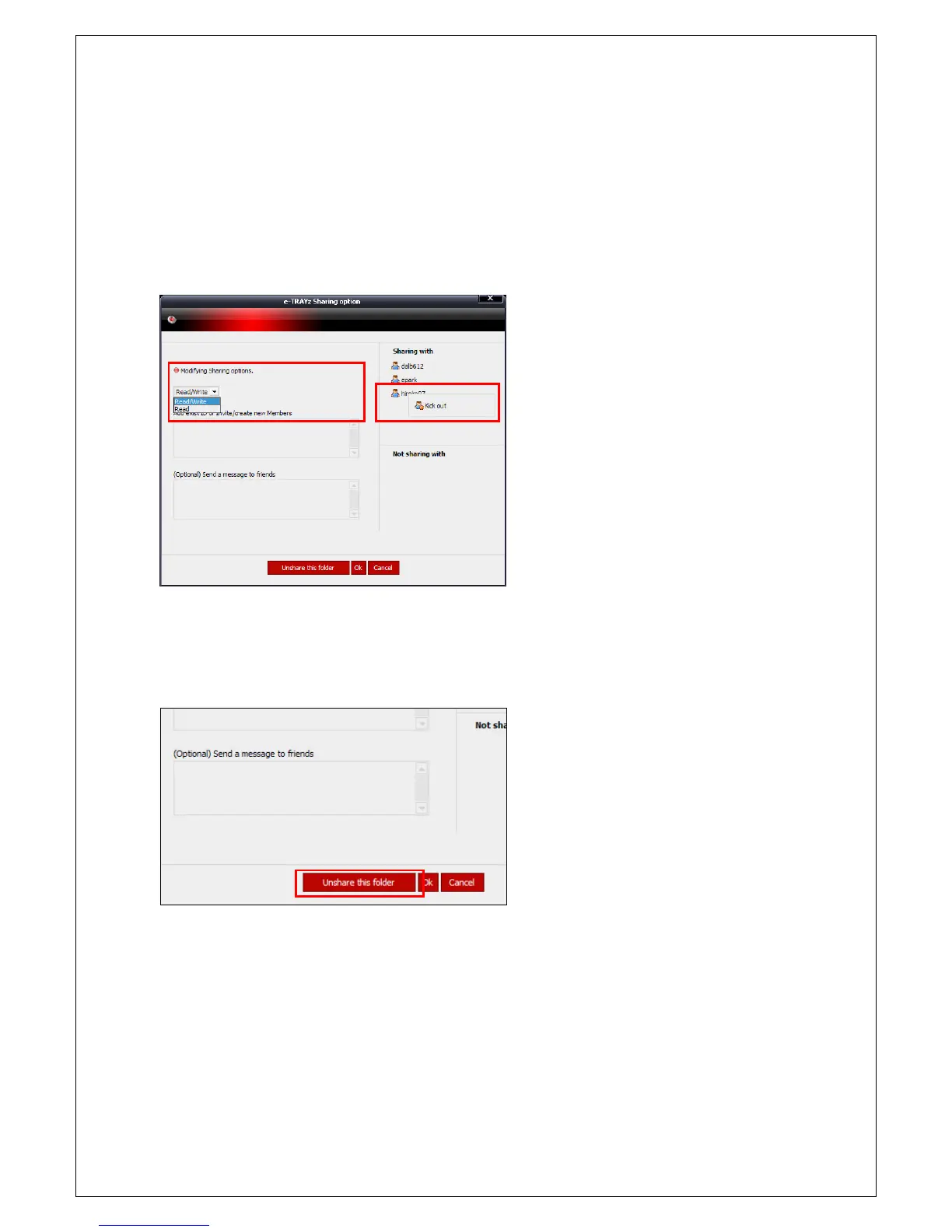
1. Click right mouse button on the shared folder will be altered.
2. After over mouse on e-TRAYz menu, if You click 'Sharing Option' menu on sub-menu
3. 'Sharing Option' option window will be created.
4. You can see a lot of information related to
an access privileges and sharing of current
folder. When you want to release share
status for a user, click right mouse button
and then select 'Kick out' menu.
5. When y
ou want to add new user for
sharing a folder, click the user's ID or insert
the ID directly. In unregistered user case,
you can set up account and sharing by
inserting their e-mail address.
Unshare
If You click 'Unshare this folder
' button on
lower side of option window, the confirm
window is created. Click 'OK' b



 To Next Page