61
Share
e-TRAYz owner can create a folder on e-TRAYz Disk와 Public Disk, and then share the folder with other users.
How to share on ‘e-TRAYz web’ is equal to the ‘e-TRAYz’.
General users cannot setup of sharing and can use shared folder by administrator on ‘e-TRAyz Disk’.
When the sharing is set up among users, the sharing information is sent to users via e-mail. To do well this
procedure, Mail Server (SMTP) and DDSN must be set up on e-TRAYz. Mail server is set up on [Settings] -
[System] - [Mail(SMTP)] or [Setup wizard] - [Mail] on main page, and DDNS is set up on [Settings] - [System] -
[Network] or [Setup wizard] - [DDNS].
Creation of Shared Folder
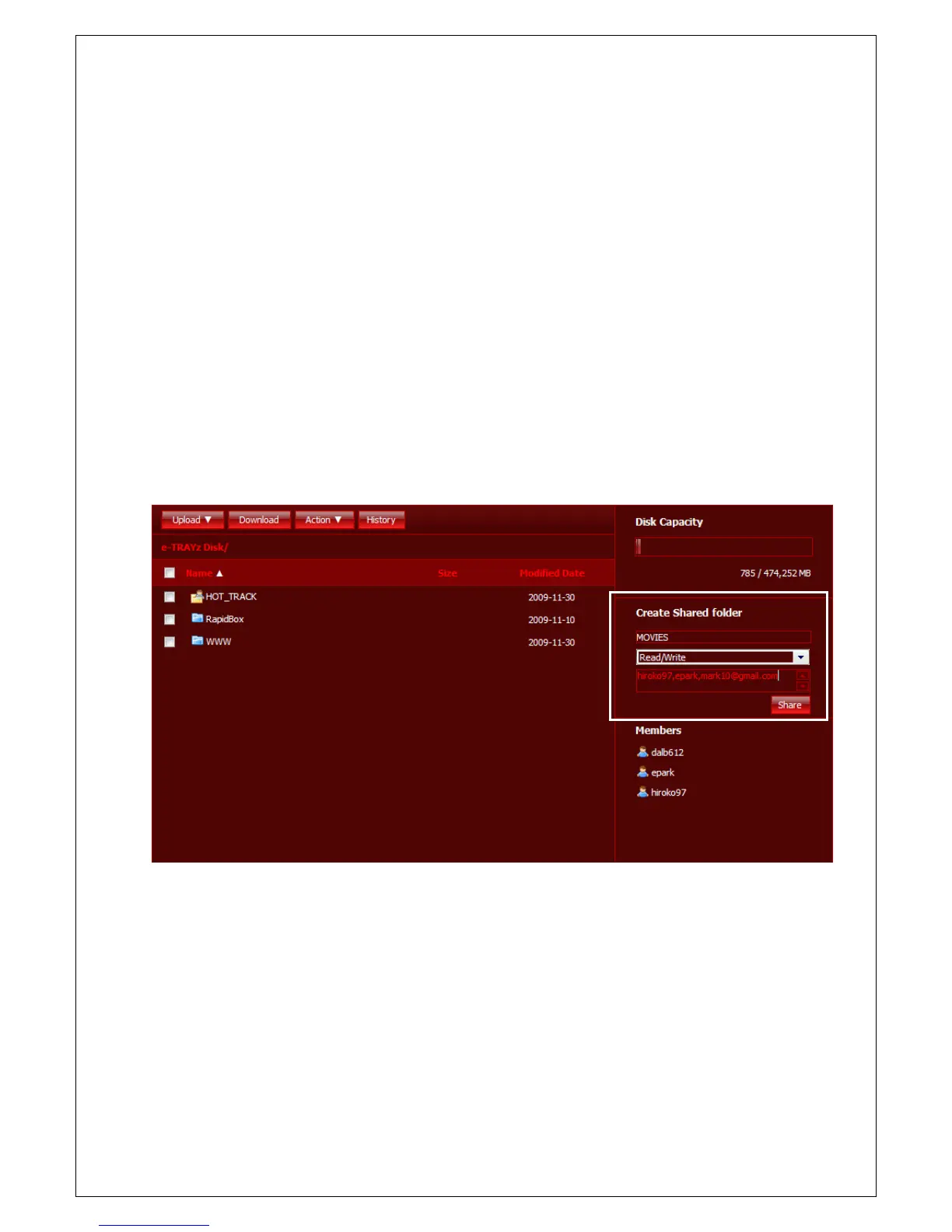
You can proceed to create a new folder and setup sharing at once at ‘e-TRAYz web’.
1. Move into 'Create Shared folder' area on right of e-TRAYz Disk or Public Disk.
2. Insert shared folder name to create. Set up privileges for shared folder. If the folder set up as 'Read only',
other users except owner of the folder can only download files on the folder.
3. Insert a lot of information related to a user who will share folder.
- A registered user case : When a user is registered on Web browser, user's 'Users' list is created on right
side of e-TRAYz window. If you click user ID on 'Users' list, the user ID is automatically listed on 'Enter user
ID or E-mail address' field. In this case, you can directly insert ID on this field, too.
- An unregistered user case : Insert e-mail address related to a user who will share folder. Then, e-TRAYz



 To Next Page