50
Disk Disconnect
You can release the disk connection as followings;
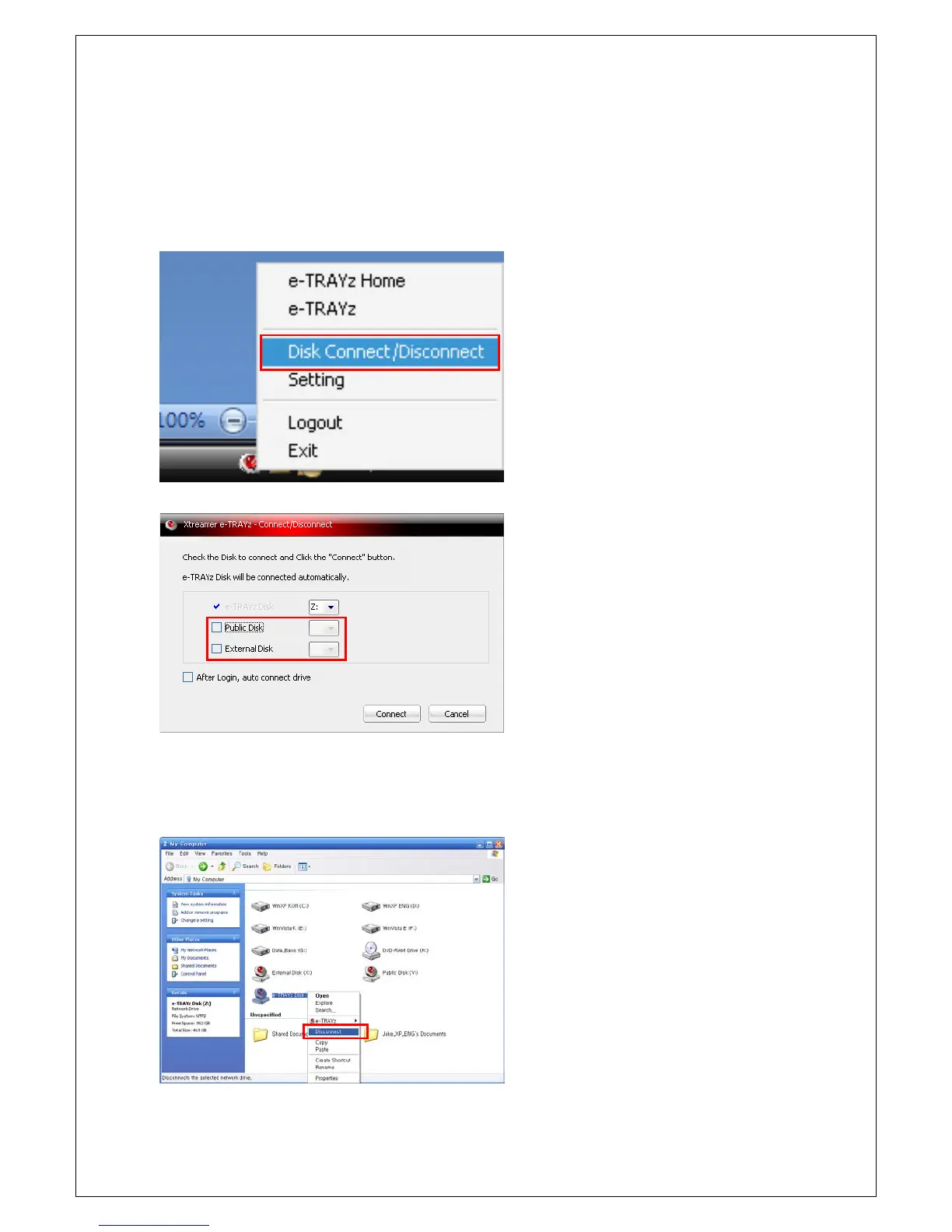
Release it on tray icon menu
1. Select Disk Connect/Disconnect menu
after clicking right mouse button on tray
icon.
2. If you click 'Connect' button after releasing
Public Disk or External Disk on check box,
the connection of disk is released.
e-
connected as a network drive at Explorer.
2. Select a 'Disconnect' field on menu. Then,
connection of the disk is released.



 To Next Page