EasyManua.ls Logo

Xtreamer e-TRAYz - Using as External Disk

Xtreamer e-TRAYz
105 pages
Print Icon
To Next Page IconTo Next Page
To Previous Page IconTo Previous Page
Loading...
34
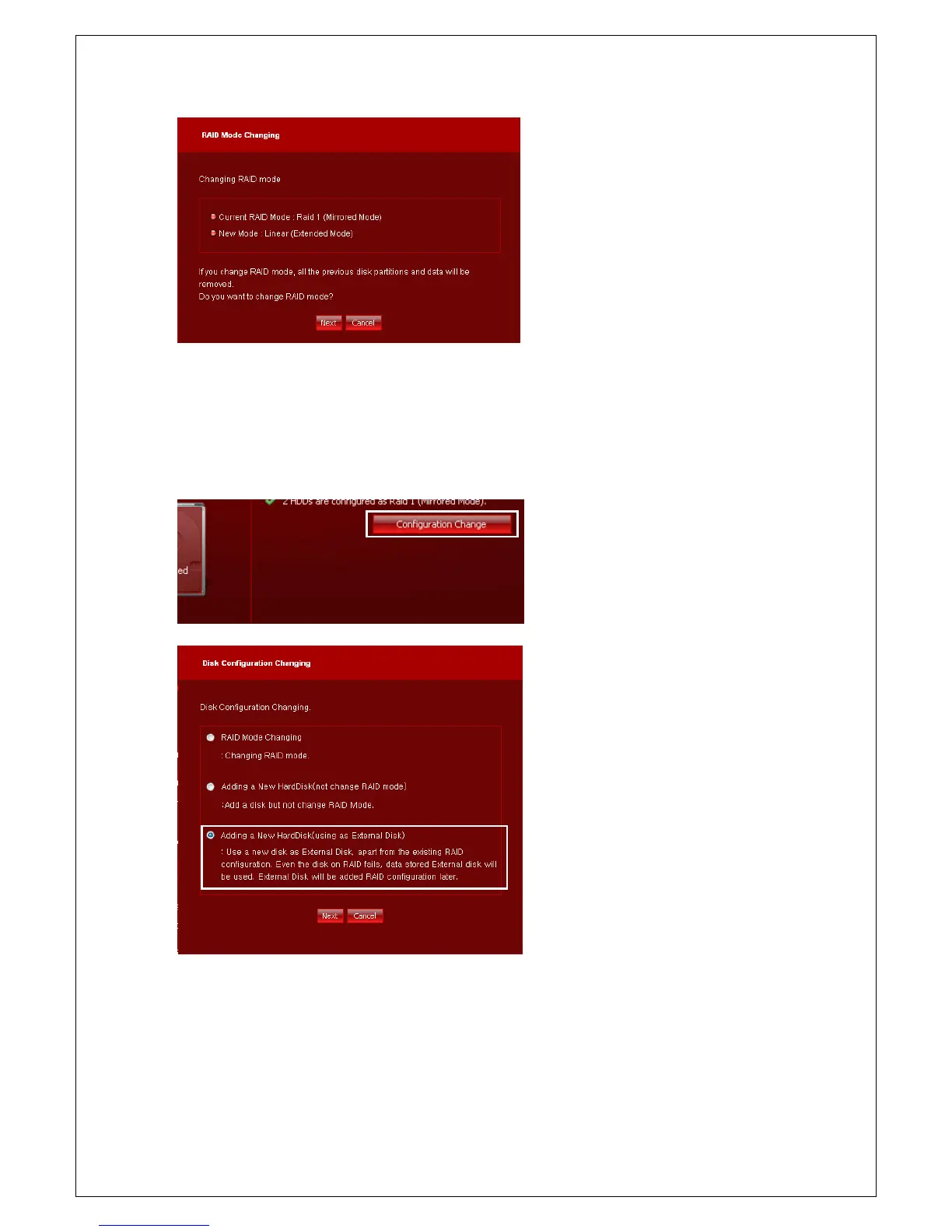
8. Check changes again, and click OK button.
RAID changing will be started.
Using as External Disk(not including to RAID)
You can use an additional disk as external disk. The External Disk will be added to RAID configuration later.
1. Click Configuration Change button and
move to Setup wizard to c

hange disk
configuration. Click Configuration Change
button on the bottom of page.
2. Choose
Adding a New HardDisk (using
as External Disk) and click Next button.

Table of Contents