88
Torrent RSS
Torrent RSS displays a list of Torrent files by acquiring the RSS data from the sites providing torrent files such as
Mininova and isohunt. With Torrent RSS, users can easily obtain the most recent torrent files without having to
visit numerous sites and download media files directly to e-TRAYz.
Also, users can register frequently used Torrent sites that provide files to effortlessly obtain RSS data by using
the ‘Site Registration' function.
Viewing the list of Torrent Files
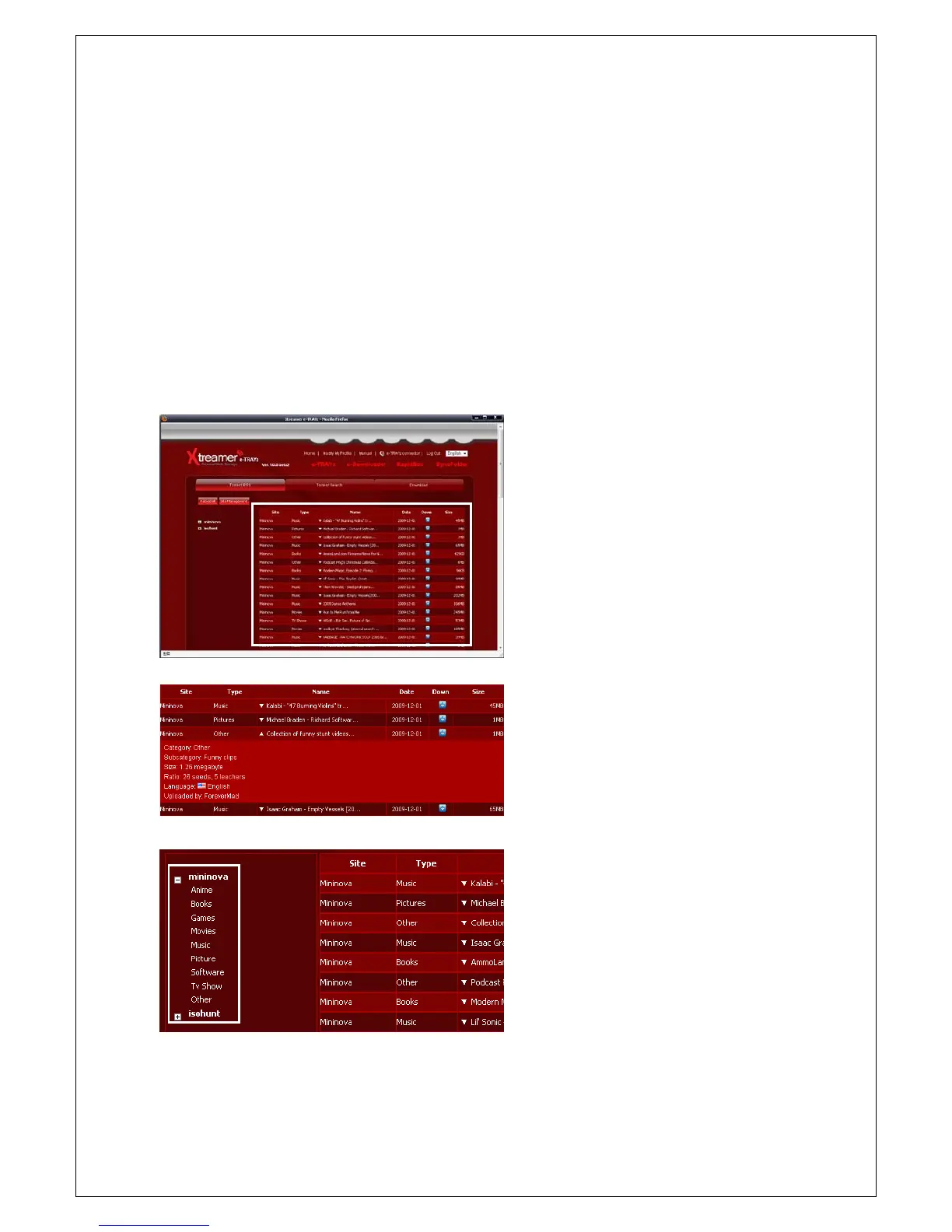
1. The opening Torrent RSS menu screen will
appear if the e-Torre nt icon is clicked and
the most current torrent files list will be
generated on the right-hand side of the
screen.
2. Reload
button will regenerate the list of
files.
3. When you click the arrow buttons beside of
file name, you can see more information
about each file.(It is supported only specific
site)
4. Click the specific site name from the site
list on the left to bring in the list from the
applicable site only. With the same method,
it may bring in the file list only for specific
category.



 To Next Page