52
Share
e-TRAYz allows to connect disks on Windows as well as to share folder on the disk among users.
The folder on e-TRAYz Disk among connected disks is set up sharing authority by selecting one between 'Read'
or 'Read/Write' options.
The folder on Public Disk is set up sharing authority by 'Read/Write' option. The folder on External Disk cannot
be shared.
When the sharing is set up among users, the sharing information is sent to users via e-mail. To do well
this procedure, Mail Server (SMTP) and DDNS must be set up on e-TRAYz.
Mail server is set up on [Settings] - [System] - [Mail(SMTP)] or [Setup wizard] - [Mail]. DDNS can be set up on
[Settings] - [System] - [Network] or [Setup wizard] - [DDNS].
Sharing setup is allowed for only top level folder on each disk.
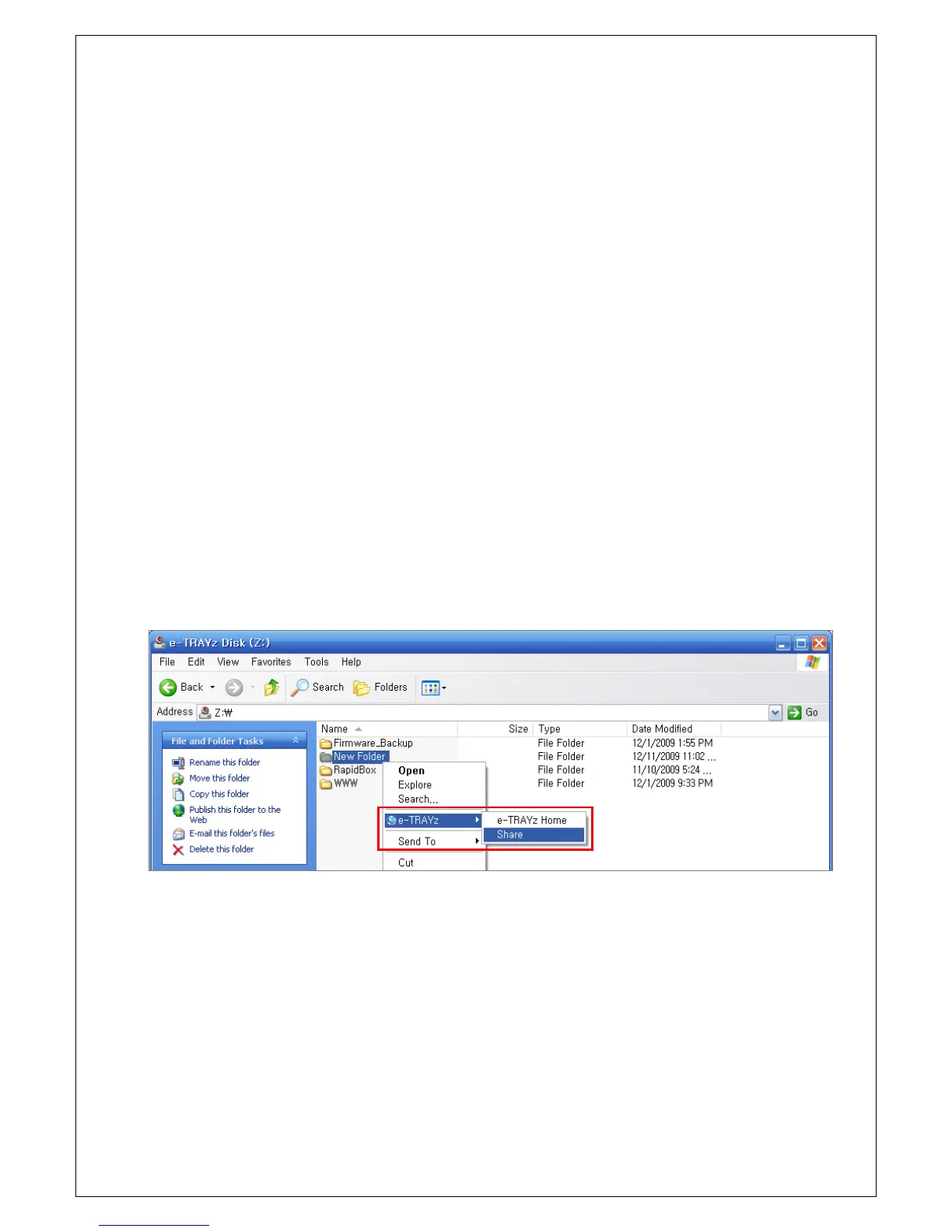
Sharing Setup on e-TRAYz Disk
1. Click right mouse button of the folder will be shared.
2. Select ‘Share’ menu on sub-menu after over the mouse on e-TRAYz menu.
3. The sharing setup window will be created.



 To Next Page