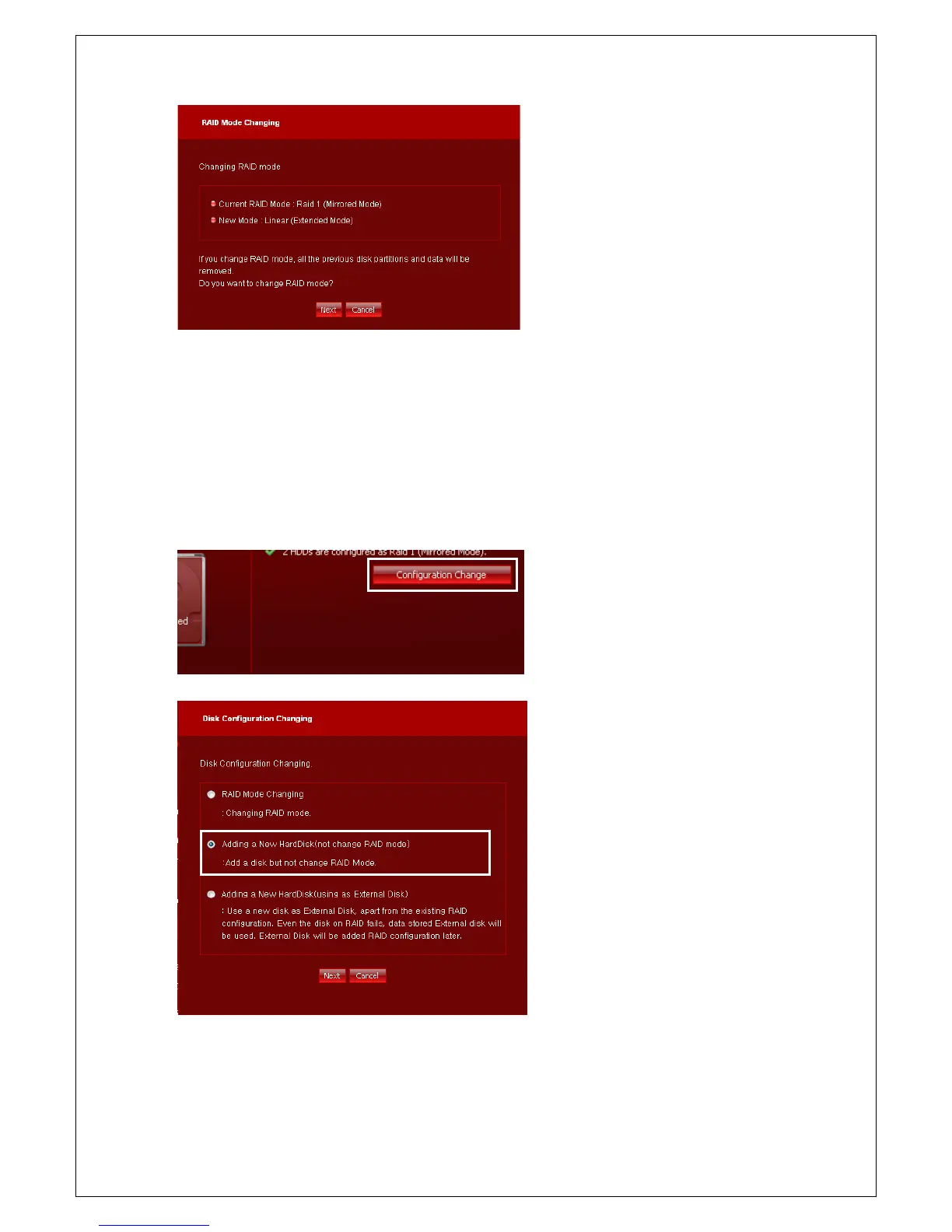
4. Check changes again, and click OK button.
RAID changing will be started.
Adding New Disk
You can add a disk such as Additional Disk or Single Disk to current RAID configuration. If you add a disk
to current RAID configuration, all data of existing disk are remained and new disk's are deleted.
1) Add a disk to RAID : Linear -> Linear or RAID 1 -> RAID 1
1. Click Configuration Change button and
move to Setup wizard to change disk
configuration.
Click Configuration Change
the bottom of page.
2. Choose Adding a New HardDisk (not
change RAID mode) and click Next
button.
* If possible, the same amount of disks
should be used for RAID 1 mode. And if
you cannot, insert larger disk to HDD B.



 To Next Page