68
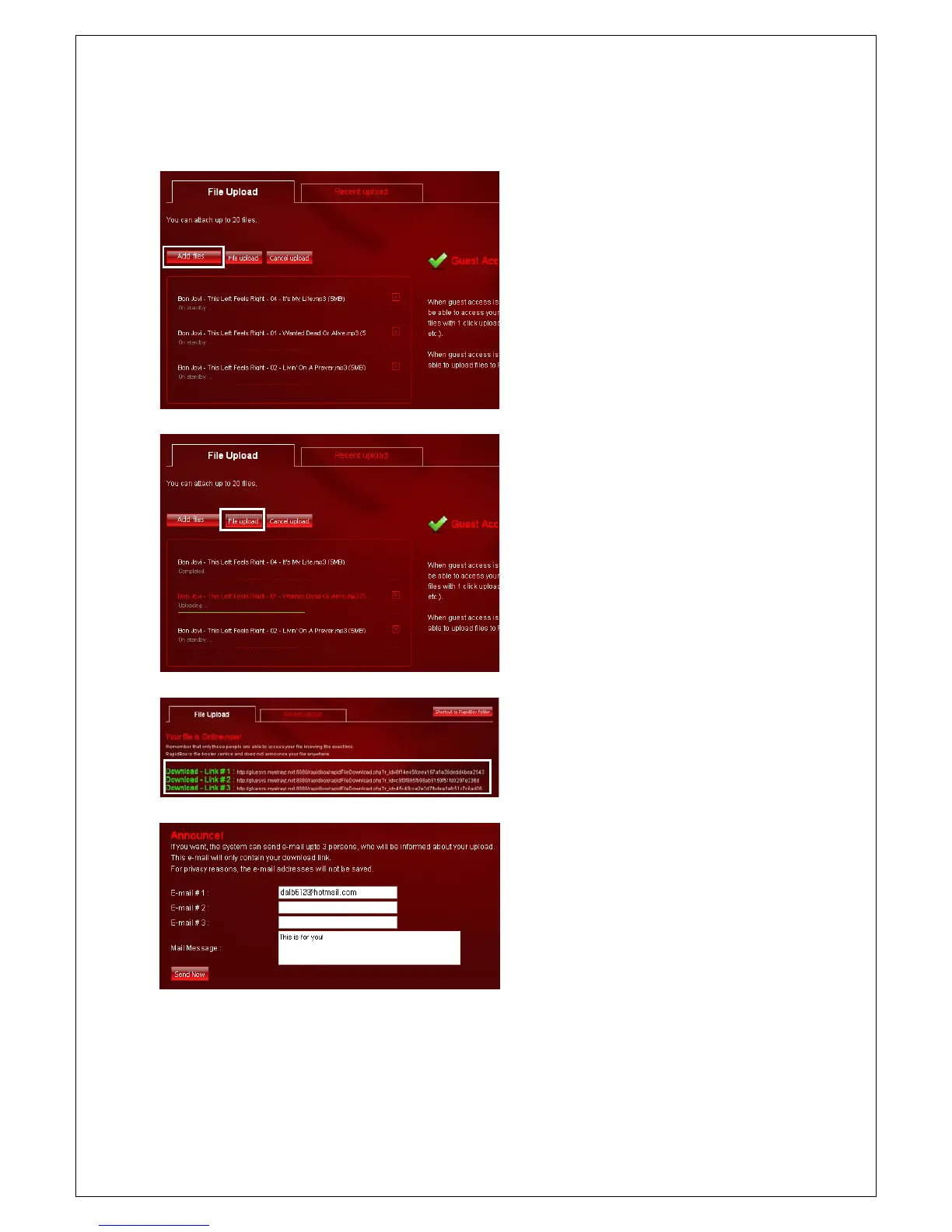
File Upload
1. Move to File Upload page and Click 'Add
files' button.
2. Select files to upload. You can select at
most 20 files and its maximum capacity is
2GB.
3. When you click 'File upload' button, the
file transfer is started.
4.
When file transfer is finished, link
information of uploaded files is displayed.
5. Insert a e-
mail address to send link
information of uploaded file. You can send
the e-mail at most to 3 destinations. Click
'S
end now' button with inserting brief
message on 'Mail Message' field. Then
sending is processed.
If a Mail Server(SMTP) and DDNS are not set
up, you cannot send the e-
up the Mail Server on [Settings] - [System] -
[Mail(SMTP)] pages, or on [Setup wizard] -



 To Next Page