72
File Download
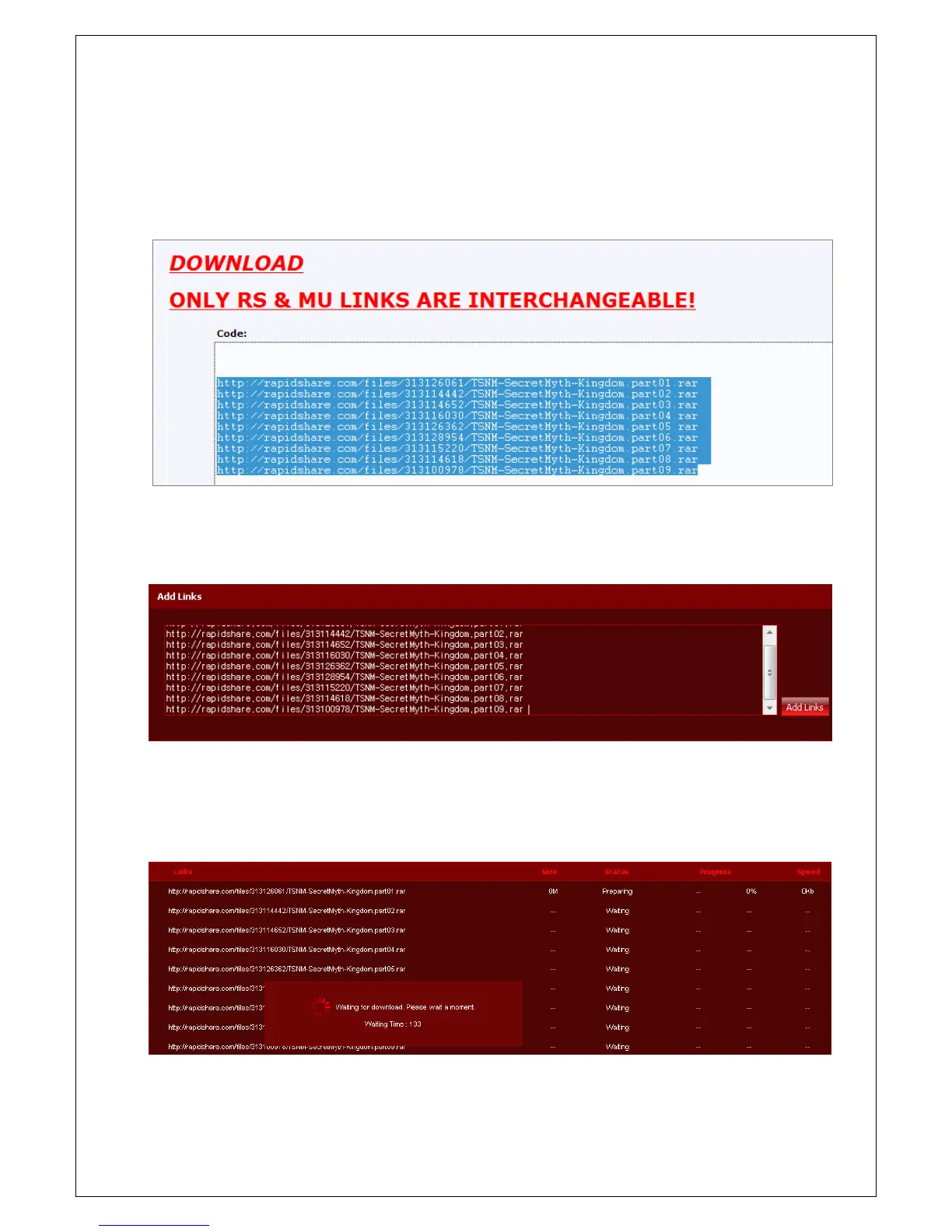
1. Copy the link of file to download. If you access file download sites, such as warez-bb.org, you can easily
find file information on megaupload or rapidshare sites.
2. Attach copied links information onto 'Add Links' field at bellow side of 'Download' page and then click
'Add Links' button.
3. The e-Downloader checks status of upper side file first and then downloads. The waiting time is various on
file status or policy download sites. If you want to cancel file downloading on waiting status, you can cancel
it by clicking 'Stop' button.



 To Next Page