75
Settings
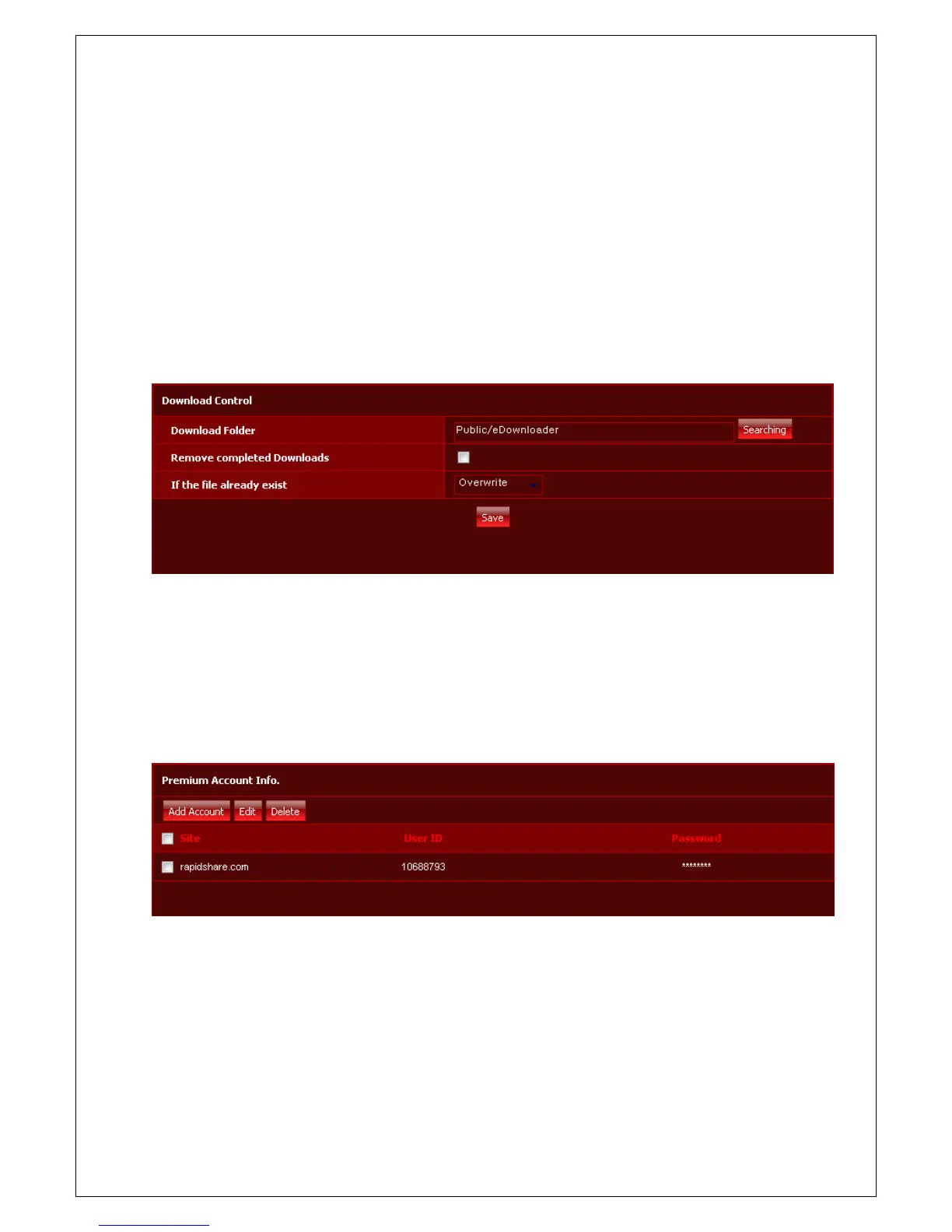
Download Setting
1. You can set up location to store downloaded file by using e-Downloader. Default downloaded location is
'Public Disk' - 'eDownloader'.
2. When you check 'Remove completed Downloads' button, if file download is completed on download page,
the list is automatically deleted.
3. When you download a file, if the file already exist on folder, you need to select one option among 'Skip',
'Overwrite', and 'Auto rename'
Premium Account info.
If you are premium member at Megaupload or Rapidshare, you register our account information on e-
Downloader site. Then, you can get a premium member’s benefits, such as a download without waiting time
supported by Megaupload or Rapidshare site.



 To Next Page