37
Upgrade Firmware
Xtreamer e-TRAYz loads the upgraded firmware information in the center automatically, you can download
firmware files and upgrade easily without the cumbersome process.
Move to [Settings] – [System] – [Upgrade] page.
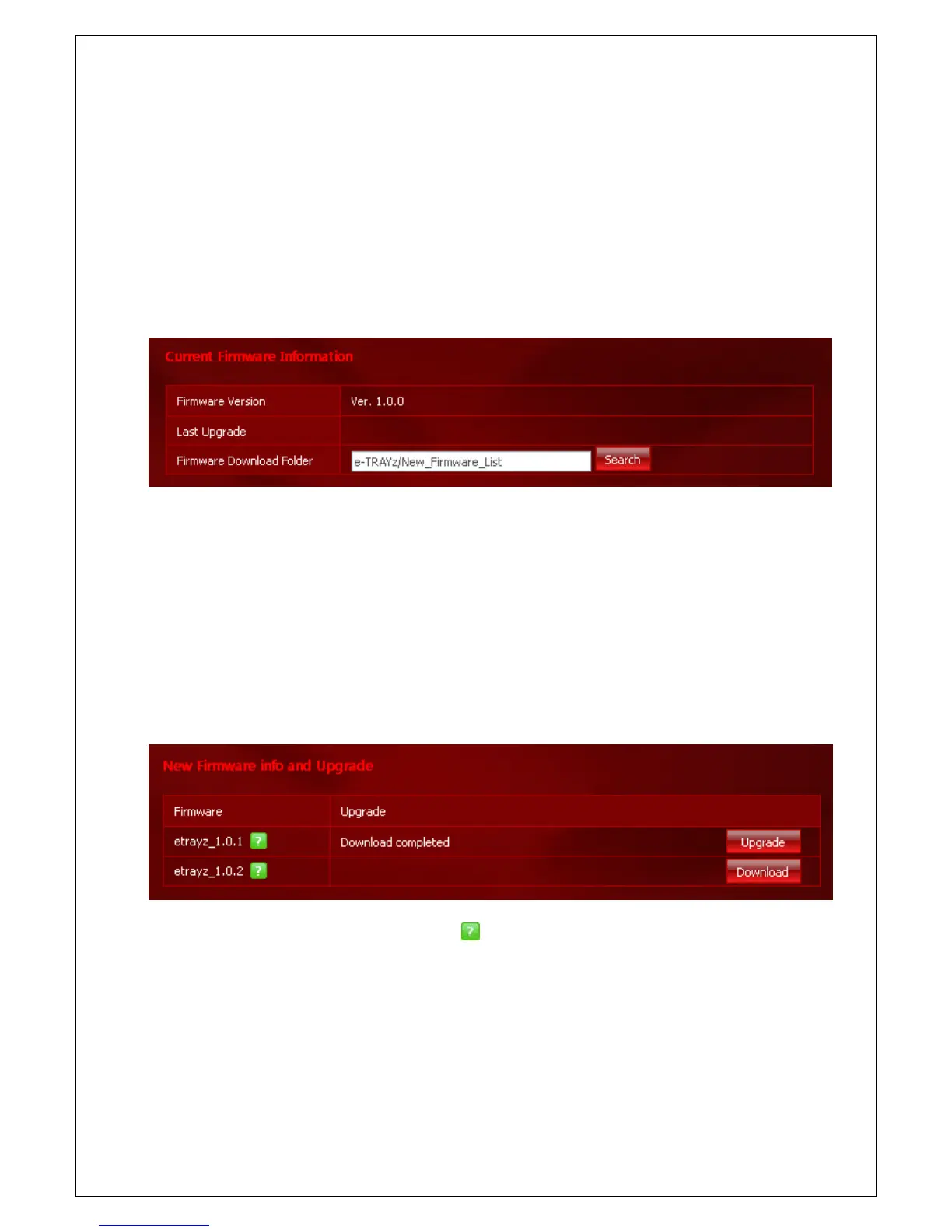
Current Firmware Info.
Check current firmware version and recent upgrade date. Set directory for firmware download and the new files
are saved automatically when you download firmware files. Default directory for firmware download is e-TRAYz
Disk/ New_Firmware_List. Users can change download folder what they want.
Download & Upgrade Firmware
Download firmware files that are improved performance or added new features. You can upgrade firmware with
downloaded files.
For more information about firmware files, click
button. Click Download button on the right side and
download firmware file. Upgrade firmware with downloaded file. You must run firmware upgrade step by step.
You can store downloaded firmware files on your PC to click file name and upgrade firmware later.



 To Next Page