91
Torrent Search
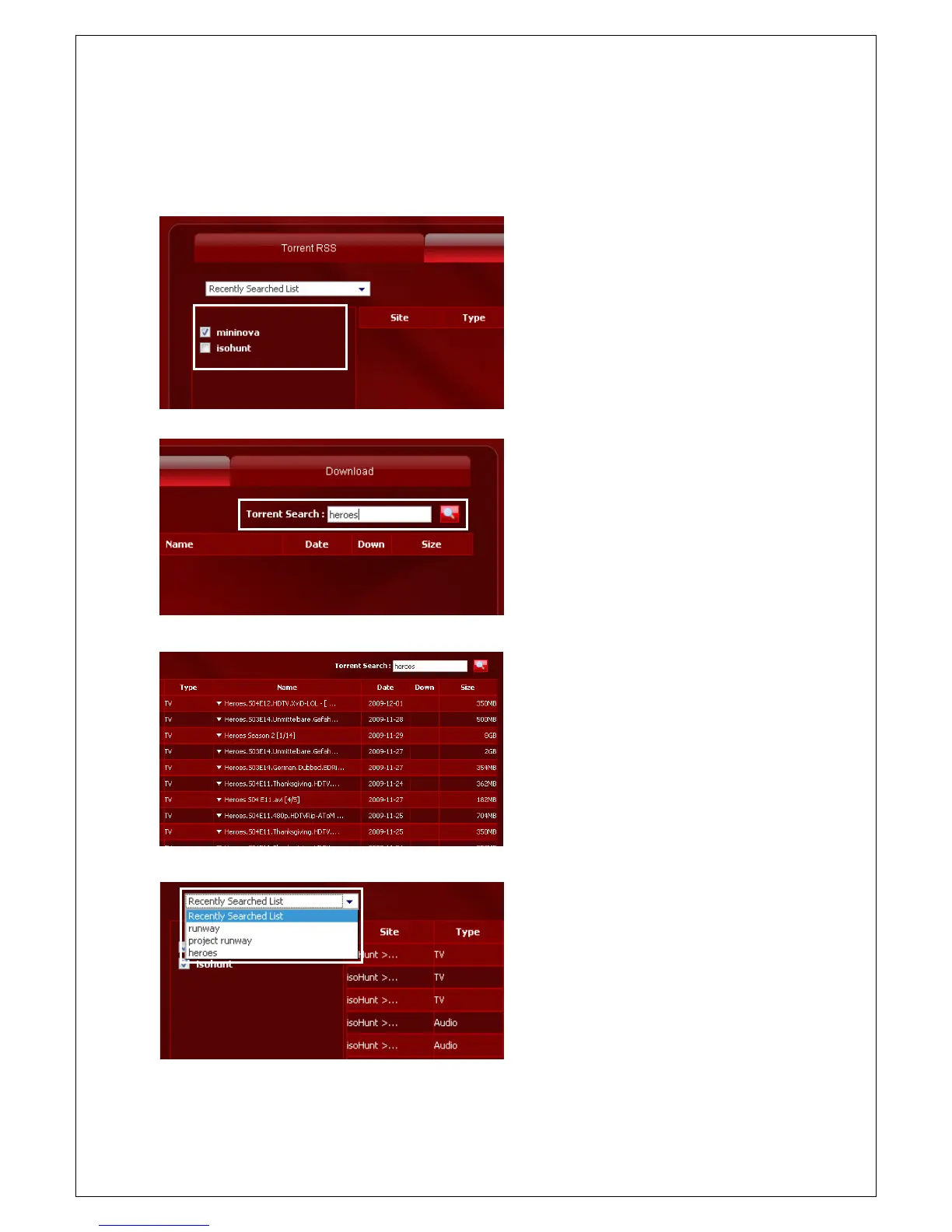
You can directly search torrent files from Mininova and isohunt if you use the Torrent Search function.
1. Select the torrent site that you wish to
search for.
2. Type in the word for the desired file and
click on the ‘Search' icon.
3. A list of files will be created on the right
hand side of the page.
4. You can either click on the file names to be
connected to the download site, or directly
download the applicable files by clicking on
the ‘Down' button when allowed by the
sites.
5. You can use the ‘Recently Searched List'
from the drop down menu located on the
upper left hand side of the screen to
conveniently search for files.



 To Next Page