51
Setting
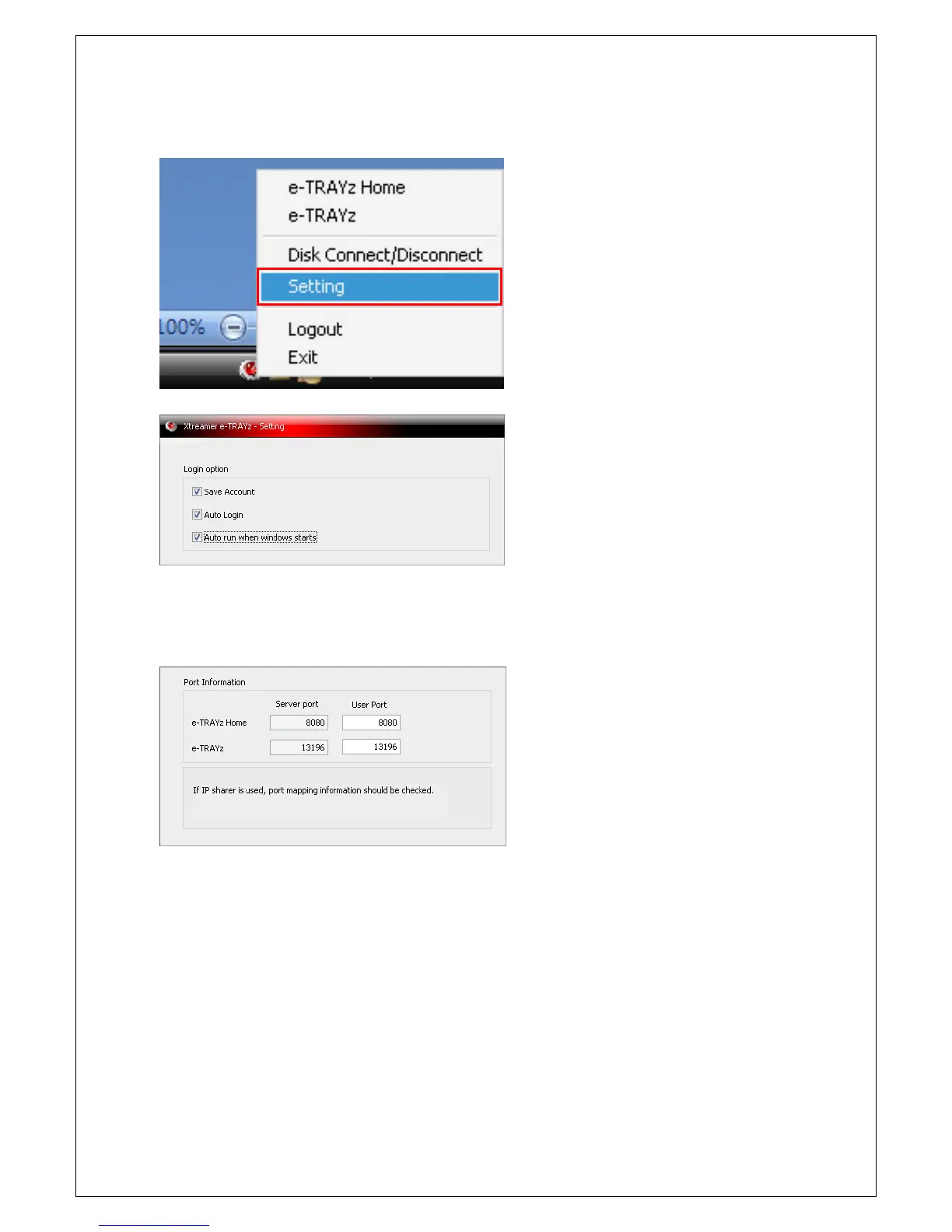
If You click right mouse button of the icon and
then click 'Setting' field, environment setting
window is created.
Set up login environment
1. You can save ID account on Connector.
2. If you check 'Auto login', e-TRAYz will be
automatically logged in from next time.
3. If you check '
starts', disk will be automatically connected
from next PC booting.
When You use router, You need to maintain port
information to use e-TRAYz functions well on
Internet environment.
4. The default port numbers set up on e-TRAYz
server are that e-TRAYz Home is 8080 and
e-TRAYz is 13196.
5. When you need to apply a port number set
up on server to owner's router or you need
to use other port, you can change the port
field on 'User Port'.



 To Next Page