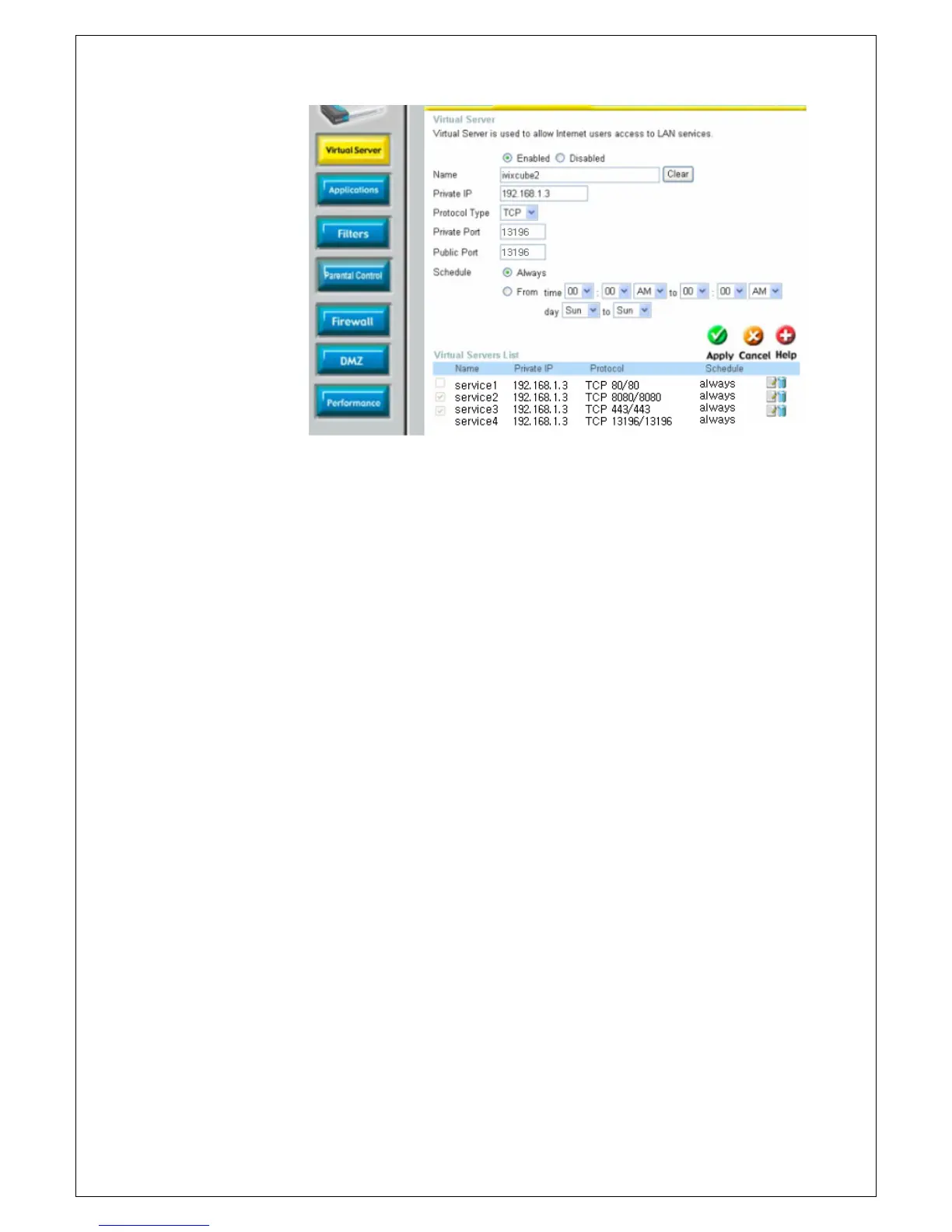
username (admin) and your password (leave blank).
2. Click the Advanced tab and then click Virtual Server button.
3. Enter the Name for your virtual service. Enter the Private IP of the Xtreamer
e-TRAYz on the LAN network that will be providing the virtual services.
Choose the Protocol type used for the virtual service.(TCP)
4. Enter the Private Port number of the service being hosted by the server
computer on the LAN.
Enter the Public Port number that users on the Internet will use to access the
virtual service. Choose the schedule of time when the virtual service will be
active.
5. Click Apply and then continue to save the changes.



 To Next Page