40
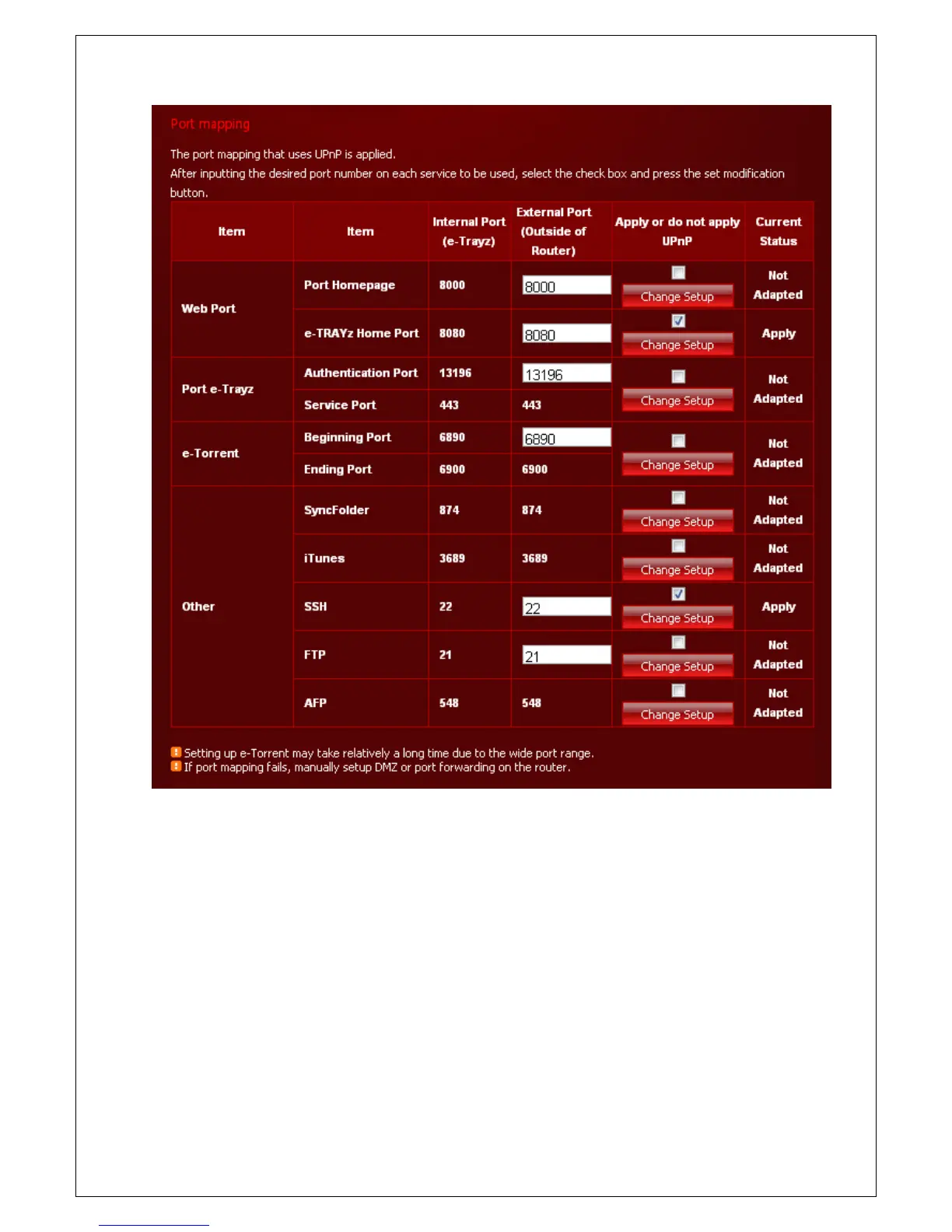
D. Input the desired port number in each service to be used. If you want to use the default values, you don’t
have to enter values.
E. Select the check box and click the Change Setup button. You can apply one at a time.
F. If the ‘Current state’ is Apply, the port mapping is completed successfully.
G. If the ‘Current state’ is Inconsistent and display the following message, please click the Change Setup
button once more.



 To Next Page