Setting the time shown on the Home/Recording Screen
The display setting for timecode on the Home/Recording Screen can be changed.
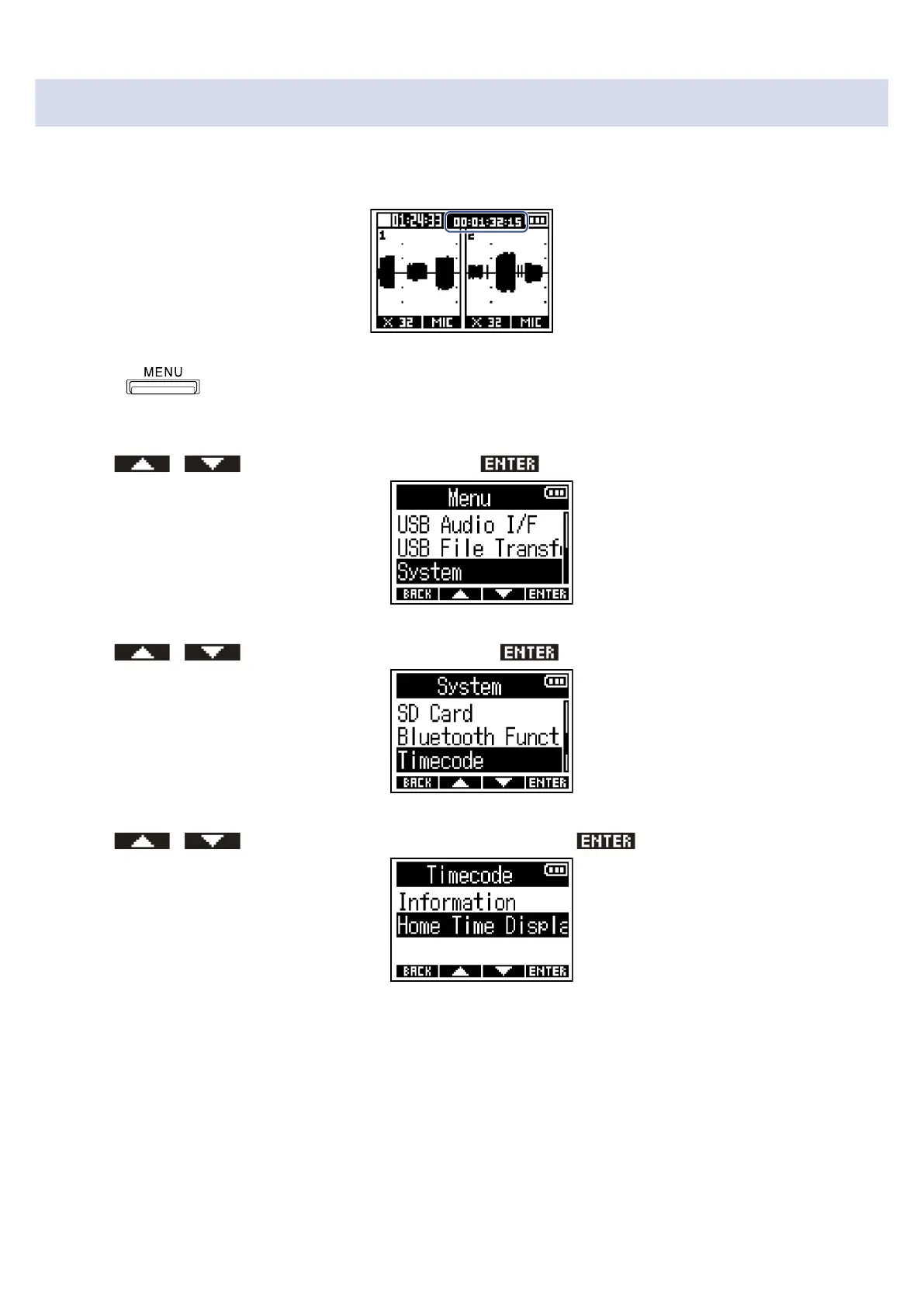
Timecode is shown in the position indicated below.
1. Press .
This opens the Menu Screen.
2. Use / to select “System” and press to confirm.
3. Use / to select “Timecode” and press to confirm.
4. Use / to select “Home Time Display” and press to confirm.
89



 To Next Page