Setting up the control panel/workstation
14
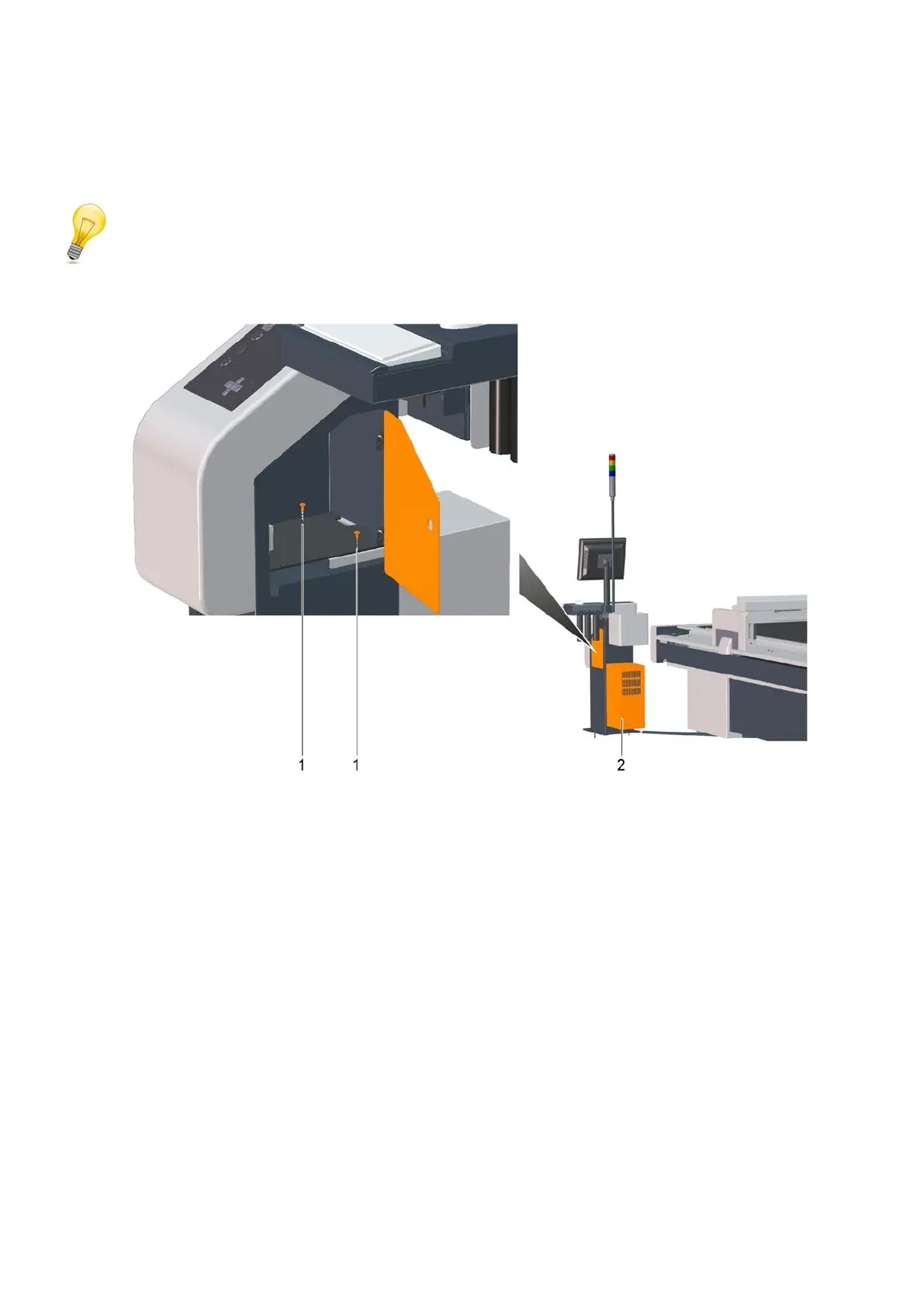
5.1.1 Removing the PC cover
Tip:
Only the workstation has a PC cover.
1 Screws
2 PC cover
A Open the side door of the workstation.
B Hold the PC cover in position.
C Remove both screws.
D Pull the PC cover to the rear out of the workstation.



 To Next Page