Setting up the control panel/workstation
24
5.5 Installation with auxiliary bracket
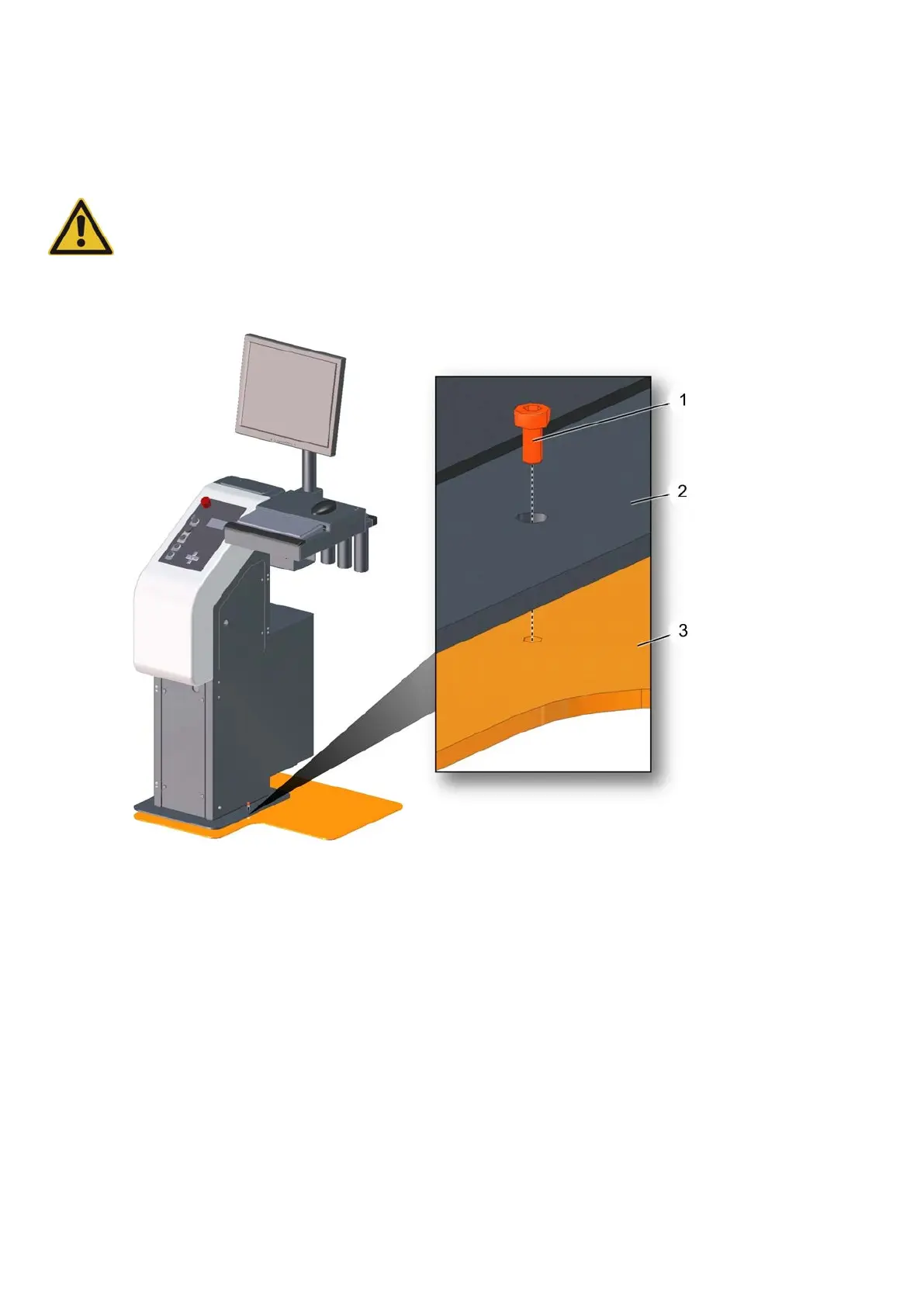
Caution:
Risk of injury from the workstation tipping over
The workstation can tip over if weight is applied to the surface area.
• Avoid putting weight on the workstation before fixing it to the auxiliary bracket.
1 Screw (2x)
2 Base plate
3 Auxiliary bracket
A Place the control panel/workstation on the auxiliary bracket and align.
B Place the screws and tighten.



 To Next Page