Initial commissioning
93
13 Initial commissioning
13.1 Activating the pillars
A Switch to the Service user level with 4-2 Password.
B Select 1-11-10-1 Mode and set to on.
13.2 Checking the pillar deflection
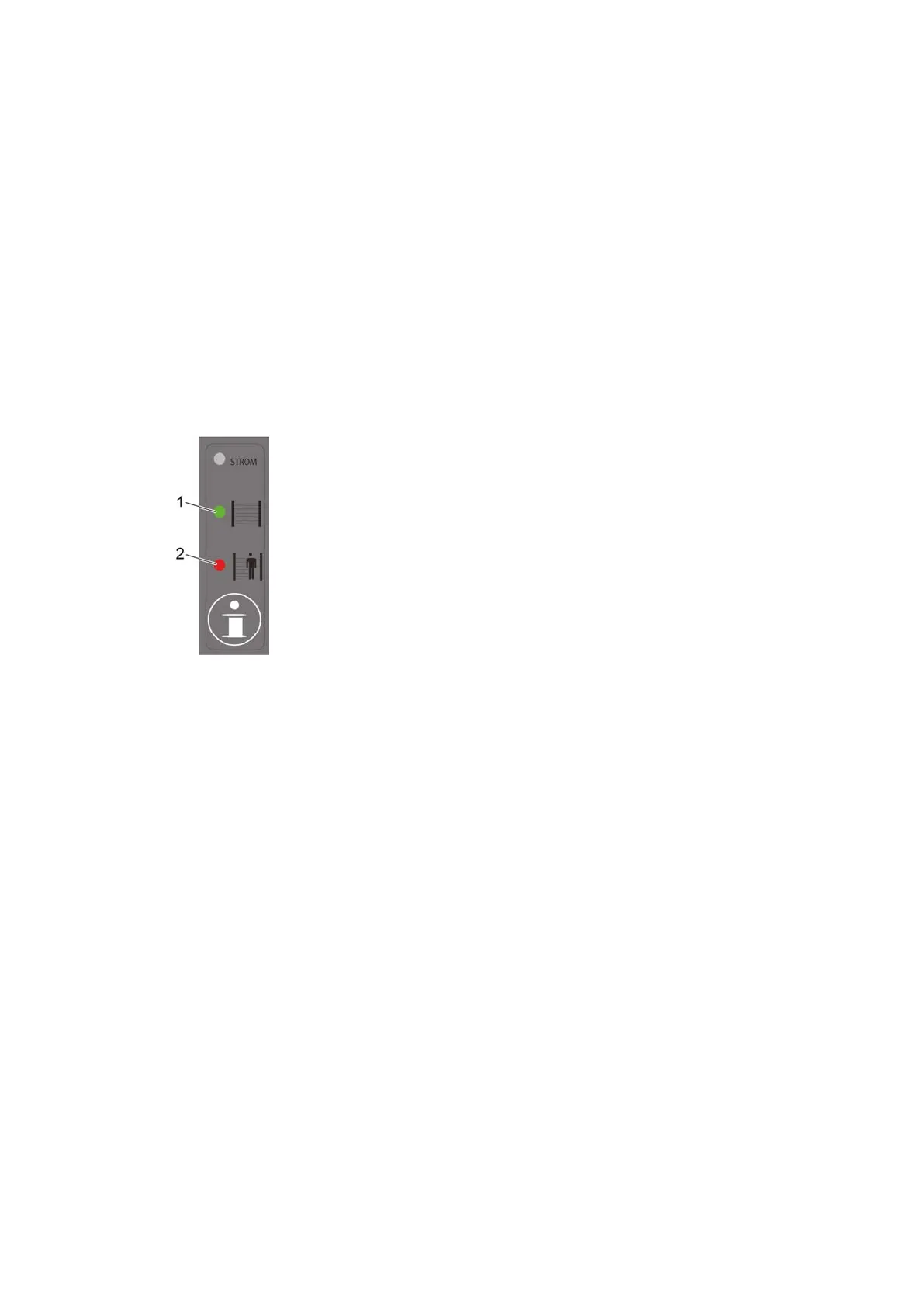
Yellow light grid (type 445L)
Figure 4: System status indicator on the receiver
1 green LED = Light curtain without interruption
2 red LED = Light curtain interrupted
A Lightly deflect each pillar by hand.
B Observe the switching of the LEDs or the switching noise of the relay. The deflection range up to
the switching point should be about the same on all sides.
Results
The light curtain triggers.
If the pillar cannot be deflected sufficiently, the pre-leveling is to be performed again while making
sure that the springs are not too compressed (see Aligning the pillars vertically on page 73). The light
curtain must then be re-aligned.



 To Next Page