Setting up the control panel/workstation
25
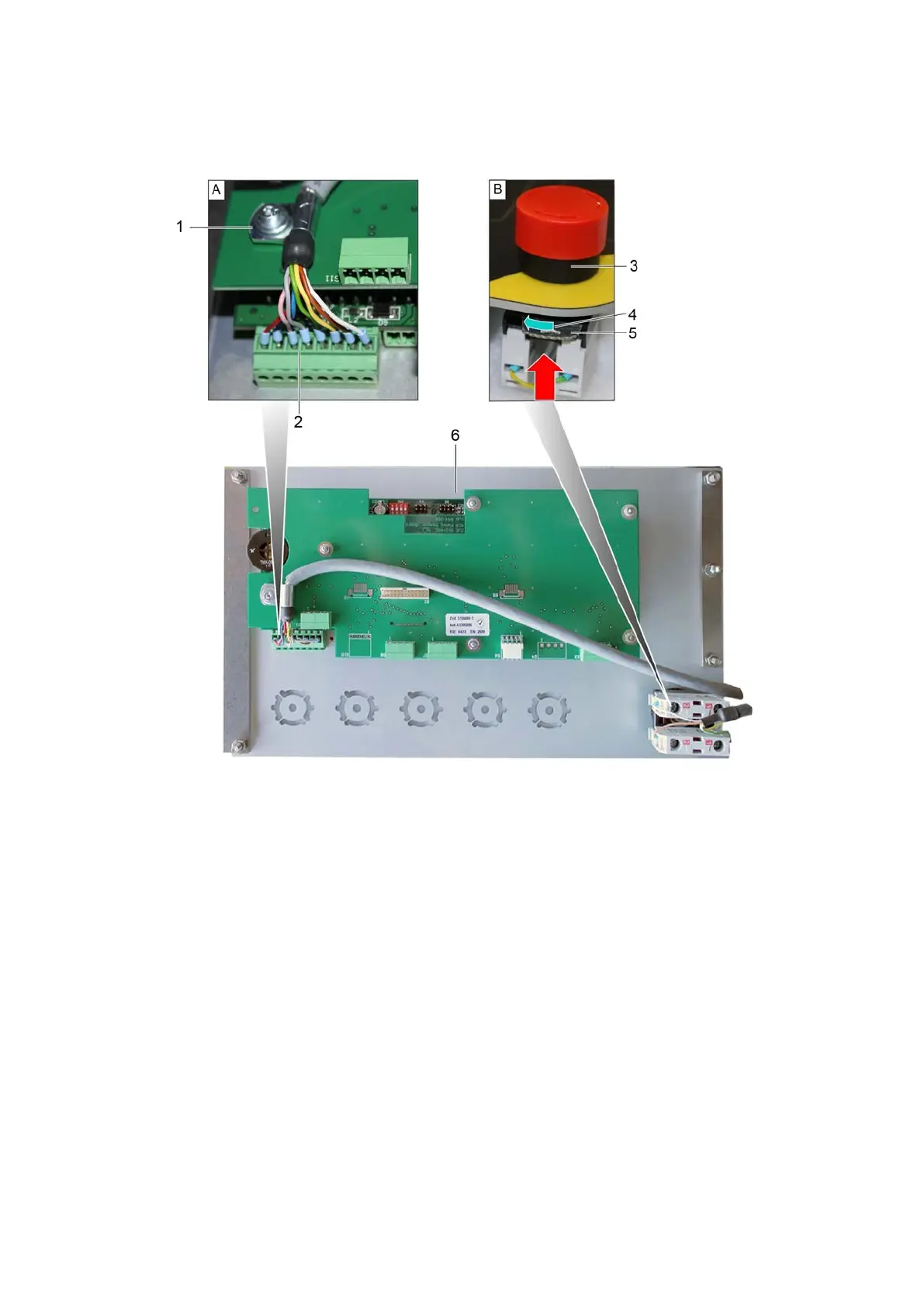
5.6 Connecting the cable to the operating unit
1 Shield terminal 4 Direction of rotation
2 Plug connector 5 Locking device
3 EMERGENCY STOP control device 6 View of operating unit from below
A Plug in the plug connector of the operating unit and fix the shielding bracket.
B Connect the switching element to the EMERGENCY STOP control device and close the
locking device.
C Carefully insert the operating unit into the control panel/workstation.



 To Next Page