Setting up the control panel/workstation
27
5.8 Connect the PC connections
Tip:
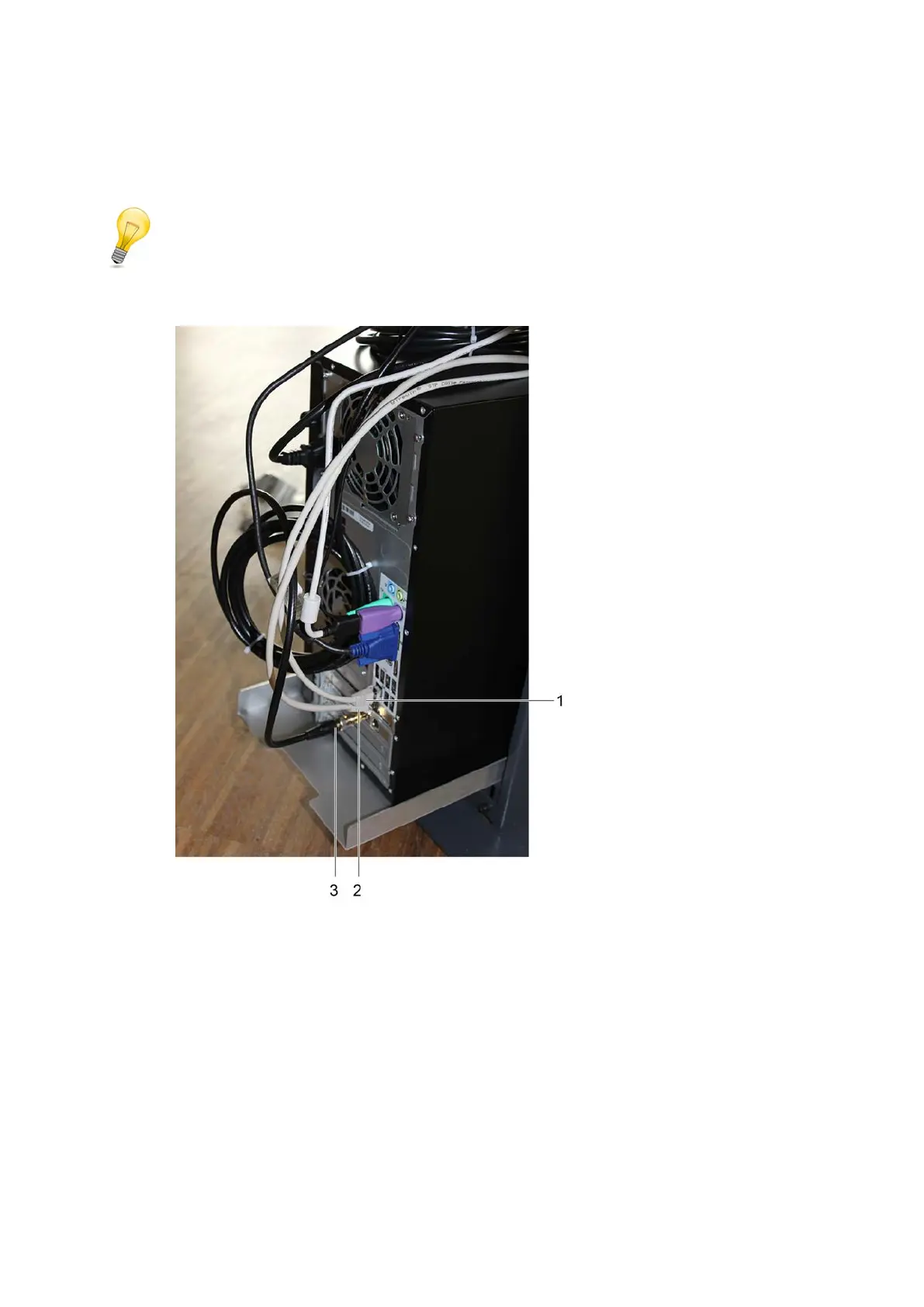
The PC is only available at the workstation.
1 Cable of the internal LAN interface (company network)
2 Cable of the cutter interface
3 Video signal cable of the ICC camera
A Connect the cable of the internal LAN interface (1).
B Connect the cable of the cutter interface (2).
C Connect the video signal cable of the ICC camera (3).



 To Next Page