Setting up the control panel/workstation
26
5.7 Connecting the earthing and power supply for the control panel/
workstation
Tip:
The connector control is only available at the workstation.
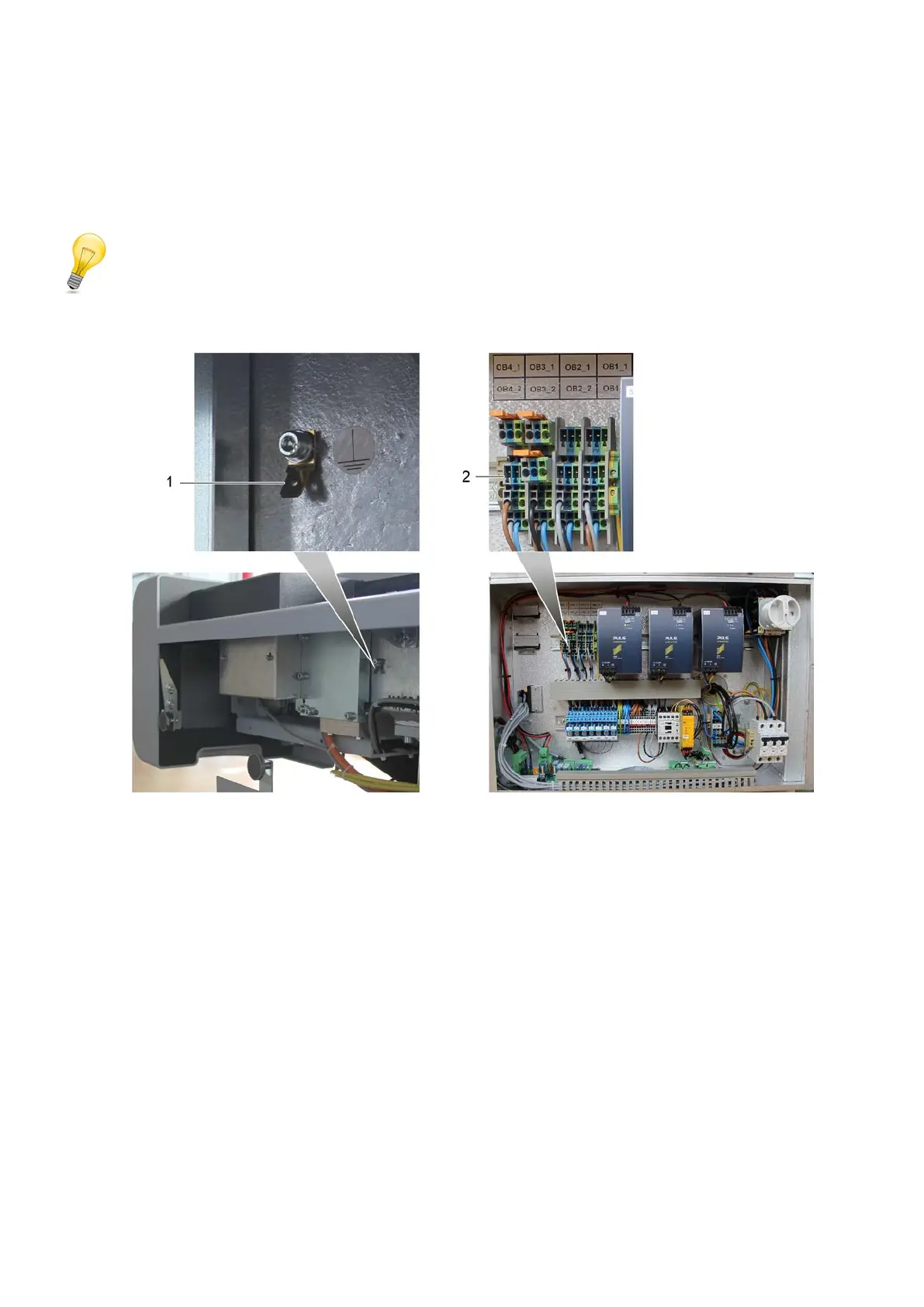
1 Control panel/workstation earthing
2 Workstation OB4_2 power supply
A Lay the control panel/workstation earthing cable to the side support.
B Place the blade receptacle from the earthing cable onto the plain connector.
C Lay the workstation supply cable from the connector control to the power unit.
D Feed the supply cables through the cable duct of the power unit.
E Plug the plug connector into OB4_2.



 To Next Page