Setting up the control panel/workstation
23
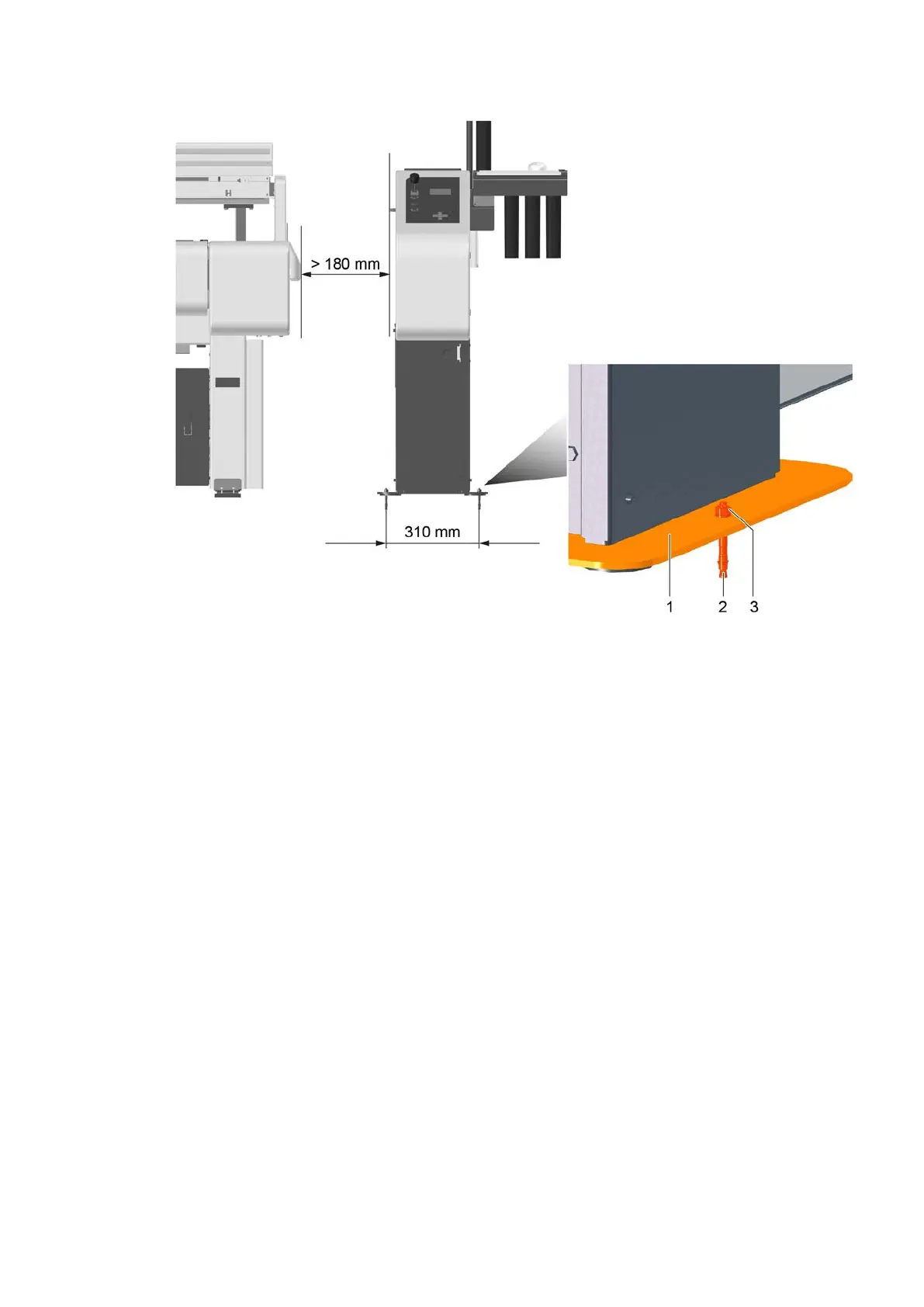
1 Control panel / workstation base plate 3 Washers and nuts (2x)
2 M8 segment anchor (2x)
A Define the position of the control panel / workstation.
B Draw both holes for the segment anchors and drill them.
a) The minimum distance of the control panel / workstation to the beam is 180 mm.
b) The distance between the holes is 310 mm.
c) Ø 8 mm, drilling depth min. 54 mm.
C Remove drilling dust from the holes.
D Place the segment anchor and drive it in until it protrudes approx. 20 mm.
E Place the control panel/workstation onto both segment anchors.
F Place the washers and nuts and tighten the nuts.



 To Next Page