60 | 3DGence INDUSTRY F340
It is also possible to move the models with a mouse. Click and hold the model with the Move option selected. This will
enable you to move thr model in the XY plane freely.
It is permissible though not recommended to put one model on top of another. Printing will not be possible if you have
moved any models outside the workspace.
It is permissible though highly not recommended to set intersecting solids as this may result in the software producing
invalid les and a resulting errors.
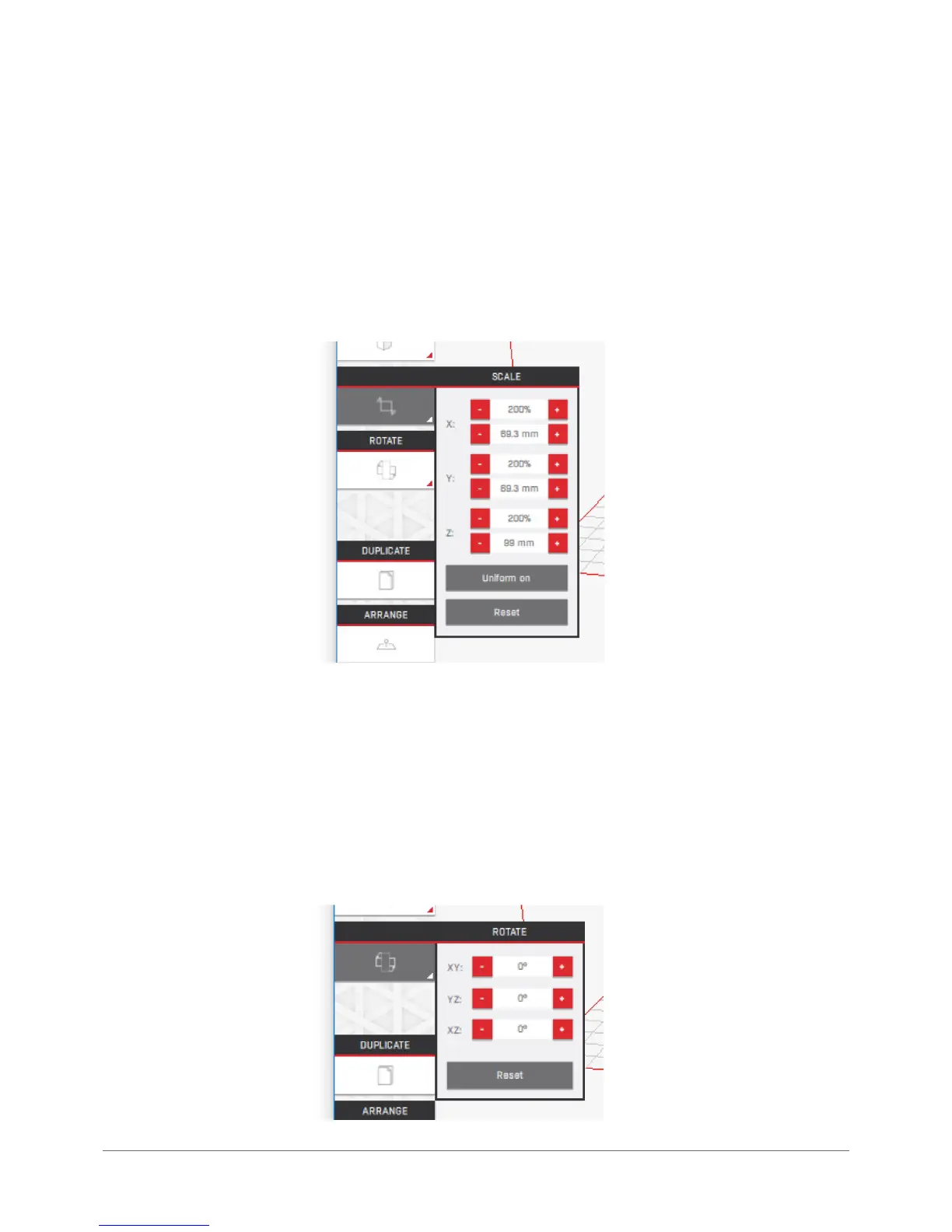
Scale: changes the model size.
Text elds marked X, Y and Z enable to scale the model 1 mm or 1% (using the buttons) or any value when you enter the
desired value in the text elds. The size in millimetres may be irrational (e.g. 3.33(3) mm) but it is displayed rounded to
two decimal places.
The „Uniform” button , when activated, will apply the scaling factor to all axis of the model simultaneously. The „Reset”
button restores the initial model scaling values used when loading .stl le.
The models are scaled along a selected printer axis.
Rotate: this enables rotation of the model.



 To Next Page