204 | Aprisa LTE User Manual
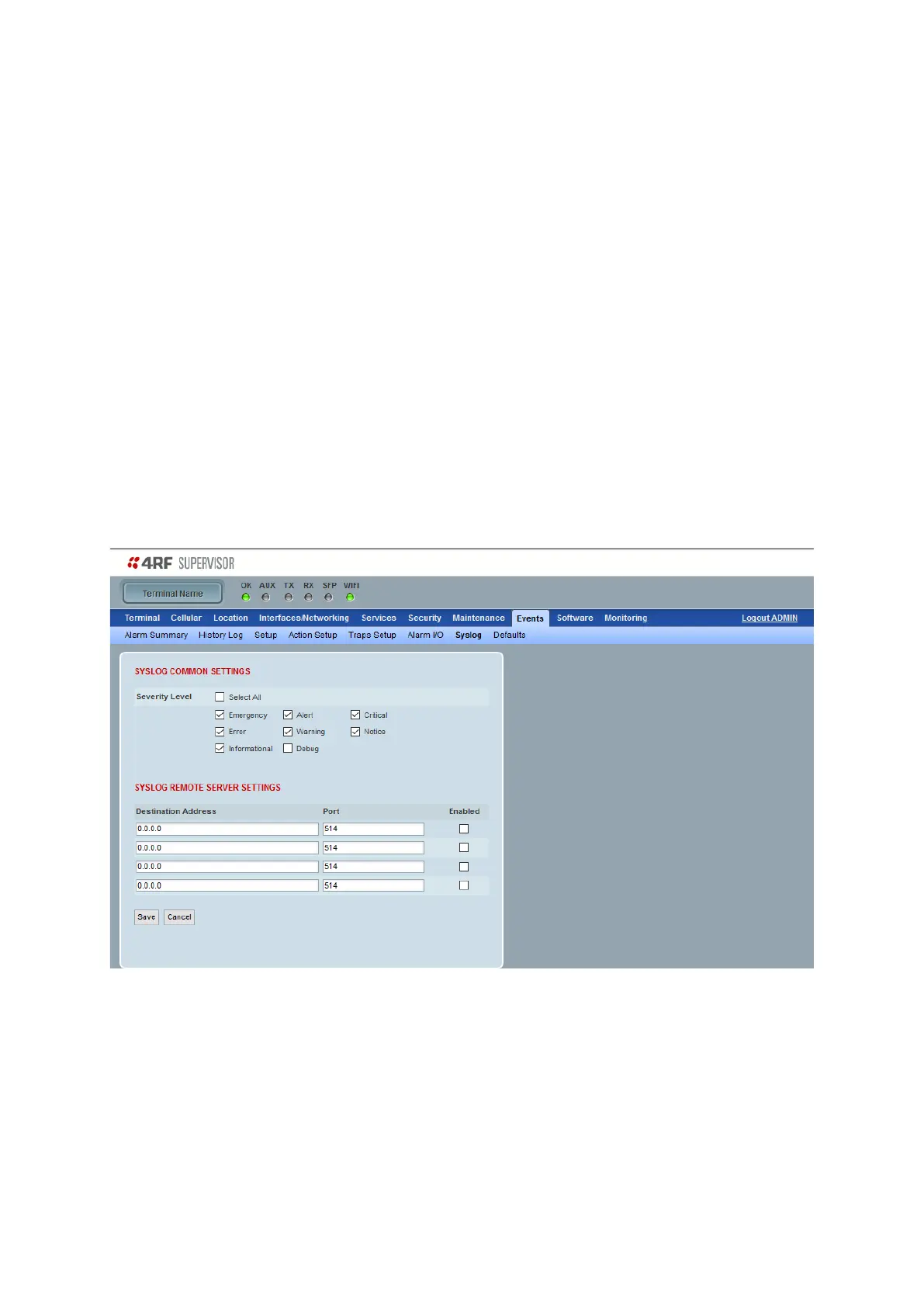
Events > Syslog
This menu allows configuring events that are recorded in the History Log, to also be sent to remote servers
using the syslog protocol (compliant with RFC 5224). Messages from the Aprisa LTE contain a MSG field with.
Example message:
<13>1 2020-04-09T01:08:45+00:00 AprisaLTE - 14 5000 - {"logId":"449","timestamp":"2020-04-
09T01:08:45+00:00","eventId":"24","auth":"0","eventName":"AlarmInput1","alarmStatus":"active","severity":"
Warning","message":"Input 1 is Active"}
The MSG field contains json formatted fields that match the fields seen in the Events->History Log screen:
logId: Integer identifier
timestamp: The time the event occurred, in RFC3339 format
eventid: Integer identifier of the type of event. Identifiers are defined in the 4RF-EVENT MIB
auth: 1 for authorization (login/logout) messages, 0 otherwise
eventName: String name of the event (maps to the eventid)
alarmStatus: State of the alarm (active or inactive)
severity: Can be Information, Warning, Minor, Major, or Cleared
message: Detailed description of the event and what caused it to occur
SYSLOG COMMON SETTINGS
Security Level
The Security Level selection options provide filtering of Syslog messages.



 To Next Page