152 | Aprisa LTE User Manual
Services > Date & Time
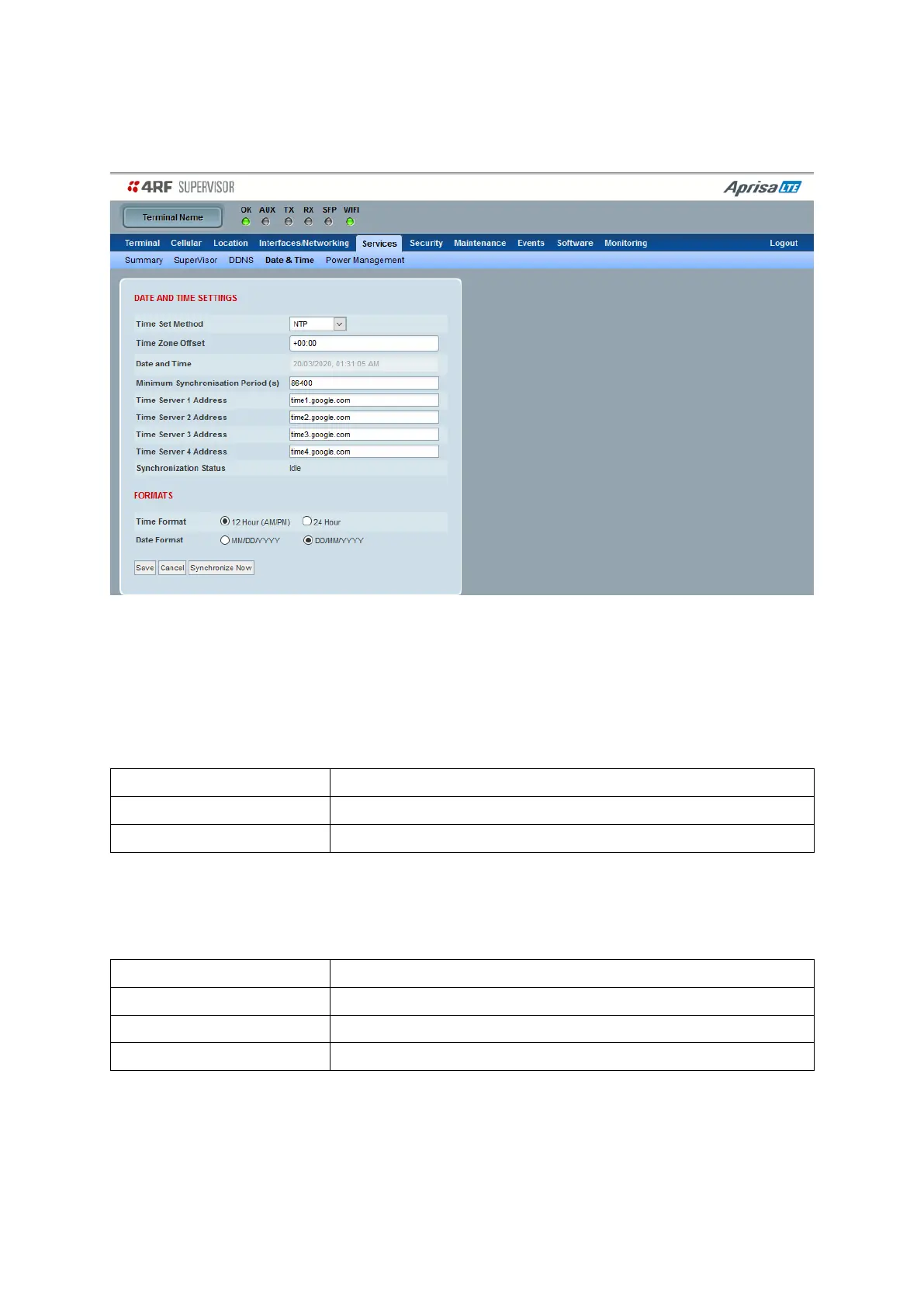
This page sets the device Date and Time.
DATE AND TIME
Sets the device Date and Time. This information is controlled from a software clock.
Time Set Method
This parameter sets the method for setting the Date and Time. The default setting is Manual.
Time is manually configured through supervisor
Time is configured using remote NTP servers
Time Zone Offset
The Time Zone Offset is the number of hours / minutes offset from UTC time. The default setting is enabled
but set to 0 hours. Clicking the Time Zone Offset field brings up a pop-up to enter the offset.
Manual entry of Date and Time
Sets 0 to 23 Hours and 00 to 59 Minutes offset from NTP
Sets 0 to 23 Hours and 00 to 59 Minutes offset from NTP
After selecting the offset, review the current date and time before saving the changes.



 To Next Page