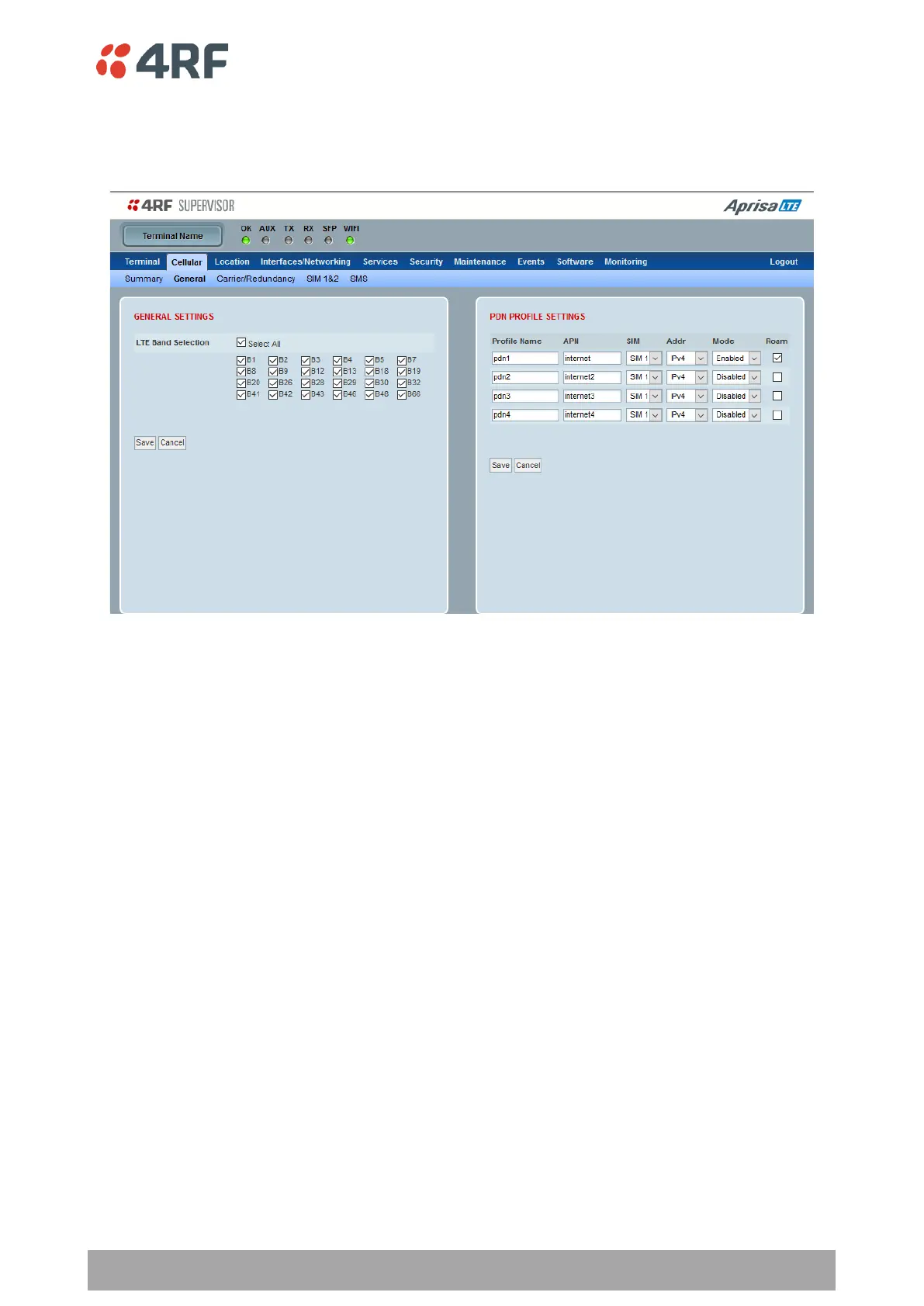
Cellular > General
This page provides setup of the Cellular settings.
GENERAL SETTINGS
LTE Band Selection
This parameter selects the bands to be enabled from the bands available in the installed LTE Module and
supported by the carrier (see ‘LTE Modules’ on page 38 and ‘LTE Architecture Overview’ on page 23). Tick
‘Select All’ for all bands.
PDN PROFILE SETTINGS
The four PDN profiles can be configured and the first PDN profile has highest priority followed by lower
priority PDNs.
One or more PDNs can be associated / attached with a SIM card slots 1 or 2. One or more PDN profiles can
be used as a backup PDN connection to another. The Aprisa LTE will try first to connect to the highest
priority PDN and switching between PDN due to connection failure is controlled by the ‘Redundancy Settings’
configuration parameters (see ‘Cellular > Carrier/Redundancy’ on page 85).
For example, the user may set four different PDN connections on a single cellular operator (i.e. using a
single SIM1 card slot) where the first PDN will serve as the highest priority followed by lower priority PDNs.
Another example, user may set first two PDN connections for cellular operator 1 (i.e. on SIM1) and set last
two PDN connections for cellular operator 2 (i.e. on SIM2). This means that if the first PDN connection fails
the Aprisa LTE will automatically switch to the second PDN within the same cellular operator and only if the
second PDN fails it will switch to the third PDN priority and to cell operator 2 and so on. If the last PDN fails
to connect, the Aprisa LTE will wrap around to PDN1.



 To Next Page