PROPRIETARY INFORMATION
CONFIDENTIAL MATERIAL
Hardware Not for Customer Distribution
228
AEROSET
®
System Troubleshooting Guide
94816-107—November 2004
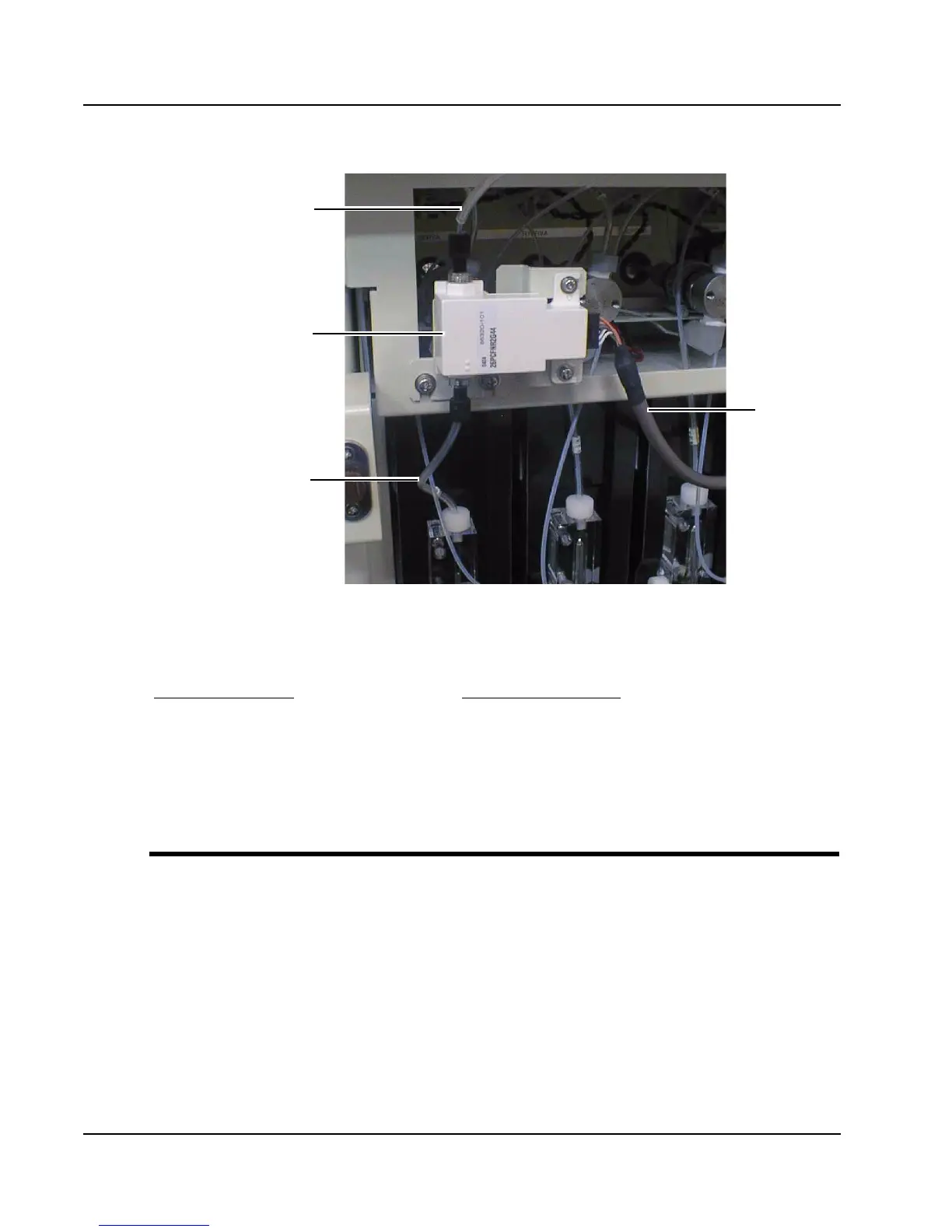
Figure 15: Clot Detection Pressure Sensors (Close-up)
Fatal Error: GPIB Error Log Message X (X equals 1 through 11)
Probable Cause(s)
Corrective Action(s)
• GPIB cable is loose or defective.
• CPU printed circuit board is
defective.
• Flash memory data are corrupt.
• SCC previously configured in
Demo mode and software reloaded.
1. Reseat the GPIB cable.
2. Reset error in the Error Log.
3. Cycle power to the analyzer.
4. Flash memory.
5. Reconfigure SCC to Demo mode.
Cable to
PCB
Tubing to Probe
Sensor
Tubing to Syringe



 To Next Page