PROPRIETARY INFORMATION
CONFIDENTIAL MATERIAL
Not for Customer Distribution Hardware
AEROSET
®
System Troubleshooting Guide 237
94816-107—November 2004
Reagent Carousel Alignment
NOTE: This procedure is performed after R1A Probe
Horizontal Adjustment.
1. Install a clean, empty reagent cartridge in position A1 of
the Reagent Supply Center.
2. Select the Maintenance Utilities icon in the Action Area
of the Main Display. The MAINTENANCE UTILITIES
screen displays.
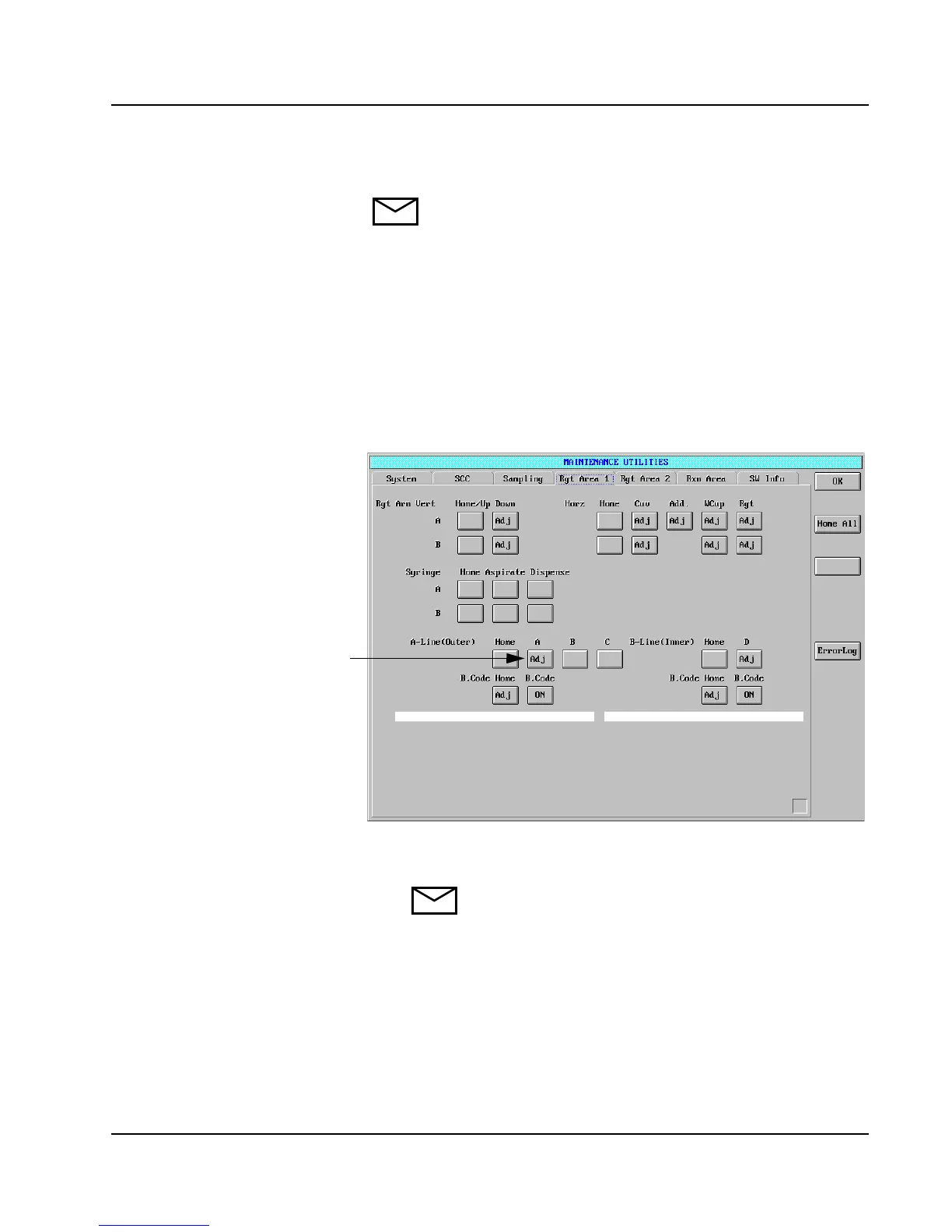
3. Select the Rgt Area 1 tab. The Rgt Area 1 page displays.
4. Select Rgt Arm A Horz Rgt <Adj>.
5. Select A-Line (Outer) A <Adj>.
Figure 19: MAINTENANCE UTILITIES Screen, Rgt Area 1
Page
NOTE: Steps 1 through 5 position the empty
cartridge in the R1A adjustment position.
A-Line (Outer)
A<Adj>



 To Next Page