PROPRIETARY INFORMATION
CONFIDENTIAL MATERIAL
Hardware Not for Customer Distribution
236
AEROSET
®
System Troubleshooting Guide
94816-107—November 2004
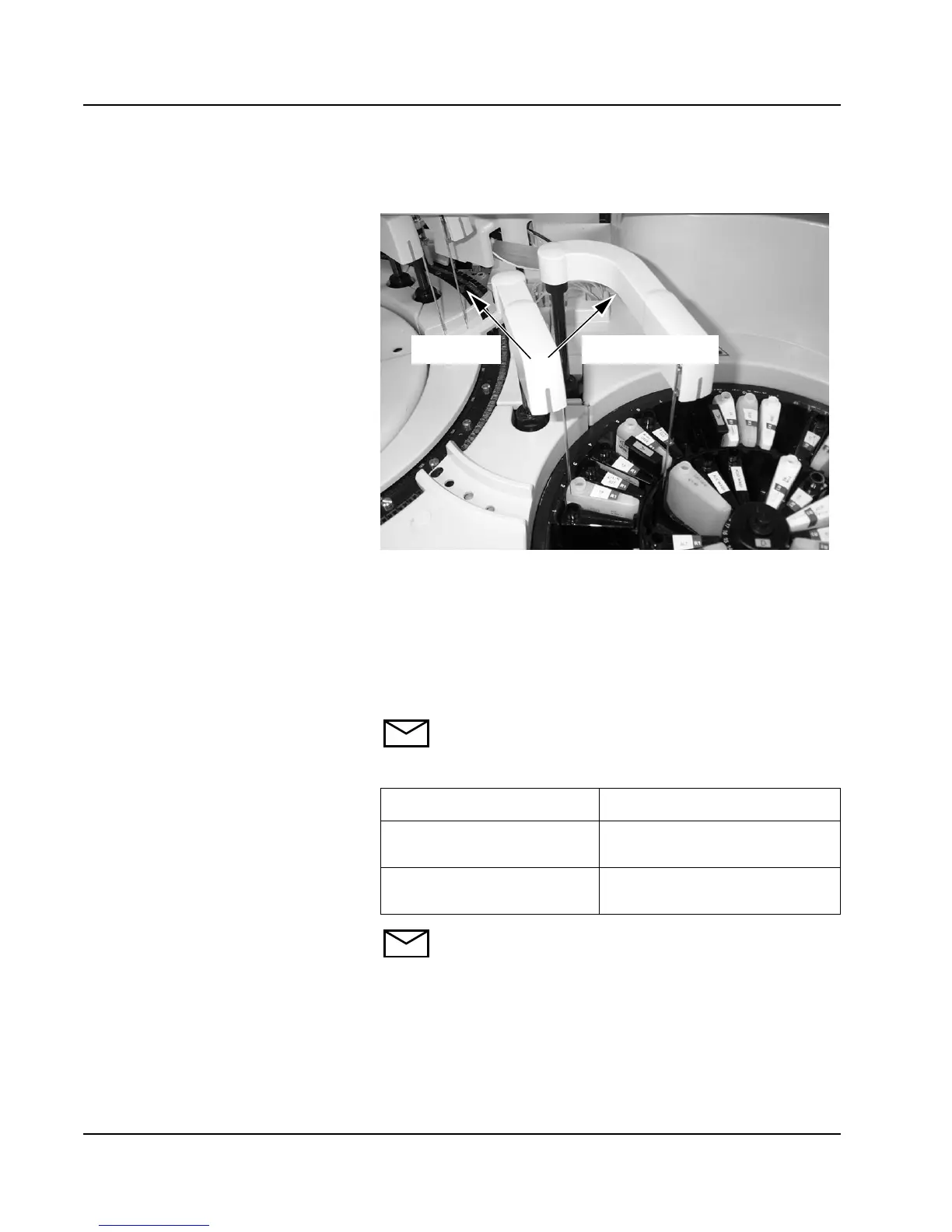
9. Select <CW> (clockwise) or <CCW> (counterclockwise) as
needed to center the probe over the reagent cartridge.
10. When the probe is centered, select <OK> to save the
position.
11. Verify the probe position.
12. Select Rgt Arm A Vert Down <Adj>. Verify the probe is
centered in the cartridge.
13. Select Rgt Arm A Vert Home/Up <Adj>.
NOTE: Proceed to step 14 if additional adjustment
is needed.
14.
NOTE: If unable to center the probe front to back,
proceed to Reagent Carousel Alignment.
15. When the probe is centered, select <OK> to save the
position.
16. Select <OK> on the MAINTENANCE UTILITIES screen
then select <OK> on the Home All Robotics dialog
window.
If... Then
Reagent probe is not
centered in the cartridge
Repeat steps 7 through 12.
Reagent probe is centered
in the cartridge
Proceed to step 15.
CounterclockwiseClockwise



 To Next Page