PROPRIETARY INFORMATION
CONFIDENTIAL MATERIAL
Hardware Not for Customer Distribution
242
AEROSET
®
System Troubleshooting Guide
94816-107—November 2004
R1A Probe Wash Cup Alignment
1. Select the Maintenance Utilities icon in the Action Area
of the Main Display. The MAINTENANCE UTILITIES
screen displays.
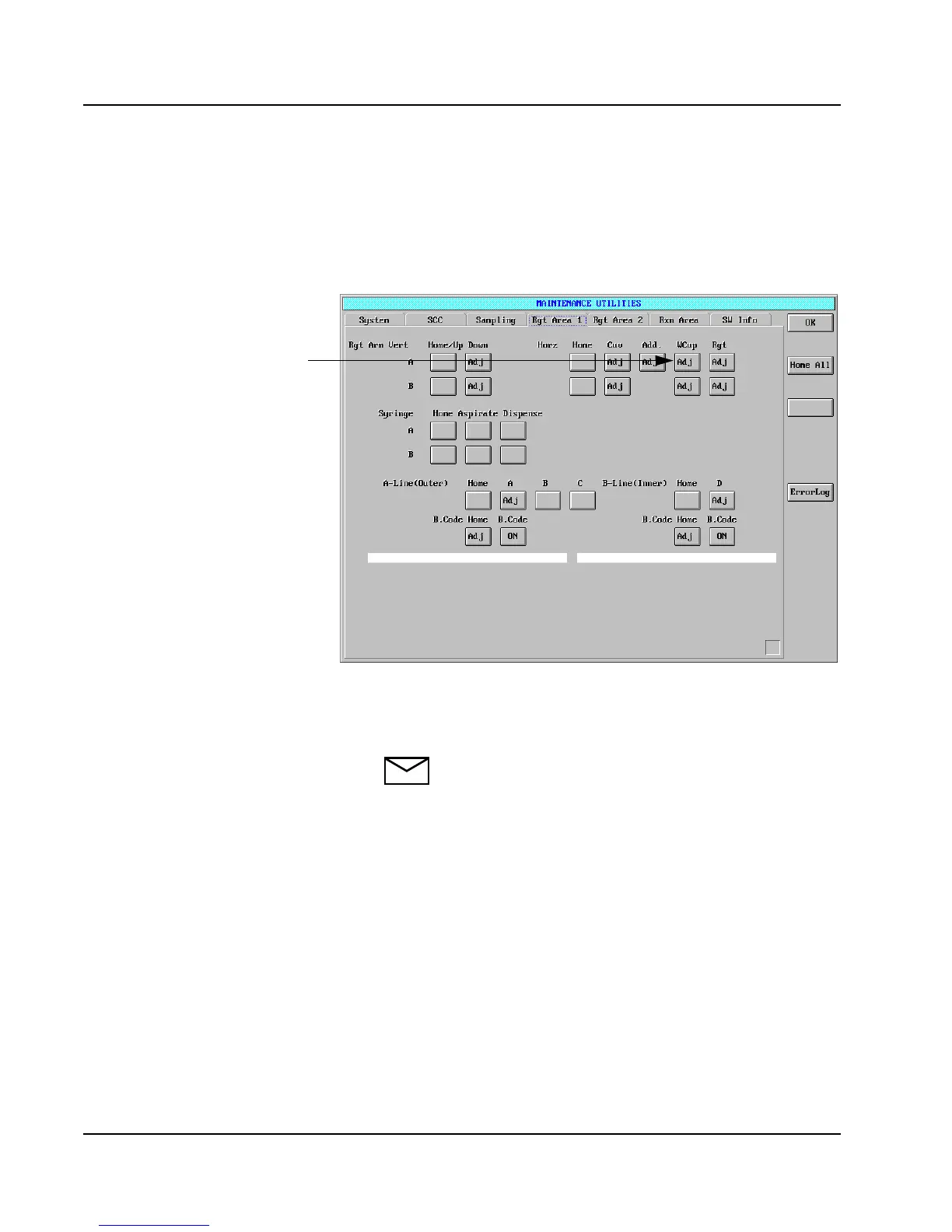
2. Select the Rgt Area 1 tab. The Rgt Area 1 page displays.
Figure 21: MAINTENANCE UTILITIES Screen, Rgt Area 1
Page
3. Select Rgt Arm A WCup <Adj>.
NOTE: The reagent arm may not move if it is
centered over the wash cup.
Rgt Arm A
WCup <Adj>



 To Next Page