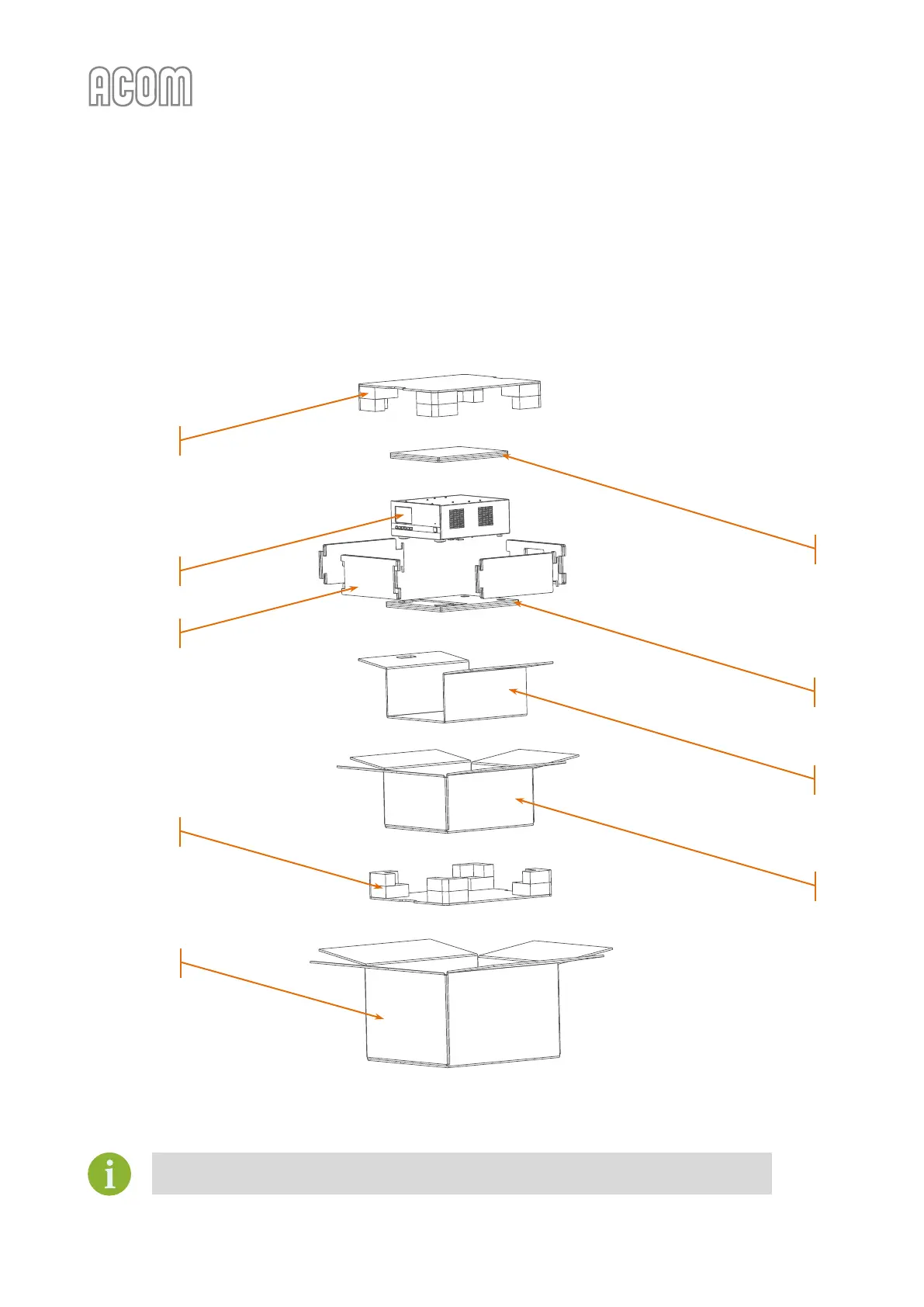
• Take out the amplifier using handles of the middle secure element
(see Figure 2-2 | ACOM 700S packaged in a cardboard box, Pos. 4);
• Take out the amplifier (Pos. 8) from the middle secure element and remove top, bottom and
sides flat secure elements
(see Figure 2-2 | ACOM 700S packaged in a cardboard box, Pos. 5, 6 and 7);
• Now, the amplifier is ready for installation.
Figure 2-2 | ACOM 700S packaged in a cardboard box
Figure 2-2 | ACOM 700S packaged in a cardboard box
It is not necessary to take out the bottom secure element.
(see Figure 2-2 | ACOM 700S packaged in a cardboard box, Pos. 9)



 To Next Page