e) OPERATE ACCESS
When locked, the amplifier remains in STANDBY and cannot be switched to OPERATE unless unlocked in
the same menu. Passwords are not used - this is only a simple protection against possible child actions, or
involuntary switching to OPERATE mode. While locked, an attempt for entering OPERATE mode will result
in a message:
"OPERATE MODE IS LOCKED"
The other preference items do not need explanation.
5.5. Menu FAULTS LOG
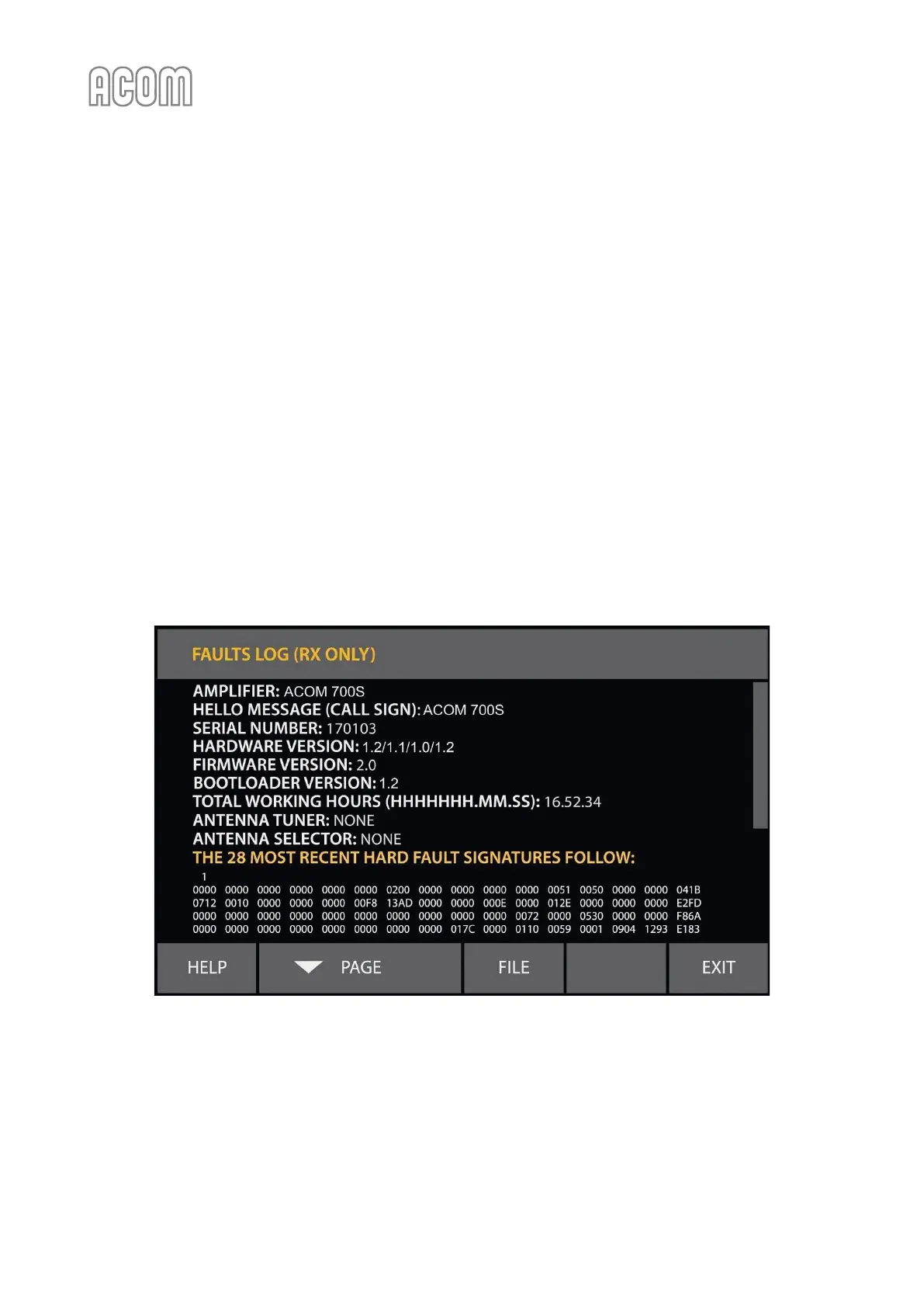
This function reads on the screen the information stored in the memory about the last 28 HARD FAULT
protection trips (see Figure 5-6 | Menu FAULTS LOG). By pushing the FILE button, the information may be also
downloaded in a plain-text format file through the RS-232 port and a computer using a standard terminal
emulating program (TTY). The RS-232 protocol settings are: 9600, 8 N 1.
Please, see Section 7.4 Using the Fault Codes (signatures) for Diagnostics.
Figure 5-6 | Menu FAULTS LOG
Figure 5-6 | Menu FAULTS LOG



 To Next Page