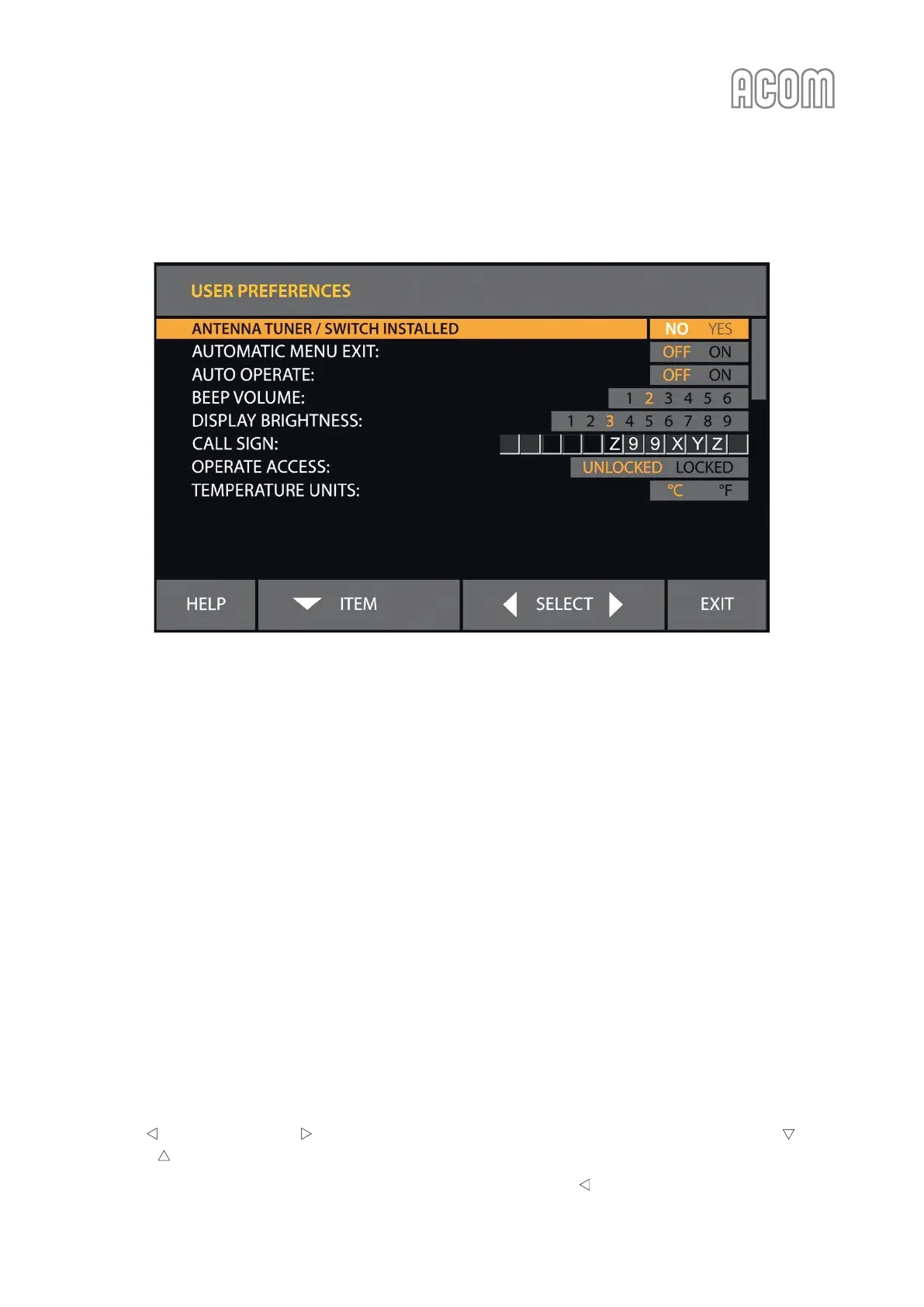
5.4. Menu USER PREFERENCES
Figure 5-5 | Menu USER PREFERENCES
Figure 5-5 | Menu USER PREFERENCES
a) ANTENNA TUNER/SWITCH INSTALLED
If ACOM 04AT or 06AT antenna tuner is connected, select YES. See Section 4.3 Operation with an External
Antenna Tuner and refer to ACOM 04AT or 06AT User's Manual (available for download at www.acom-bg.com).
b) AUTOMATIC MENU EXIT
When AUTOMATIC MENU EXIT is turned on, the amplifier exits the currently selected menu if no button
has been pressed for more than 5 minutes.
If AUTOMATIC MENU EXIT is turned off, the amplifier remains in the currently selected menu until the EXIT
button is pushed.
c) AUTO OPERATE
The AUTO OPERATE user setting is described in Sections 3.3 Initial Turning On and 4.1.c) AUTO OPERATE user setting.
d) CALL SIGN
If entered here, a call sign (or another text) will be included in any Fault Log file generated by the amplifier
(see Section 5.5 Menu FAULTS LOG). The call sign (or another text) will not replace ACOM 700S logo on the
startup screen.
Use the SELECT and SELECT buttons (left or right arrows) to select the character position. The ITEM
and ITEM buttons (up and down arrows) change the characters.
Finish by moving the pointer out of the editable fields by means of the SELECT (left arrow) button.



 To Next Page