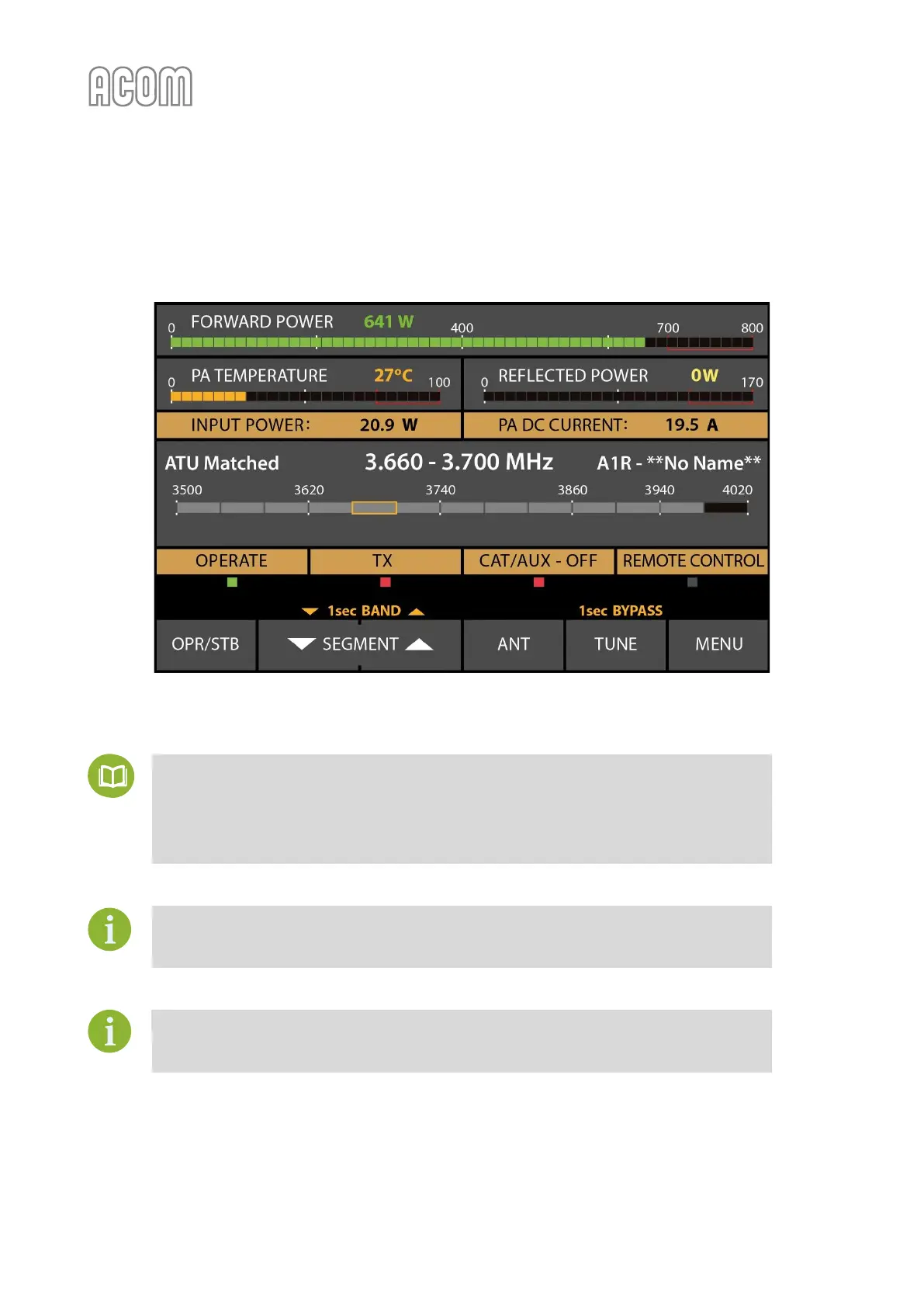
The connection of ACOM 04AT or 06AT tuner will make accessible specific features on the amplifier display
that provide a transparent operation by following frequency and antenna selection changes in less than
50 ms.
Figure 4-3 | Amplifier screen with ACOM 04AT or 06AT antenna tuner installed
Figure 4-3 | Amplifier screen with ACOM 04AT or 06AT antenna tuner installed
The operation of ACOM S-series amplifiers (solid-state devices) with ACOM 04AT and
06AT are described in detail in the respective User's Manual:
• ACOM 04AT User's Manual;
• ACOM 06AT User's Manual.
The documentation is available for download at www.acom-bg.com.
Pay particular attention to Sections 3.2 Indications, controls and menus, and 4.2 Tuner
Assignment and Unassignment in the downloaded manual for details on ACOM 04AT or
06AT control from amplifier front panel.
The use of non-ACOM antenna tuners is not recommended.
ACOM, as an Original Equipment Manufacturer, keeps the right to refuse the guarantee
claims if the non-ACOM tuner is used.



 To Next Page