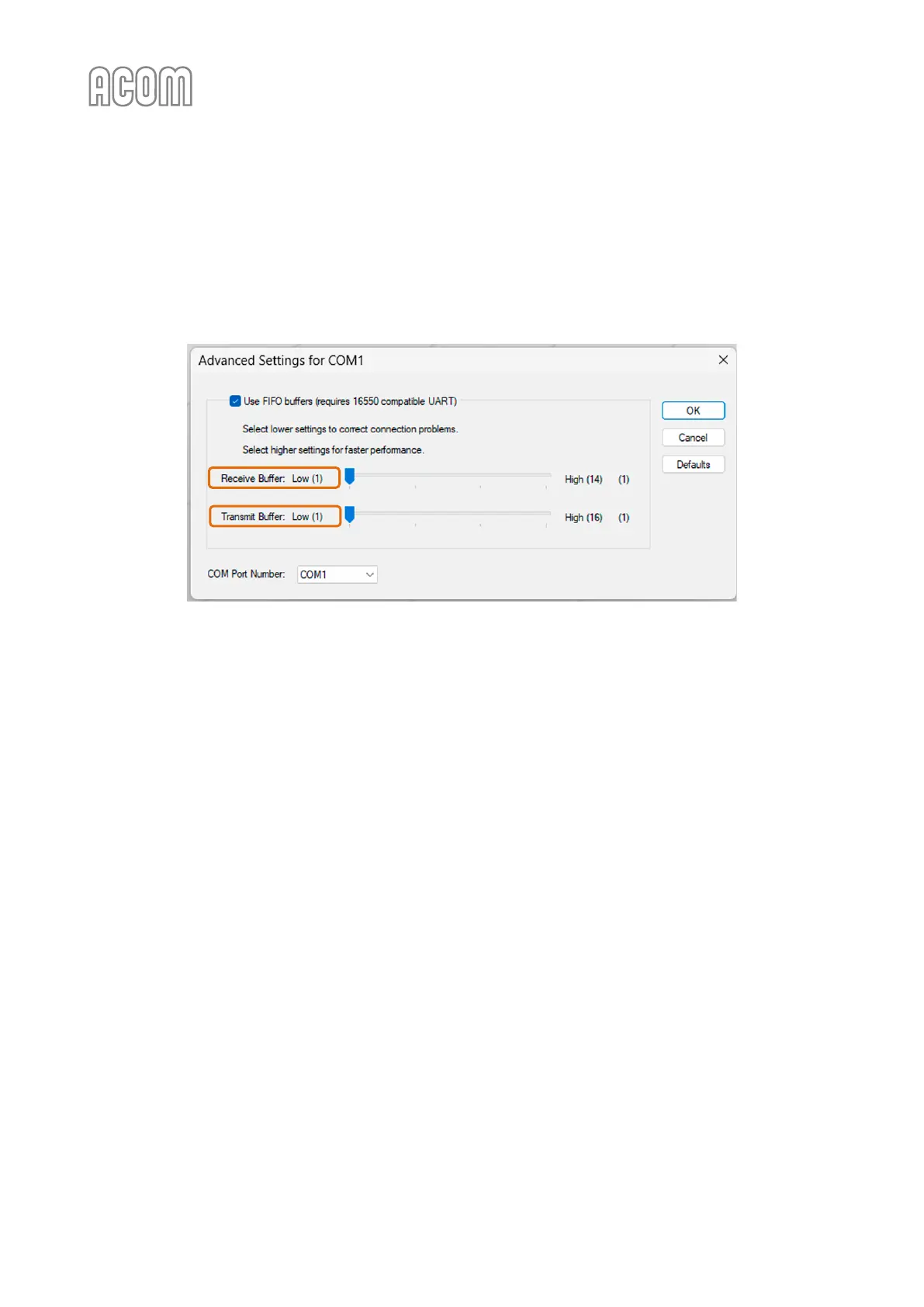
If you are using a PC with a built-in RS-232 port the above STEP 1 is similar and you have to go to Port
Settings tab -> Advanced tab and change Receive/Transit buffer parameters to 1.
Please note that these parameters depend on the hardware type/model of your built-in RS-232 port and
may look different than the example below.
Figure 7-7 | Examples PC Device manager -> Built-in RS-232 Port properties
Figure 7-7 | Examples PC Device manager -> Built-in RS-232 Port properties



 To Next Page