EasyManua.ls Logo

Acteon X-MIND prime - Page 92

Acteon X-MIND prime
118 pages
Print Icon
To Next Page IconTo Next Page
To Previous Page IconTo Previous Page
Loading...
User Manual General instructions for use
USER MANUAL • X-MIND prime • (19) • 01/2020 • NXMPEN010C
86
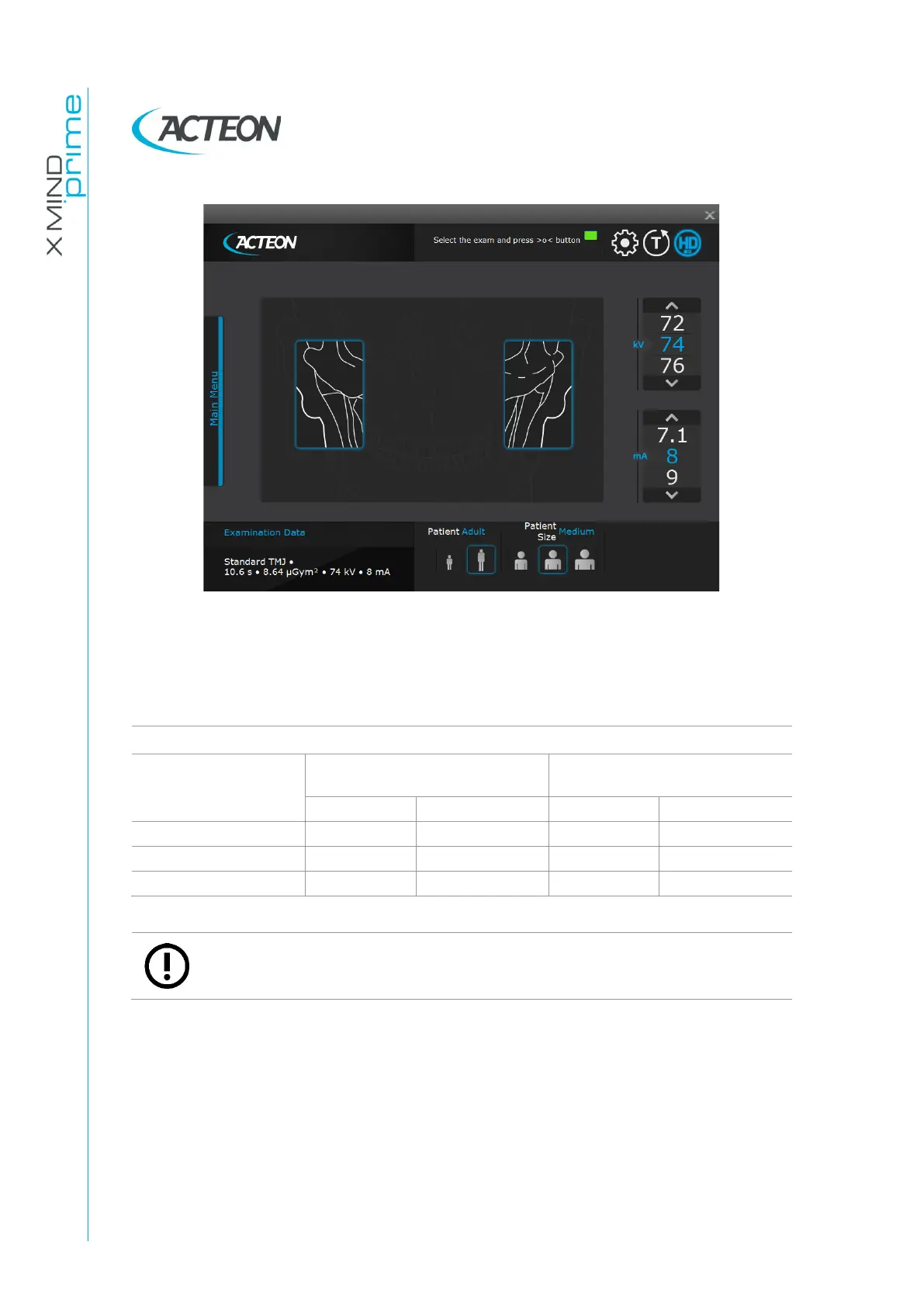
Figure 28
Select the type of patient with the Patient icons (Adult - Child).
Select the type of build with the Patient Size icons (Small - Medium - Large).
On the basis of the selections made, the display will show the kV and mA settings, as in
the table:
Exposure values in TMJ mode
Adult Patient
(9,7 seconds)
Child Patient
(9,7 seconds)
kV
mA
kV
mA
Small
64
5.6
64
4.5
Medium
66
5.6
66
4.5
Large
68
5.6
68
4.5
Note
The exam parameters set as the default are values to be taken as the starting
point. Users can optimise the parameters according to their needs.
Once the settings have been completed, the chin support must be placed in position.

Table of Contents