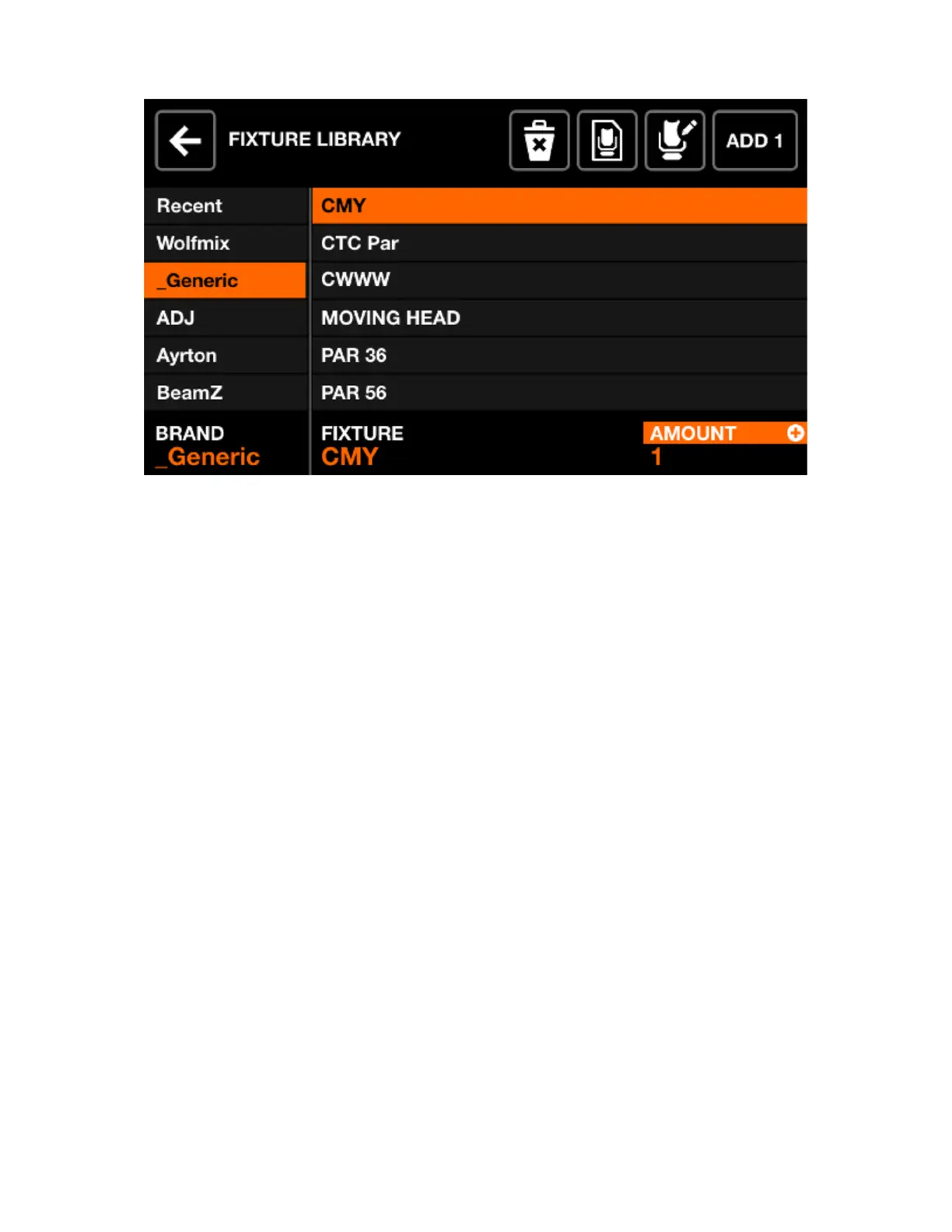
FIXTURE SELECTION
The xture selection screen shows all available xture proles on the controller, ordered alphabetically by
brand and xture.
Displayed data:
• Available brands, starting with the 6 most recently added xtures, followed by xtures which have
been created directly on the Wolfmix controller, followed by brands in the public library.
• Available xtures within the selected brand.
Encoder actions:
• Move the rst encoder to select a brand.
• Move the second encoder to select a xture.
• Move the fourth encoder to choose how many xtures to add. Push to add the xtures.
Toolbar actions:
• Delete the selected xture prole.
• Edit the selected xture prole with the xture builder.
• Create a new xture.
• Add the selected xture.
10














 To Next Page